A coworker once asked me to explain, in plain terms, what I actually do with the digital products I sell on the side — because all she’d heard was “passive income” and “Etsy” thrown around vaguely, and none of it clicked for her.
So I opened my laptop and showed her. Here’s the PDF I made. Here’s where I uploaded it. Here’s the link a customer clicks. Here’s what they get. Here’s the $14 that landed in my account from someone I’ve never spoken to, three states away, at 11pm on a Tuesday.
She stared at the screen for a second and said, “That’s it? That’s the whole thing?”

Basically, yes. The mechanics of selling a digital products are genuinely simple. What trips people up isn’t the technical process — it’s not knowing where to start, what actually sells, and which of the dozen platforms out there is right for their specific situation.
This guide is the version of that laptop conversation, written out properly — the fundamentals of creating a sellable digital product and choosing the right place to sell it, without assuming you already know anything going in.
What Counts as a Digital Product (More Than You’d Think)
A digital product is anything you sell that the buyer receives as a file or access — no shipping, no inventory, no physical item changing hands.
That covers a wider range than most beginners realize:
Documents and guides: PDFs, ebooks, workbooks, reports.
Templates: Spreadsheets, Canva designs, resume templates, Notion dashboards, presentation decks.
Creative files: Stock photos, digital illustrations, fonts, brushes for design software, SVG files for cutting machines like Cricut.
Audio and video: Music tracks, sound effect packs, stock video clips, pre-recorded courses.
Software-adjacent products: Prompt packs for AI tools, browser extensions, simple apps, plugins.
Printables: Planners, trackers, wall art, party invitations, worksheets — designed to be printed by the buyer.
The common thread: you make it once, and it can be delivered to a buyer instantly and repeatedly without you doing anything new each time.
Why This Model Works (And Where It Doesn’t)
It works because: Zero inventory means zero risk of unsold stock. Zero shipping means no logistics headache. The same file can sell to one customer or ten thousand without extra production cost.
It doesn’t work magically because: A product with no buyers generates zero income regardless of quality. Creating something is the easy half. Getting it in front of the right people is the harder, ongoing half.
Keep both halves in mind as we go — this guide covers the full process, not just the making part.
Related: Best Digital Products to Sell Online
Step 1: Find a Problem Worth Solving
Before opening Canva or Google Docs, figure out what you’re actually solving.
The strongest digital products answer a specific question someone is already asking themselves, often one they’d type into Google or Etsy’s search bar. “How do I track my freelance income when it’s irregular every month?” “What should I say in a wedding toast for my brother?” “How do I organize my classroom’s reading levels?”
A simple way to find these questions:
Think about something you’ve personally figured out that took you real effort — a system, a workaround, a piece of knowledge that wasn’t obvious until you learned it the hard way. That’s usually a strong starting point, because you already understand the problem from the inside.
Check Google’s “People Also Ask” boxes and autocomplete suggestions for topics related to your interests or expertise. These reflect real, frequent searches.
Browse Etsy and Gumroad for existing products in a space you’re considering. Established sellers with strong reviews are a signal that buyers exist and spend money there — not a reason to avoid the niche.
What makes a problem “worth solving” commercially: Someone searching for a solution is closer to a purchase decision than someone just browsing for entertainment. Practical, specific problems (“a wedding budget spreadsheet for a 100-guest wedding”) tend to convert better than vague aspirational ones (“becoming more organized”).
Step 2: Pick the Right Format for Your Idea
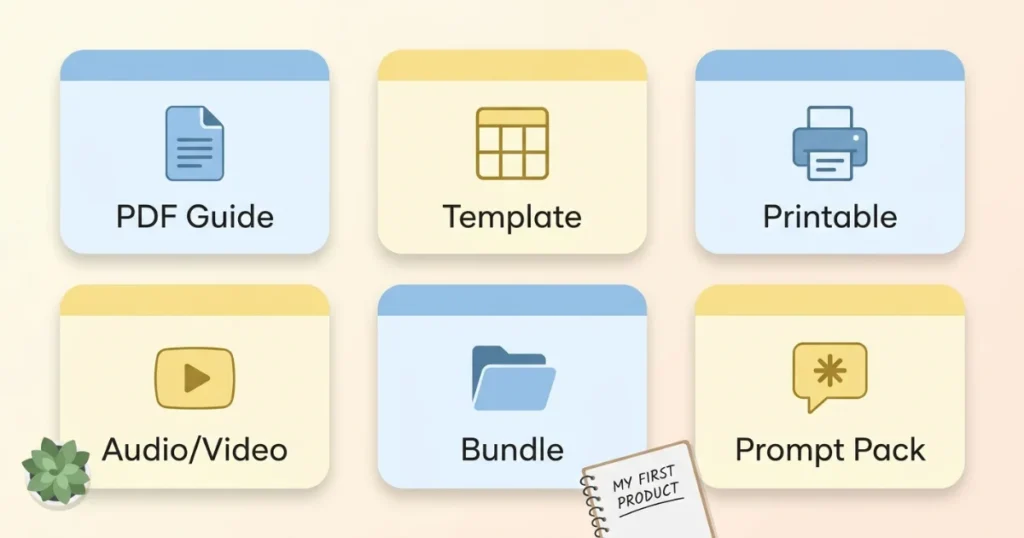
Not every idea should become a PDF. Matching format to content makes the product feel complete rather than padded or thin.
Choose a PDF guide when: the value is in explaining a process, system, or piece of knowledge in written form. Good for how-to content, reference material, and step-by-step instructions.
Choose a template when: the value is in saving someone time by giving them a done-for-them structure they fill in themselves. Spreadsheets, Canva designs, and planners fall here.
Choose a printable when: the product is meant to be physically printed and used — planners, wall art, worksheets, party decor.
Choose an audio or video file when: the value is inherently audio-visual — music, courses where demonstration matters, sound effects.
Choose a bundle when: you have multiple related smaller items that are more valuable together than separate.
A common beginner mistake is forcing every idea into ebook format because it feels like the “default” digital product. A budgeting tool works better as an editable spreadsheet than as a PDF describing budgeting theory. Match the format to how the buyer will actually use it.
Step 3: Actually Build the Thing
Tools that cover almost everything a beginner needs:
Canva (free tier is genuinely sufficient to start) — for PDFs, templates, printables, social graphics, and product mockups. The drag-and-drop interface and built-in templates make this the most accessible starting point for anyone without design experience.
Google Docs or Microsoft Word — for straightforward written guides where layout isn’t the main selling point.
Google Sheets or Excel — for functional spreadsheets, trackers, and calculators. If your product needs formulas (a budget calculator that updates automatically, for example), this is non-negotiable over Canva.
Notion — for dashboard-style templates, especially popular with productivity and project management products. Notion has built-in duplication links that make delivery simple.
Procreate or Adobe tools — for original illustration-based products like digital art, stickers, or planner decorations, if you’re creating from scratch rather than using templates.
A practical build process:
Outline the full content or structure before opening any design tool. Know what every page or section will contain before you start formatting.
Build the content first, design second. It’s tempting to spend hours picking fonts before you’ve actually finished writing or structuring anything. Resist that — finish the substance, then make it look good.
Keep a consistent visual style: two fonts maximum (one for headings, one for body), two to three colors, consistent spacing. This single habit makes self-designed products look noticeably more professional.
Realistic time investment: A focused weekend (six to ten hours) is enough for a solid template pack, planner, or short guide. Longer, more comprehensive products take proportionally more time — but starting smaller and learning from real buyer feedback is usually the smarter approach than spending a month on your first attempt.
Step 4: Where to Actually Sell It — A Real Platform Comparison
This is the part most guides gloss over, and it matters more than people expect. Different platforms suit different products and different goals.
Gumroad
Best for: Direct promotion, email list sales, creators who already have or are building an audience.
How it works: Upload your file, set a price, get a link. You drive all your own traffic — Gumroad doesn’t have meaningful internal discovery the way a marketplace does.
Fees: Free to start; roughly 10% per sale on the free plan.
Strength: Extremely simple setup, clean checkout experience, good affiliate program tools if you want others to promote your product for a cut.
Weakness: No organic search traffic from within the platform. If you have zero existing audience and don’t plan to build traffic elsewhere, sales will be slow.
Etsy
Best for: Templates, printables, planners, digital art — anything that fits naturally into Etsy’s existing buyer behavior and search categories.
How it works: List your product like any other Etsy item, complete with title, tags, and category. Etsy’s internal search engine drives organic discovery without you needing your own audience.
Fees: $0.20 per listing, plus a transaction fee (currently around 6.5%) and a payment processing fee.
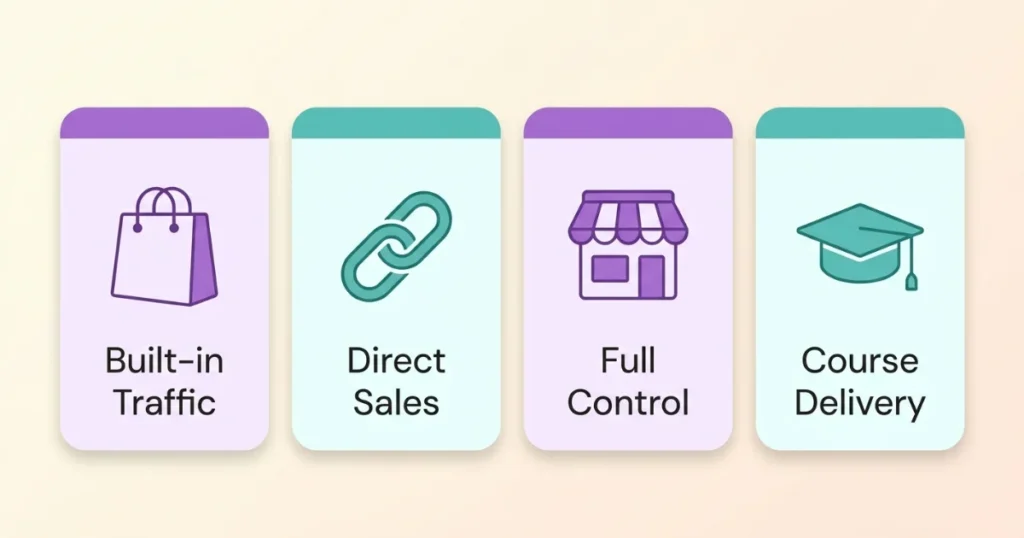
Strength: Built-in buyer traffic. People come to Etsy actively intending to shop, which is a meaningfully different intent than general web browsing.
Weakness: More competition within specific categories, and success depends heavily on getting your listing’s SEO right (title, tags, and categories all need real attention — this is its own skill).
Related: Start an Etsy Shop and Get Your First Sale
Payhip
Best for: Similar use case to Gumroad — direct sales to your own audience — for sellers who want a slightly different fee structure or storefront customization.
Fees: Free plan available with a 5% transaction fee, lower than Gumroad’s free tier.
Strength: Good middle ground if you want Gumroad-style simplicity with marginally better economics on the free plan.
Your Own Website (Shopify, WordPress + WooCommerce, or a simple landing page)
Best for: Sellers who want full control, their own branding, and are willing to handle their own traffic generation through SEO, social media, or paid ads.
How it works: You set up checkout (via Shopify’s built-in system, WooCommerce with a payment plugin, or a simple tool like Stripe-integrated landing pages), host your own files, and control 100% of the buyer experience.
Fees: Shopify starts around $29–$39/month plus standard payment processing fees (about 2.9% + $0.30 per transaction). WordPress with WooCommerce can be cheaper if you already have hosting, but requires more setup.
Strength: No marketplace fees eating into margins beyond payment processing. Full brand control. You own the customer relationship and email list directly.
Weakness: Zero built-in traffic. Everything — every single visitor — has to come from your own marketing effort. Not the right starting point for someone with no existing audience or traffic strategy.
Teachable or Podia
Best for: Structured courses, multi-module content, anything that benefits from a guided, sequential learning experience rather than a single download.
Fees: Free plans exist but with transaction fees and feature limits; paid plans start around $39–$59/month and remove those limitations.
Strength: Purpose-built for course delivery — progress tracking, module structure, and student management are all handled for you.
Weakness: Overkill for a simple template or single PDF guide. Use this when the product genuinely benefits from structured, multi-part delivery.
Step 5: Choosing Your Platform Based on Your Actual Situation
If you have zero existing audience and no traffic plan yet: Etsy. The built-in search traffic does meaningful work for you while you figure out the rest.
If you have an email list, social following, or blog already: Gumroad or Payhip, since you’ll be driving your own traffic anyway and want the simplest checkout experience and best margins.
If your product is a structured, multi-part course: Teachable or Podia, for the delivery experience alone.
If you’re building a long-term brand and want full control: Your own website eventually — but generally after you’ve validated the product works on a simpler platform first.
Many sellers, myself included, use more than one simultaneously. A template that fits Etsy’s marketplace can be listed there for organic discovery while also being sold through Gumroad for direct promotion to an email list. The platforms aren’t mutually exclusive.
Step 6: Pricing Your Product
A simple framework:
$5–$15: Entry-level products — single checklists, simple templates, short guides. Low commitment for buyers, useful for building initial reviews.
$15–$35: The most common range for solid template packs, comprehensive guides, and multi-item bundles. Strong value-to-price ratio.
$35–$75: Premium templates, in-depth guides, or small bundles of related products.
$75+: Comprehensive courses, large template libraries, or highly specialized professional tools.
A pricing principle worth remembering: price based on the value delivered (time saved, problem solved, money the buyer will save or make by using it), not based on how long it took you to create or how many pages it has. A two-page checklist that saves someone three hours of confusion is genuinely worth more than a thirty-page guide nobody finishes reading.
Step 7: Writing a Listing That Gets Clicks and Converts
Whichever platform you choose, the listing itself does real work.

Title: State clearly what the product is and who it’s for. Specific beats clever. “Wedding Day Timeline Template for Planners — Editable Canva Client Schedule” outperforms “Your Dream Wedding Tool.”
Description: Open with the specific problem solved. List exactly what’s included (page count, format, software needed). Address the most common hesitation directly — can this be edited? Does it require special software? Is it beginner-friendly?
Images: Show the actual product clearly, not abstract decoration. A buyer wants to see what they’re getting before they pay for it.
Common Mistakes That Slow First-Time Sellers Down
Building before checking if anyone wants it. A quick post in a relevant Facebook Group or subreddit asking “would this be useful, would you pay around $X for it?” takes ten minutes and can save weeks of wasted effort.
Choosing the wrong platform for the product type. A wedding planning template will likely do better on Etsy’s built-in search than sitting alone on Gumroad with no promotion. A digital marketing course belongs on Teachable, not as a PDF.
Spending too long perfecting the first product. Your first product is a learning exercise as much as a sale. A smaller, finished product teaches you more about real buyer behavior than a polished, unfinished one sitting in your drafts folder.
Forgetting to test the buyer experience yourself. Buy your own product (or have a friend do it) to confirm the download link works, the file opens correctly, and instructions are clear. Broken delivery experiences generate refund requests and bad reviews fast.
Ignoring the platform’s specific discovery mechanics. Etsy rewards specific titles and full tag usage. Gumroad and Payhip reward your own promotional effort. Treating every platform the same way wastes the particular strength each one offers.
Related: Etsy SEO Tips for Digital Products: How to Rank Your Listings Fast
What Happens After Your First Sale
Getting the first sale proves the model works. What comes next determines whether this becomes a meaningful income stream or a one-off experiment.

Ask for a review. Most buyers won’t leave one unprompted. A simple, polite request — in the product file itself or a brief follow-up message where the platform allows — meaningfully increases review rates.
Watch what’s working and lean into it. If a particular pin, post, or keyword phrase is driving traffic, do more of that specific thing rather than spreading effort evenly across everything.
Consider a second related product. A single product rarely becomes a significant income stream on its own. A connected set of two or three related products, cross-promoted to the same audience, compounds far more effectively than chasing one perfect, comprehensive item.
Final Thoughts
The mechanics really are as simple as that laptop conversation with my coworker suggested. Make the file. Choose where to sell it. Get it in front of the right people.
The work that actually determines success isn’t technical — it’s in choosing a real problem to solve, matching the format to how people will use it, picking the platform that fits your specific situation, and being honest with yourself about whether anyone actually wants what you’ve made before you’ve spent weeks building it.
Start with something small enough to finish in a weekend. Get it in front of real people. Learn from what happens. Build the next one slightly smarter.
That’s genuinely the whole process — no more mysterious than it looked on that screen.
FAQs
What’s the easiest digital product to make as a complete beginner?
A simple PDF checklist or single-page template in Canva is the fastest entry point — achievable in an afternoon with zero design experience, and a good way to learn the full process before investing more time in a larger product.
Should I sell on Etsy or Gumroad as a beginner?
If you have no existing audience, Etsy’s built-in search traffic gives you a better chance of organic discovery. If you already have an email list or social following, Gumroad’s simpler setup and direct-sale model usually serves you better.
How much should I charge for my first digital product?
Price in the $5–$20 range for a first product. This lowers the buyer’s perceived risk while still respecting the value of your work, and it’s a reasonable range while you’re building initial reviews and feedback.
Do I need design skills to create digital products?
No. Canva’s free tier, with its templates and drag-and-drop tools, is genuinely sufficient for professional-looking results without prior design experience. Focus on solving a clear problem; design polish can improve over time.
How long does it take to make a first sale?
This varies by platform and promotion effort. Etsy listings with solid SEO can see sales within the first few weeks due to organic search. Gumroad or Payhip sales depend entirely on how quickly you can drive traffic from your own promotion — an email list or social audience speeds this up considerably.