My first Etsy digital product sat at zero sales for six weeks.
Not because the product was bad. It was a genuinely useful set of budgeting templates I’d built carefully in Canva, priced fairly, with clean preview images. I was proud of it.
But I’d titled it “Beautiful Budget Templates” and tagged it with words like “pretty,” “minimalist,” and “aesthetic.” I thought I was describing my product. What I was actually doing was making it invisible to Etsy’s search algorithm, because none of those words matched what people were actually typing into Etsy’s search bar.

I changed the title to “Monthly Budget Planner Template Printable Digital Download Personal Finance” and rewrote my tags to match actual search terms. Within ten days, I had my first sale. Within six weeks, I was getting five to ten sales a month from organic Etsy search alone — the exact same product, completely different visibility.
That experience taught me more about Etsy SEO than any guide I’d read before trying it myself. This article is everything I’ve learned since — through that mistake, through testing, and through watching what’s worked for other digital product sellers on Etsy in 2026.
Why Etsy SEO Works Differently Than Google SEO
Before getting into tactics, it helps to understand what you’re actually optimizing for.
Etsy is a marketplace search engine, not a general search engine. People come to Etsy already intending to buy something. They’re not researching — they’re shopping. This changes what “good SEO” means.
On Google, you’re often trying to answer a question or provide information. On Etsy, you’re trying to match a specific buying intent as precisely as possible. Someone typing “wedding planner template printable” into Etsy’s search bar is closer to a purchase decision than someone Googling “how to plan a wedding.”
Etsy’s search algorithm (internally, it’s based on a system they’ve refined over years, often referred to by sellers as “Etsy’s search ranking factors”) considers several things when deciding which listings to show for a given search:
Relevancy — how closely your listing title, tags, and category match the search query Listing quality score — based on click-through rate, conversion rate (do people buy after viewing?), and reviews Recency — newer listings and recently updated listings get a temporary visibility boost Customer experience factors — your shop’s overall reviews, shipping/delivery experience (for digital products, this means clear, fast file delivery), and return/refund rate Buyer-shop history — if a buyer has purchased from your shop before, Etsy is more likely to show your other listings to them
Understanding this changes how you approach the whole process. You’re not writing for humans first and tweaking for SEO second, the way good blog content works. On Etsy, the title and tags ARE the discovery mechanism — get those wrong and even a great product never gets seen.
Related: Start an Etsy Shop and Get Your First Sale
Step 1: Keyword Research — Find What Buyers Actually Type
This is the step most sellers skip or do poorly, and it’s the one that made the single biggest difference in my own results.
Use Etsy’s own search bar as your first research tool. Start typing a broad term related to your product — “budget planner,” “wedding invitation template,” “resume template” — and watch the autocomplete suggestions. These aren’t random. They’re based on real, frequent searches. Each suggestion is a potential keyword phrase worth considering.
Check what’s already ranking. Search your target keyword and look at the top-performing listings. What words appear in their titles? What categories are they in? This tells you what’s currently working — not to copy directly, but to understand the competitive landscape.
Use eRank or Marmalead. These are Etsy-specific SEO tools (both have free trial tiers, paid plans starting around $5.99–$9.99/month) that show search volume estimates, competition levels, and trending keywords specific to Etsy’s marketplace. I started using eRank after my first product flopped, and it completely changed how I approached titles and tags going forward.
Look at Google too. Use Google’s “People Also Ask” and autocomplete suggestions for your product type — many digital product buyers search Google first (“free budget planner template” or “best budget planner printable”) before landing on Etsy listings through search or ads.
A practical example of what good keyword research looks like:
Say you’re selling a social media content calendar template. Generic version: “social media calendar.” Specific, search-friendly version after research: “social media content calendar template Canva editable printable monthly planner small business.”
That second version sounds clunky as a sentence — and that’s fine. Etsy titles aren’t meant to read like natural prose. They’re meant to capture as many relevant, high-intent search phrases as the character limit allows.
Step 2: Writing Titles That Actually Rank
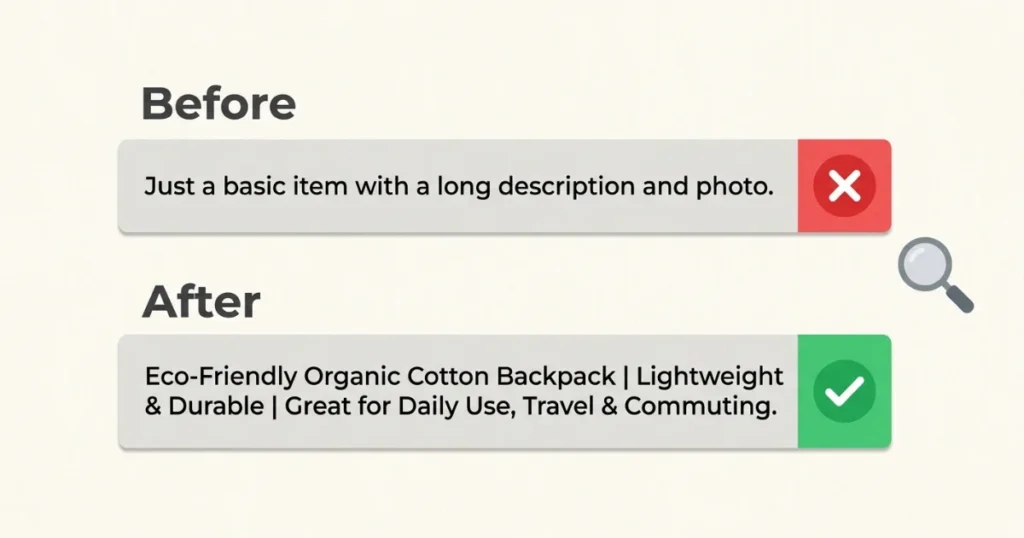
Etsy gives you up to 140 characters for your title. Use as much of that space as makes sense — short, vague titles waste valuable search real estate.
The structure that works well:
[Primary keyword phrase] + [Product type/format] + [Secondary descriptive keywords] + [Use case or audience]
Example breakdown:
“Budget Planner Template | Monthly Budget Tracker Printable Editable Canva | Personal Finance Spreadsheet Digital Download”
This title hits multiple potential search phrases: “budget planner template,” “monthly budget tracker,” “budget tracker printable,” “editable Canva template,” “personal finance spreadsheet,” and “digital download.” Someone searching any of these variations has a chance of finding this listing.
What to avoid in titles:
Vague adjectives that don’t match search behavior — “beautiful,” “stunning,” “amazing,” “unique.” Nobody searches Etsy for “beautiful template.” They search for what the template specifically is and does.
Keyword stuffing that creates nonsensical phrases. There’s a balance between maximizing relevant phrases and creating a title that still makes basic sense to a human reading it. “Template Planner Budget Monthly Tracker Finance Spreadsheet Editable Digital” reads as spam even if every word is technically a relevant keyword.
My honest process now: I write three to five different keyword phrase variations I want to target, based on research from eRank and Etsy’s own search bar. Then I combine them into a title that includes all of them while still reading as a coherent (if keyword-dense) phrase.
Related: Best Digital Products to Sell Online
Step 3: Tags — The Hidden Search Multiplier
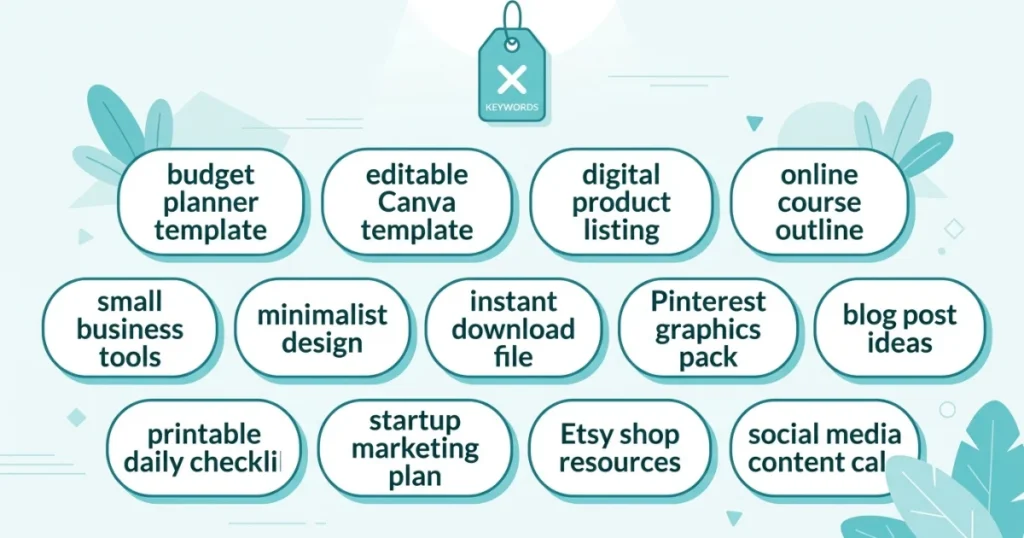
Etsy gives you thirteen tags per listing, each up to twenty characters. Every single one matters, and leaving any unused is a wasted opportunity.
The mistake most sellers make: Repeating words already in their title, or using overly broad single-word tags that have enormous competition.
What works better:
Use multi-word phrases rather than single words. “Budget planner” as a tag is more specific and useful than “budget” or “planner” separately — Etsy’s algorithm matches phrase searches, and a multi-word tag covers that exact phrase plus contributes to broader matching.
Cover different angles of your product: what it is, who it’s for, how it’s used, and related terms buyers might search.
Example tag set for a budget planner template:
- budget planner template
- monthly budget tracker
- finance planner printable
- editable Canva template
- budget spreadsheet digital
- personal finance planner
- money tracker template
- budget binder printable
- digital budget planner
- expense tracker template
- financial planner download
- budgeting tool printable
- canva budget template
Notice these aren’t all identical phrasings of the same thing — they cover different angles a buyer might search: the product type, the use case, the format, and related terminology.
Use all thirteen tags every time. Leaving tags empty is leaving free visibility opportunities unused.
Step 4: Categories and Attributes
This step gets skipped constantly, and it directly affects whether you show up in Etsy’s category browsing and filtered search — not just keyword search.
When listing your product, Etsy asks you to choose a specific category and, depending on the category, additional attributes (style, occasion, recipient, color, etc.).
Choose the most specific category available, not the broadest one. If Etsy has a specific subcategory for “Templates > Planners > Budget Planners,” use that instead of the generic “Templates” category. Specificity here helps Etsy understand exactly what you’re selling and show it to the right searchers.
Fill in every relevant attribute. Buyers often filter their search using these attributes (style, color, occasion). A listing with attributes filled in correctly shows up in filtered searches; one with blank attributes might be excluded entirely from a filtered browse, even if the keywords match.
Step 5: Your Listing Description Still Matters
The description doesn’t carry as much SEO weight as the title and tags, but it’s not irrelevant — and it directly affects whether someone who finds your listing actually buys.
Structure that converts well for digital products:
Open with a clear, specific statement of what the product is and what problem it solves. Don’t start with “Welcome to my shop!” — get straight to the value.
Include a bulleted breakdown of what’s included (number of pages/templates, formats, dimensions, editable vs. static).
Explain how to use or access the product clearly — especially important for digital products since buyers need to understand they’re getting a download, not a physical item.
Add a brief note about compatibility (works with Canva free or Pro? requires specific software? Google Sheets or Excel?).
Close with how to reach you for support or questions.
SEO value in the description: Naturally include a few of your target keyword phrases in the first few sentences — this is the part Etsy’s algorithm weighs most heavily within the description, and it’s also the part buyers actually read before deciding whether to scroll further.
Step 6: Photos and Thumbnails — The Click-Through Factor
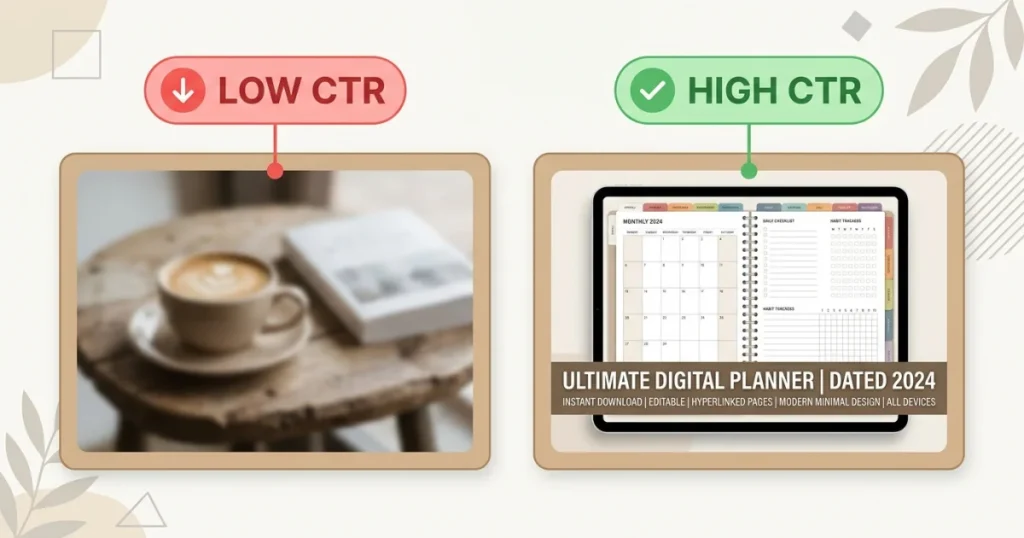
This isn’t traditional SEO in the keyword sense, but it directly affects your ranking because Etsy’s algorithm rewards listings with strong click-through and conversion rates.
What makes digital product thumbnails perform well on Etsy:
Show the actual product clearly in the first image — not an abstract lifestyle shot, but a genuine preview of what the buyer will receive. For templates, mockups showing the design in context (a phone or laptop screen, a printed page) work well.
Include text overlay on at least the first image that states clearly what the product is — “Monthly Budget Planner Template” overlaid on the thumbnail helps buyers immediately understand the listing without reading the title.
Use a consistent style across your shop’s thumbnails. This builds shop recognition and signals professionalism, both of which support conversion rates.
Tool to use: Canva is genuinely sufficient for creating polished digital product mockups and thumbnails. Their free tier has frame and mockup elements specifically designed for this purpose.
Step 7: Pricing and Its Indirect SEO Effect
Pricing doesn’t directly factor into Etsy’s search algorithm in an obvious way, but it indirectly affects ranking through conversion rate.
A listing priced significantly higher than comparable products in its category, without strong differentiation, will get clicks but low conversion — which signals to Etsy’s algorithm that the listing isn’t satisfying the searches it’s appearing for. Over time, this can hurt visibility.
What I’ve found works: Research comparable digital products in your specific niche (not just your broad category) and price competitively within that range, especially while your shop is new and building reviews. Once you have strong reviews and an established customer base, you have more room to price at a premium.
Step 8: Reviews and Why They Compound
Reviews matter for two reasons: they directly factor into Etsy’s ranking algorithm, and they significantly affect whether new visitors convert into buyers.
How to get more reviews on digital products: Etsy automatically sends a review request to buyers after purchase, but you can improve response rates by including a polite note in your product file or listing description: “If you found this helpful, a quick review would mean a lot and helps other [target audience] find this resource.”
Respond to reviews, including any critical ones. A thoughtful, professional response to a less-than-perfect review can actually build more trust than five generic five-star reviews with no seller engagement.
Related: Selling Digital Products Online: Step-by-Step Guide
Common Mistakes That Tank Etsy SEO
Using only single-word, broad tags. “Planner,” “template,” “printable” — these have enormous competition and minimal specificity. Multi-word phrases consistently outperform single words for digital product tags.
Writing titles for aesthetics instead of search. This was my exact mistake. A title needs to function as a search-matching tool first, and a readable description second.
Not updating listings after they’re live. Etsy SEO isn’t a set-it-and-forget-it system. If a listing isn’t performing after a few weeks, revisiting the title, tags, and thumbnail based on what you’ve learned is standard practice for successful sellers, not a sign of failure.
Copying competitor titles and tags verbatim. This doesn’t just risk intellectual property issues — it also means you’re competing directly for the exact same search terms as an established listing with more reviews and history. Look at what’s working, then differentiate within it.
Ignoring renewal and relisting strategically. Etsy gives a temporary visibility boost to newly listed or recently renewed items. Some experienced sellers strategically renew older listings that have stalled — though this should be a deliberate, occasional tactic rather than something done constantly, since Etsy’s algorithm also values listing consistency.
Underestimating the thumbnail’s role. A perfectly optimized title and tag set that leads to a confusing or unappealing thumbnail still won’t convert. Both elements need attention together.
A Realistic Timeline for Etsy SEO Results
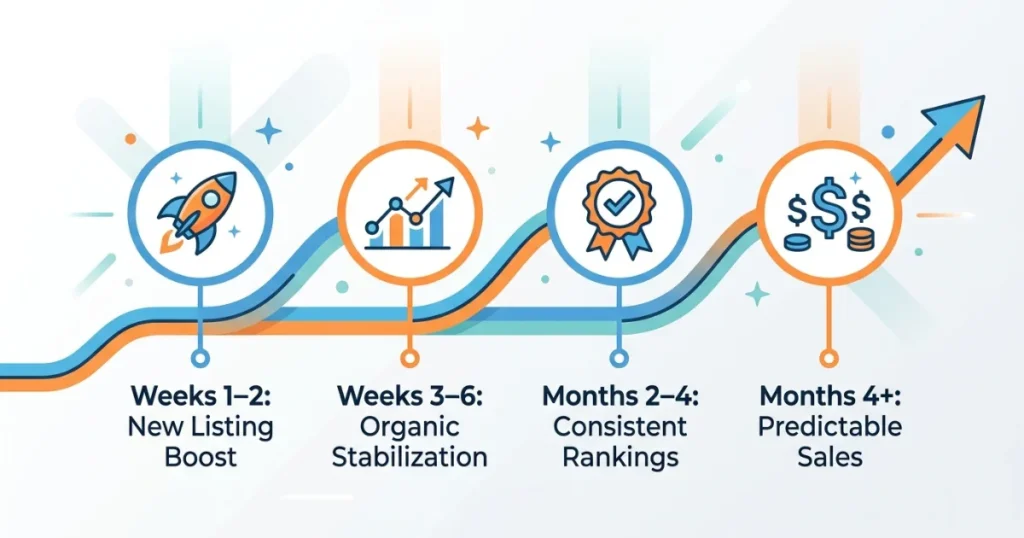
Weeks 1–2: New listing gets a temporary visibility boost from Etsy (“new listing” algorithm bump). This is your best early window to gather initial views and, hopefully, first sales and reviews.
Weeks 3–6: The initial boost fades. Performance now depends on actual relevancy and conversion data Etsy has gathered. If keyword research and titles were strong, this is often when consistent organic traffic starts to stabilize.
Months 2–4: With consistent sales and a few reviews, well-optimized listings begin to rank more reliably for their target keywords. This is typically when a digital product shop starts feeling like it’s generating predictable income rather than occasional, unpredictable sales.
Months 4+: Listings with strong, sustained performance (good conversion rate, positive reviews, consistent sales) tend to maintain stable rankings. This is also the point where testing new listings, expanding into related products, and refining underperforming listings based on real data becomes the main ongoing work.
Final Thoughts
That six-week stretch of zero sales taught me something that no amount of reading guides beforehand had made clear: Etsy SEO isn’t about clever writing or creative flair. It’s about precisely matching the language your buyers are already using, in the places Etsy’s algorithm is actually looking.
Once I stopped writing titles like marketing copy and started writing them like search queries, everything changed — not because the product got better, but because it became findable.
If your digital products on Etsy aren’t getting traffic, the product probably isn’t the problem. The visibility is.
Fix the title. Fix the tags. Fix the thumbnail. Give it a few weeks. Adjust based on what you learn.
That’s genuinely the whole process.
FAQs
How long does it take for Etsy SEO to start working?
New listings get an initial visibility boost in their first one to two weeks. After that, ranking depends on actual performance data (clicks, conversion, reviews). Most well-optimized listings start showing consistent organic traffic within four to eight weeks.
Should I use all 13 tags on every Etsy listing?
Yes. Every unused tag is a missed opportunity for additional search visibility. Use specific, multi-word phrases rather than broad single words for the best results.
Do Etsy SEO tools like eRank actually help?
Yes, particularly for keyword research and understanding search volume and competition levels specific to Etsy’s marketplace. The free tiers of these tools are often sufficient for beginners; paid plans add more detailed competitor analysis as your shop grows.
Should my Etsy title sound natural or be keyword-focused?
Keyword-focused, within reason. Etsy titles function primarily as a search-matching tool, not marketing copy. A title packed with relevant, specific keyword phrases will outperform a beautifully written but vague title every time.
Can I change my title and tags after a listing is live?
Yes, and you should if a listing isn’t performing after a few weeks. Etsy doesn’t penalize you for updating listings — in fact, refining underperforming listings based on real search and conversion data is standard practice among successful sellers.