A friend messaged me a few months back: “I want to start selling something online but I have no idea what.”
That message has come up enough times now — from different people, in different forms — that I’ve started keeping a mental list of what I actually tell them. Not vague encouragement to “find your passion.” A real rundown of which categories of digital products are genuinely selling well right now, what they cost to make, what they sell for, and which ones I’d actually recommend based on what I’ve seen work and not work.

This is that list, written out properly. I’m not covering how to build or sell these (I’ve written separately about the actual process) — this is specifically about which categories are worth your time in 2026, with honest notes on competition, effort, and realistic income per category.
How I’m Ranking These
Four things matter for each category: how much competition exists, how quickly you can realistically create a first product, what it typically sells for, and whether the category has room for a connected portfolio (since single products rarely sustain meaningful income on their own).
I’ll flag all four for each category so you can match it against your own situation rather than just picking whatever sounds most appealing.
Related: Build Passive Income with Digital Products
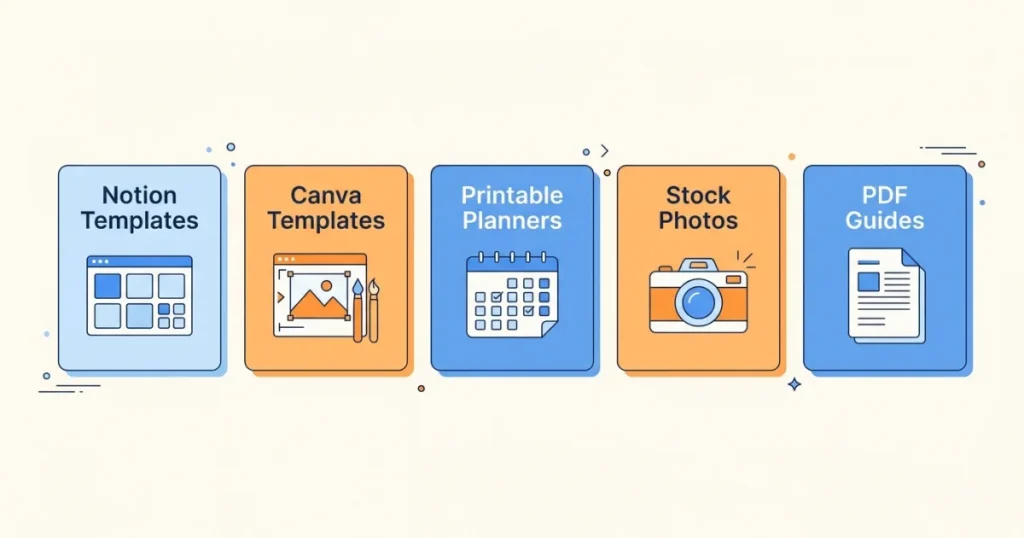
1. Notion Templates
What sells: Project management dashboards, habit trackers, content calendars, budget systems, CRM templates for freelancers and small businesses, wedding planning systems, student study planners.
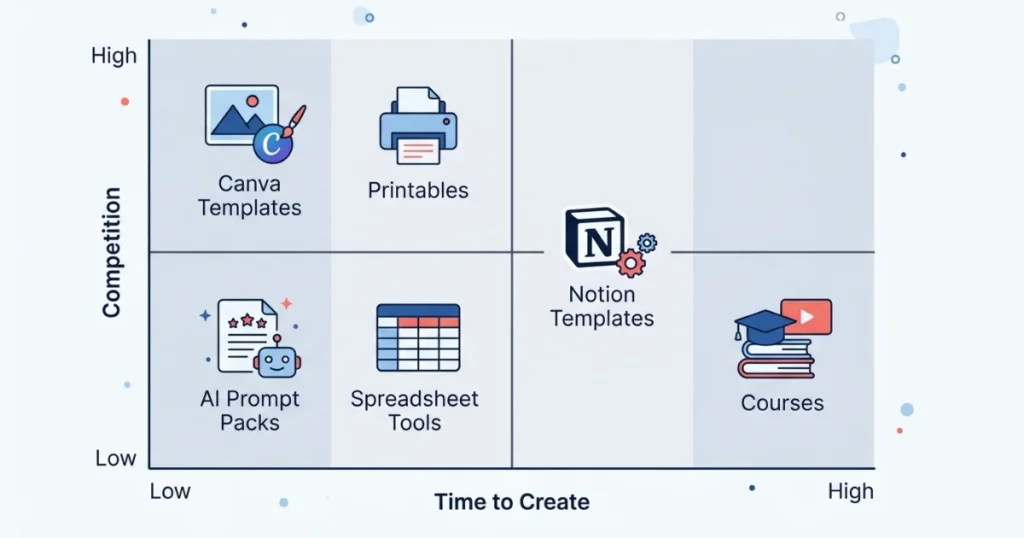
Competition level: Moderate to high in generic categories (basic habit trackers), lower in specific professional niches (freelance CRM systems, specific industry project trackers).
Time to first product: Two to six hours for a simple template once you know Notion well. Longer for multi-page systems with linked databases.
Typical price range: $9–$45 depending on complexity. Comprehensive systems (full business management templates) can command $50–$150.
Why this is working well in 2026: Notion’s user base has grown substantially, and the platform’s template marketplace plus third-party sales (Gumroad, Etsy) both support discovery. The specific niche play matters enormously here — “productivity template” is hopeless competition; “Notion CRM for wedding photographers” has almost none.
Honest note: You genuinely need to use Notion deeply yourself to build something buyers will find intuitive. If you’ve only dabbled, the templates tend to feel clunky in ways experienced users notice immediately.
2. Canva Templates
What sells: Social media post and story templates, presentation decks, resume and CV templates, invitation and event templates, brand kit bundles, worksheet and printable templates for teachers.
Competition level: High in broad categories (general social media templates), moderate in specific niches (templates for specific industries or specific platforms like LinkedIn carousels).
Time to first product: One to four hours for a small template pack, using Canva’s existing design elements as a base.
Typical price range: $7–$30 for most packs; brand kits and comprehensive bundles can reach $50–$100.
Why this is working well in 2026: Canva’s user base spans casual users to small business owners, all of whom want professional-looking output without design skills. The market is large enough to support significant competition while still leaving room for specific, well-targeted products.
Honest note: The generic, broadly-themed template pack market (generic “aesthetic” Instagram templates, for example) is genuinely saturated. What’s still working: industry-specific templates (real estate listing graphics, fitness coach content templates, therapist practice social media kits) where the niche-specificity does the differentiation work.
3. Printable Planners and Trackers
What sells: Budget planners, meal planners, fitness trackers, daily/weekly/monthly planner inserts, habit trackers, wedding planning printables, homeschool planning systems, business goal planners.
Competition level: Very high in generic categories on Etsy specifically. Lower for highly specific niches.
Time to first product: Three to eight hours for a solid multi-page planner, built in Canva.
Typical price range: $4–$20 for single planners; $15–$40 for comprehensive planner bundles.
Why this is working well in 2026: Etsy’s search traffic for printables remains genuinely strong, and the format suits buyers who like physical, tangible planning tools even in a digital-first world. The print-it-yourself model also appeals to budget-conscious buyers who’d rather pay $8 once than $30 for a physical planner repeatedly.
Honest note: This is the most saturated category on this list in its generic form. “2026 planner” or “budget planner” alone will struggle against thousands of existing, reviewed listings. The path to success here is unusually specific niches: “Budget planner for ADHD brains,” “Meal planner for batch cooking families of 6+,” “Fitness tracker for postpartum recovery.”
4. Stock Photos and Digital Illustrations
What sells: Lifestyle stock photography, business and workspace imagery, niche-specific photo sets (specific industries, specific demographics underrepresented in typical stock libraries), digital illustrations and clip art for designers, seasonal and holiday graphic sets.
Competition level: High overall, but meaningfully lower for diverse, specific, or niche subject matter that major stock libraries underserve.
Time to first product: Highly variable — a photo set might take a single dedicated shoot day; illustration sets take longer depending on complexity and your own drawing speed.
Typical price range: Individual images $1–$5 on marketplaces; bundled sets $15–$50; licensing-based sales (Adobe Stock, Shutterstock) pay smaller royalties per download ($0.25–$2) but compound with volume.
Why this is working well in 2026: Demand for authentic, specific imagery (rather than obviously generic stock photography) has grown as brands push toward more genuine-feeling marketing. Specific underserved niches — disability representation, specific ethnic and cultural imagery, real small-business workspace shots rather than staged offices — have noticeably less competition.
Honest note: This category requires either genuine photography or illustration skill, or AI image generation tools (Midjourney, Adobe Firefly) used thoughtfully. Check the specific platform’s policies on AI-generated content before submitting, since these vary and change.
5. PDF Guides and Ebooks
What sells: How-to guides in specific niches, structured workbooks, reference guides, recipe collections, niche-specific advice books (career transitions, specific health conditions, parenting specific age ranges or situations).
Competition level: Moderate, heavily dependent on niche specificity. Extremely high in oversaturated categories (general productivity, general self-help).
Time to first product: One to three weekends for a focused, useful guide of reasonable length (5,000–15,000 words plus formatting).
Typical price range: $7–$27 for most guides; $30–$75 for comprehensive, highly specific professional guides.
Why this is working well in 2026: Specific, genuinely useful knowledge still sells, especially when it’s written from real experience rather than generic research. The flood of low-effort AI-generated ebooks has actually made well-written, specific, experience-based guides stand out more, not less.
Honest note: This is the category where “specific beats comprehensive” matters most. A focused thirty-page guide on one narrow problem outsells a generic 200-page guide attempting to cover everything related to a broad topic.
6. Online Courses and Mini-Courses
What sells: Skill-based video courses (software tutorials, creative skills, professional development), structured multi-week programs, cohort-based or self-paced learning experiences.
Competition level: Moderate to high in broad topics (general social media marketing courses), lower in specific technical or niche skill areas.
Time to first product: Significantly longer than other categories — typically two to six weeks for a properly structured course with recorded video content.
Typical price range: $27–$197 for mini-courses; $197–$997+ for comprehensive, in-depth programs.
Why this is working well in 2026: Course buyers pay for structure, accountability, and the confidence that a guided experience provides over a static PDF. This format commands meaningfully higher prices than other digital product categories, which matters if you have deep expertise worth packaging this way.
Honest note: Courses require either an existing audience or significant traffic-building effort to sell well, since the higher price point means buyers need more trust before purchasing. This isn’t the easiest entry point for someone with zero existing audience — it’s a strong second or third product once you understand your audience better.
7. AI Prompt Packs
What sells: Curated, tested prompt collections for specific professional uses (real estate listing descriptions, email marketing, social media captions for specific industries, lesson planning for teachers, legal document drafting assistance).
Competition level: Growing quickly, but still genuinely lower than most categories on this list, especially for specific professional applications rather than generic “ChatGPT prompts” packs.
Time to first product: A few hours to test and organize twenty to fifty prompts properly, plus formatting time in Canva.
Typical price range: $7–$25 for most packs.
Why this is working well in 2026: AI tool adoption continues growing among people who don’t know how to prompt effectively for their specific use case. A well-tested, niche-specific prompt pack solves a real, immediate problem.
Honest note: Every prompt included needs to be genuinely tested and produce good results — a pack full of mediocre, untested prompts generates poor reviews quickly, since buyers will test them immediately after purchase.
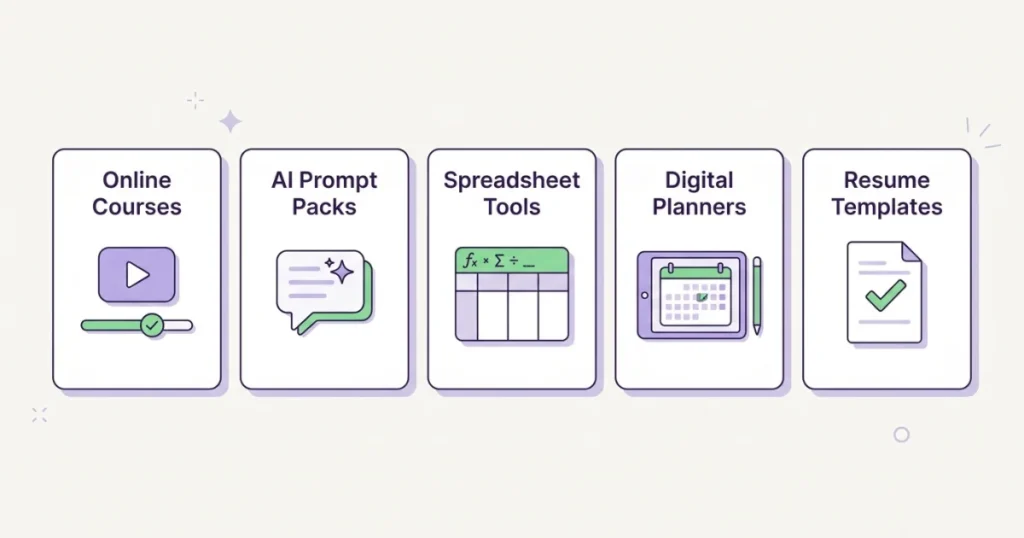
8. Spreadsheet Tools and Calculators
What sells: Budget calculators, business financial projection tools, freelance rate calculators, inventory tracking systems, ROI calculators for specific industries, fitness and nutrition tracking spreadsheets with built-in formulas.
Competition level: Lower than most categories on this list, particularly for tools with genuinely useful, well-built formulas rather than just formatted templates.
Time to first product: Four to ten hours depending on formula complexity, built in Google Sheets or Excel.
Typical price range: $12–$40 for most tools; specialized business tools can command $50–$150.
Why this is working well in 2026: Genuinely functional spreadsheet tools (not just pretty templates, but ones with working formulas that calculate, project, or automate something) are harder to build than most other categories, which keeps competition lower. Buyers who understand the value of a properly working calculator pay well for it.
Honest note: This category rewards actual spreadsheet skill more than design skill. If you’re comfortable with formulas, conditional formatting, and basic spreadsheet logic, this is a strong category with less competition than the more visually-driven options on this list.
9. Digital Planners for Specific Apps (GoodNotes, Notability)
What sells: Digital planner systems designed specifically for note-taking and annotation apps like GoodNotes and Notability, with hyperlinked navigation, designed for use on tablets with a stylus.
Competition level: Moderate, with a dedicated and growing buyer base of tablet and stylus users.
Time to first product: Six to twelve hours, since these require careful hyperlink setup in addition to design work, typically built in Canva or specialized planner design tools.
Typical price range: $10–$35 for most digital planner systems.
Why this is working well in 2026: Tablet-based planning and journaling has a genuinely loyal, growing community, particularly among students and people who’ve moved away from paper planners but still want the tactile planning experience.
Honest note: This category has a steeper technical learning curve than basic printables, since the hyperlinking and page navigation need to actually function correctly within the target app. Worth learning if you’re targeting this audience specifically, but not the easiest starting category.
10. Resume, Cover Letter, and Career Document Templates
What sells: ATS-friendly resume templates, cover letter templates, LinkedIn banner and profile templates, portfolio templates for creative professionals, interview preparation guides.
Competition level: High in basic resume templates, lower for specific industry or career-stage targeting (career change resumes, executive-level resumes, creative industry portfolios).
Time to first product: Two to five hours per template, built in Canva or Google Docs.
Typical price range: $8–$25 for individual templates; $20–$50 for complete career document bundles.
Why this is working well in 2026: Job searching remains a consistent, recurring need across the population, and ATS (applicant tracking system) compatibility concerns have made buyers more willing to pay for templates specifically designed to pass automated screening rather than relying on free generic templates.
Honest note: The “ATS-friendly” framing genuinely matters here — buyers specifically search for this term because they’ve heard horror stories about resumes getting filtered out by automated systems. Products that explicitly address this concern outperform generic “professional resume template” listings.
Related: Create and Sell Digital Products
How to Actually Choose Among These
Given everything above, here’s how I’d think about choosing:
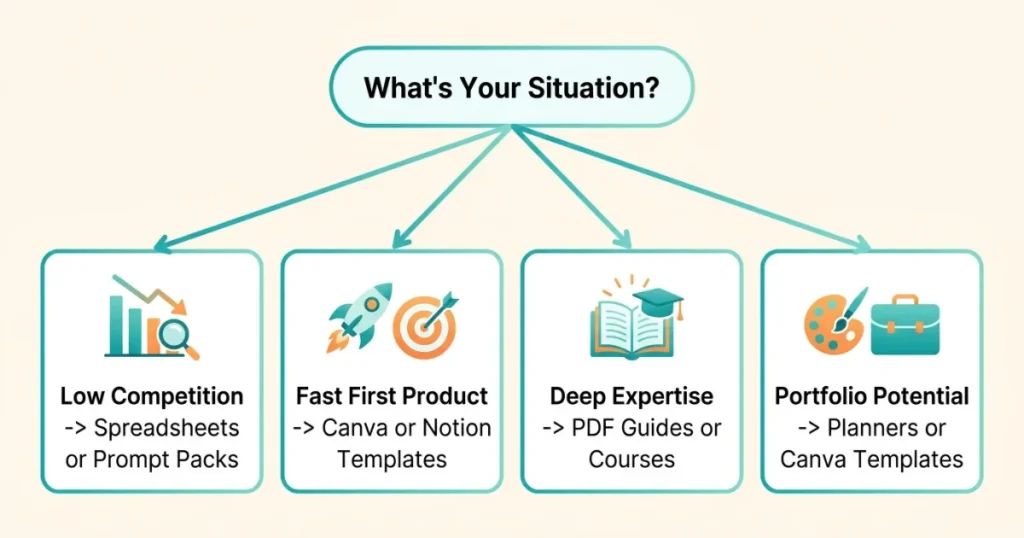
If you want the lowest competition relative to effort: Spreadsheet tools or AI prompt packs. Both have genuine demand with comparatively fewer sellers doing them well.
If you want the fastest first product: Canva templates or Notion templates, assuming you already use either tool comfortably.
If you have deep expertise in something specific: PDF guides or online courses, since these categories reward genuine knowledge over design polish.
If you want a category with strong portfolio potential: Printable planners or Canva templates, both of which naturally support expanding into dozens of related products over time.
If you’re willing to learn a specific technical skill for less competition: Digital planners for GoodNotes/Notability, or spreadsheet tools with working formulas.
Mistakes to Avoid When Picking a Category
Choosing based on what looks fun to make rather than what people actually buy. Illustration and stock photo work is appealing creatively but has real competition; checking actual demand (search Etsy and Gumroad for similar products and reviews) before committing matters more than personal preference alone.
Picking the most saturated version of a category. Generic printable planners are the hardest entry point on this entire list, precisely because they’re the most commonly recommended starting point in other guides. The specific, niche version of any category usually has dramatically less competition.
Underestimating categories that require real skill. Spreadsheet tools and digital planners both have less competition specifically because they require more than basic design ability. If you have the skill, this works in your favor.
Ignoring the portfolio question entirely. A category that only supports one or two realistic products limits your long-term income potential compared to one where you can build ten or fifteen related items over time.
Final Thoughts
When my friend asked what to sell, the honest answer wasn’t “follow your passion” — it was “here’s what’s actually selling, here’s what each category costs in time and skill, now pick based on your actual situation rather than what sounds most exciting.”
None of these categories are secret. All of them have real, demonstrated buyers. The differentiator isn’t finding some undiscovered category nobody else knows about — it’s choosing the one that matches your actual skills and time, then going specific enough within it that you’re not competing head-on with thousands of identical listings.
Pick one category. Check what’s already selling well within it. Build something narrower and more specific than what you see. That’s the whole strategy, repeated across whichever category fits you best.
FAQs
What’s the easiest digital product category for a complete beginner?
Canva templates and PDF guides both have the lowest skill barrier to entry, since Canva’s free tier and templates make professional-looking results achievable without prior design experience.
Which digital product category has the least competition right now?
Spreadsheet tools with working formulas and AI prompt packs both currently have meaningfully less competition than visually-driven categories like printables and Canva templates, largely because they require a different skill set that fewer sellers have.
Can I sell digital products in more than one category?
Yes, and many successful sellers eventually do. But starting with one category and building a small portfolio there before expanding into a second is generally a stronger strategy than splitting attention across multiple categories from day one.
Do online courses sell well without an existing audience?
Not as easily as other categories on this list. Courses typically require more buyer trust due to their higher price point, which makes them a better second or third product once you’ve built some audience or reputation, rather than an ideal first product.
Are AI-generated digital products against Etsy or Gumroad’s policies?
Policies vary and change, so check current guidelines before submitting AI-generated content (especially images) to any specific platform. Many platforms allow it with proper disclosure; some have specific restrictions on fully AI-generated visual content.