
My first AdSense application got rejected in eleven minutes.
Not eleven days. Eleven minutes. I’m not even sure a human looked at it — it felt like an automated system took one glance and fired back a “doesn’t meet our program policies” email before I’d even closed the application tab.
I was annoyed. Then confused. Then, eventually, genuinely curious about what I’d gotten wrong.
Turns out: almost everything. I had a blog that was two weeks old, seven posts of mixed quality, no privacy policy, no About page, and I’d applied thinking AdSense was just a formality you completed after setting up WordPress. Something you ticked off the list and moved on.
It is very much not that.
The second time I applied — four months later, with a completely different approach — I was approved within three days. Same blog, different preparation. This guide is built around exactly what changed between those two applications, plus everything I’ve learned since from watching other bloggers go through the same process.
Related: Start a Blog and Make Money From It
What AdSense Actually Looks For (The Real Picture)
Before we get into specific tips, it helps to understand what Google is actually evaluating when they review your application.
Google’s AdSense program puts ads on your site and pays you when visitors see or click those ads. The advertisers paying for those ads care deeply about where their products appear. Google cares about protecting advertiser trust.
So when AdSense reviews a new blog application, they’re essentially asking: Would a major brand be comfortable having their ad appear next to this content, on this site?
That framing changes how you think about the whole approval process. It’s not about gaming a checklist — it’s about presenting a site that looks like a legitimate, professional, trustworthy publication.
A site that passes that test naturally clears the actual checklist items. A site trying to fake its way through the checklist without genuine quality behind it keeps getting rejected regardless of how many privacy policies it has.
Keep that mindset as we go through the specifics.
The Basics You Absolutely Cannot Skip
1. Own Your Domain
This is non-negotiable. Google does not approve AdSense applications for subdomain blogs on free platforms — yourname.blogspot.com or yourname.wordpress.com are essentially auto-rejections.
You need a self-hosted blog with your own domain name (yourdomainname.com). A custom domain from Namecheap or Google Domains costs $10–$15/year. Hosting on Hostinger or SiteGround starts at $3–$5/month.
If you’re on a free platform right now, your first step is migration, not application.
2. Your Blog Needs to Be Old Enough
Google doesn’t publish a minimum age requirement, but in practice, blogs under sixty days old rarely get approved — and blogs under thirty days almost never do.
This varies slightly by country — some markets have a six-month requirement listed in their local AdSense terms. Check the AdSense help documentation for your specific country.
My general advice: don’t apply before your blog is at least sixty to ninety days old, with consistent content published throughout that period. The age alone isn’t the factor — it’s the combination of age, content volume, and traffic that tells AdSense your site is actively maintained and not a temporary creation.
3. Your Site Must Be Easy to Navigate
This one sounds obvious until you look at it through Google’s eyes.
Can a visitor find their way around your blog without confusion? Does your site have a clear navigation menu with your main categories? Is your homepage showing recent posts, not a blank landing page?
You don’t need a fancy design. You need a functional, organized site where content is easy to find.
Install a free theme like Astra or Kadence (both have clean, professional layouts out of the box) and make sure your navigation menu is set up and logical before you apply.
The Pages Every Blog Needs Before Applying
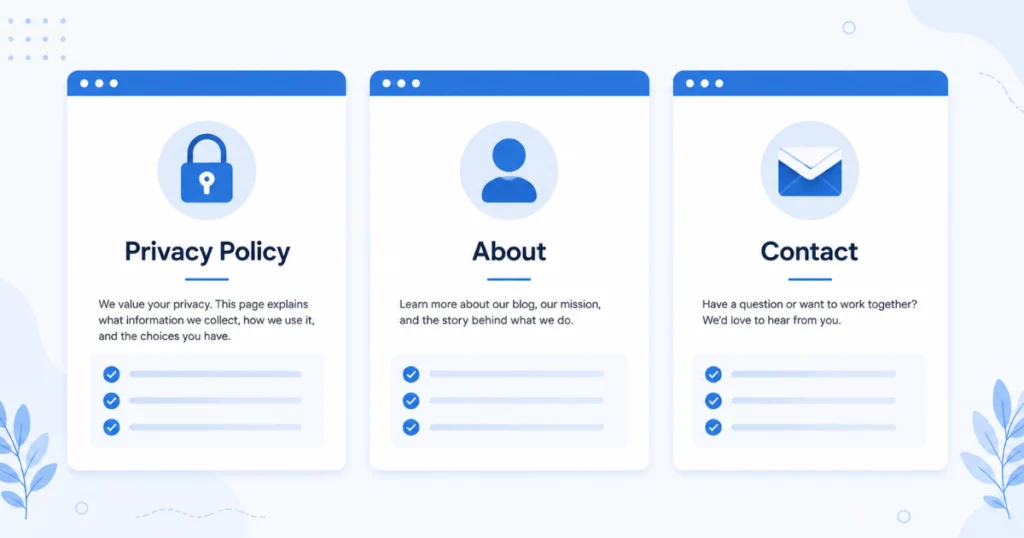
These three pages are among the most common reasons for AdSense rejection. If any of them are missing when you apply, fix that first.
Privacy Policy Page
This is required by Google AdSense and also by law in many jurisdictions (GDPR in Europe, CCPA in California). It explains what data your site collects, how you use it, and whether third-party services (like analytics tools or ad networks) collect data through your site.
For a new blogger, you don’t need to write this yourself. Use a free generator:
- TermsFeed (termsfeed.com) has a free privacy policy generator
- Privacy Policy Generator (privacypolicygenerator.info) also works well
Generate the policy, create a new page in WordPress, paste it in, and link it in your site’s footer. Takes about fifteen minutes.
About Page
This is where you tell visitors who you are and what your blog is about. Google wants to see that there’s a real person behind the site with a clear purpose.
It doesn’t need to be long. It needs to:
- Introduce yourself briefly (name, a little relevant background)
- Explain what the blog covers and who it’s for
- Feel like a real human wrote it, not a template
One to three paragraphs is fine. Add a real photo of yourself if you’re comfortable — it signals authenticity.
Contact Page
A contact page (with a contact form, email address, or both) shows that your blog is a legitimate site with a real person who can be reached. Without it, your site looks like a content farm rather than a genuine publication.
Use a simple WordPress plugin like WPForms Lite (free) to add a basic contact form. Set it up in under ten minutes.
The Content Requirements That Actually Matter

How Many Posts Do You Need?
There’s no official number from Google. Recommendations online range from ten posts to thirty posts. In my experience and from what I’ve observed: fifteen to twenty-five quality posts is a solid target before applying.
Not fifteen placeholder posts. Fifteen posts that:
- Are each at least 800–1,200 words
- Cover topics relevant to your niche
- Provide genuine value to a reader
- Are free of typos, grammatical errors, and thin content
Quality is the operating word. Ten excellent, detailed posts will serve you better than twenty-five short, rushed ones.
What “Quality Content” Means to AdSense
Google’s review team (or algorithm) is looking for content that serves real readers. In practical terms:
- Original — not copied from other sites, not spun AI output that reads like a robot wrote it
- Useful — actually answers questions, solves problems, or provides value readers can’t get better elsewhere
- Complete — covers the topic adequately rather than skimming the surface in 300 words
- Human — written with a clear perspective, specific examples, and genuine voice
A useful test: read your own posts and honestly ask whether a stranger would find them worth their time. If the honest answer is “probably not,” improve those posts before applying
Niche Consistency
A blog that covers five completely unrelated topics — travel, crypto, cooking, fitness, and home improvement — looks scattered and unfocused. AdSense reviewers want to see a blog with clear editorial direction.
This doesn’t mean you can never cover adjacent topics. It means your blog should have a recognizable focus that makes its purpose clear to first-time visitors.
If your blog content currently looks like a random collection of topics, either focus your future content more tightly or hold off on applying until the niche identity is clearer.
Technical Requirements That Block Approvals
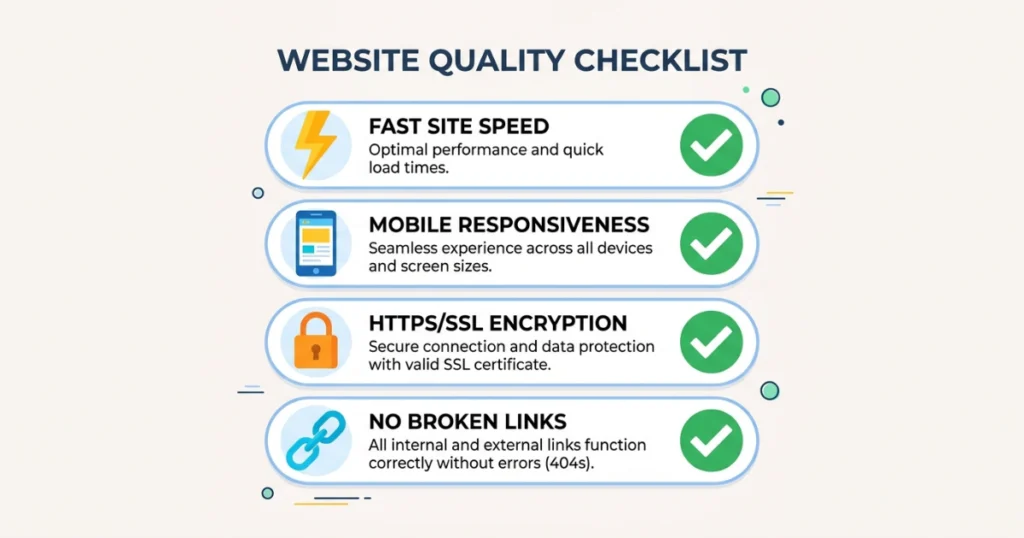
Site Speed
Slow sites are a problem — not just for AdSense, but for rankings and user experience generally. Google cares about page speed and a site that takes eight seconds to load reflects poorly on any application.
Check your site speed for free at PageSpeed Insights (pagespeed.web.dev). If your score is low:
- Install a caching plugin (WP Super Cache or LiteSpeed Cache are free)
- Compress your images before uploading (use TinyPNG or the free Imagify plugin)
- Check if your hosting plan is the issue — cheap shared hosting often performs poorly under any real load
A score above 70 on mobile and desktop is a reasonable target before applying.
Mobile Responsiveness
More than 60% of web traffic is now mobile. Your blog must look and function properly on a phone screen. Most modern WordPress themes are mobile-responsive by default — verify this by opening your site on your phone and checking that text is readable, navigation works, and images display correctly.
If you’re using a theme from several years ago, update it or switch to a current, lightweight theme.
No Broken Links or Errors
Go through your site and click your navigation links, category links, and internal post links. A blog full of 404 errors or broken navigation looks unmaintained.
Install the free Broken Link Checker plugin to scan your site automatically.
SSL Certificate (HTTPS)
Your site needs to be secure — the URL should begin with https://, not http://. Most major hosting providers (SiteGround, Hostinger, Bluehost) include a free SSL certificate via Let’s Encrypt. If yours isn’t enabled, go into your hosting dashboard and activate it. This usually takes two minutes.
An http:// site in 2026 is an immediate credibility issue.
Traffic: Do You Need It Before Applying?
Technically, no — AdSense doesn’t publish a minimum traffic requirement.
Practically, having some organic traffic helps signal that your site is real, active, and attracting genuine visitors. A site with zero traffic history is harder to evaluate than one showing consistent visitors in Google Search Console.
Set up Google Search Console (search.google.com/search-console) before you apply. It’s free, and connecting it gives Google a way to see your site’s indexing and traffic data. It also helps you verify your site, which is part of the AdSense setup process.
Even 100–200 monthly visitors from organic search suggests your content is real and being discovered. If you’re at zero traffic, focus on writing a few more SEO-targeted posts and promoting your content on Pinterest or social media before applying.
Content You Should Not Have on Your Site
Google is explicit about this in their program policies, and violations here cause immediate rejections (or later bans after approval).
Prohibited content categories:
- Adult or sexually explicit content
- Content promoting illegal activities or substances
- Gambling or casino-related content (without proper licensing)
- Hate speech or content targeting groups
- Violent or graphic content
- Content about hacking, cracking, or circumventing security
- Misleading or false claims (particularly around health and finance)
- Copied, scraped, or plagiarized content
This list might seem obvious, but some rejections come from unexpected corners — a blog post with a small scraped section from another site, a health claim that’s not medically supported, or a casual reference to something Google’s system flags.
Before applying, do a quick read-through of all your posts with Google’s policies in mind. Remove or edit anything that could be a problem.
The Application Process Itself
Once your site is ready:
- Go to adsense.google.com and sign in with your Google account
- Enter your website URL and provide your contact information
- Connect AdSense to your site by adding the AdSense code snippet to your WordPress site — the Insert Headers and Footers plugin (free) makes this straightforward
- Complete the payment information setup (required before approval)
- Submit and wait
Review typically takes a few days, sometimes up to two weeks. You’ll receive an email with the decision.
If you get rejected:
Read the rejection reason carefully. Google now provides more specific feedback than they used to. Common reasons:
- “Insufficient content” — more posts needed, or posts need more depth
- “Site doesn’t comply with policies” — review the prohibited content list
- “Site is under construction” — your site looked unfinished to their reviewer
Fix what the rejection email specifies, wait at least thirty days, and reapply.
Common Mistakes That Lead to Rejection
Applying too early. I made this mistake. Two weeks in, seven posts, fresh domain — the site had no credibility signals. Patience is the correct move.
Copying or paraphrasing content from other sites. Google detects this reliably. Every post on your blog must be original writing. Even “inspired by” content that closely mirrors another source can flag as plagiarized.
Using free images without proper attribution or licensing. Using Google Image search results on your blog without checking usage rights is a copyright issue and an AdSense policy issue. Use Unsplash, Pexels, or Pixabay for royalty-free images, or create your own with Canva.
Missing essential pages. No Privacy Policy, no About page, no Contact page — these signal an unfinished, unprofessional site.
Thin content. Posts under 500 words that don’t fully address their topic are the most common “insufficient content” trigger. Every post should adequately cover its subject.
Not checking site speed or mobile display. A broken mobile layout or a site that takes ten seconds to load creates a terrible user experience — and AdSense reviewers notice.
Applying from a country with stricter requirements without checking local terms. Some countries require six months of blog operation. Check the AdSense help center for your specific country’s requirements.
After Approval: Getting the Most From AdSense
Approval is the beginning, not the end. A few things worth knowing once you’re in:
Ad placement affects earnings. Ads within content (in-article ads) generally earn more than sidebar ads. But too many ads per page hurt user experience and can trigger policy issues. Start with a modest implementation — one or two ad units per post — and adjust from there.
RPM (Revenue Per Mille) varies by niche. Finance, legal, health, and technology content attracts higher-paying advertisers. General lifestyle content earns less per visitor. This is something to consider as your blog grows.
AdSense is a starting point, not a ceiling. At lower traffic levels, AdSense pays modestly. Most bloggers find that affiliate marketing generates significantly more income per visitor than display ads — especially in the early growth phase. Use AdSense as a supplementary income stream while building toward Mediavine (50,000 sessions/month) or Raptive (100,000 monthly visitors), both of which pay substantially more per thousand visitors.
Keep your site compliant. Once approved, maintain the same quality and policy compliance you demonstrated during the application. Policy violations after approval can result in account suspension.
Related: Best Blogging Platforms
A Realistic Timeline
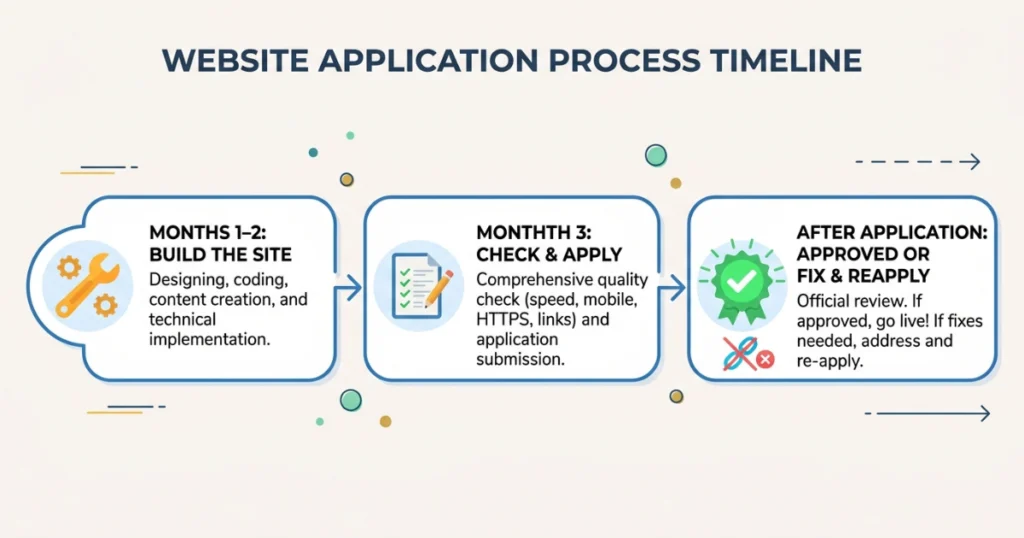
Here’s what a realistic AdSense approval path looks like for a new blogger starting from scratch:
Months 1–2: Build the site. Create your essential pages. Publish 15–20 quality posts. Set up Google Search Console.
Month 3: Check your traffic. Review your site for technical issues. Make sure privacy policy, About page, and Contact page are all in place. If everything looks solid, apply.
Days after application: You’ll hear back. If approved, integrate ads and start optimizing. If rejected, read the reason, fix the issue, wait 30 days, reapply.
Following this timeline, most bloggers who prepare properly get approved in their first or second application. The ones who keep getting rejected usually haven’t addressed the specific issues their rejection emails describe.
Final Thoughts
That eleven-minute rejection stung at the time. Looking back, it was actually a useful piece of feedback — my blog just wasn’t ready, and no amount of tips and tricks would have changed that.
What changed the second time wasn’t that I found a loophole. It was that I built something that genuinely deserved approval — a real blog with real content, proper pages, a functioning design, and a focus on serving actual readers.
That’s the most reliable path to AdSense approval in 2026 and beyond: build a site you’d be proud to show to a stranger, that gives visitors something genuinely useful, and that looks like the kind of place advertisers would want their brands to appear.
Everything else on this list is just making sure the details are done.
FAQs
How many blog posts do I need for AdSense approval?
There’s no official requirement, but 15–25 quality posts of 800–1,200+ words each is a reasonable preparation target. Quality matters more than quantity — ten exceptional posts outperform twenty thin ones.
How long does AdSense approval take in 2026?
Typically two to fourteen days from application submission. Google states up to two weeks. Most approved applications receive a response within three to seven days.
Can I apply for AdSense with a free blogspot or WordPress.com blog?
No. Google requires a custom domain (yoursite.com) for AdSense approval. Subdomains on free platforms are not eligible.
What should I do if my AdSense application is rejected?
Read the rejection email carefully — Google usually specifies the reason. Address exactly what they mentioned, wait at least 30 days, and reapply. Don’t reapply without fixing the specific issue.
Does my blog need a lot of traffic to get approved?
No minimum traffic is required, but having some organic visitors helps signal that your site is real and active. Set up Google Search Console before applying so your traffic data is visible to Google’s review process.