
The first digital product I ever made took me eleven days.
Eleven days to create a 22-page PDF guide. I agonized over every sentence, redesigned the layout four times, second-guessed the pricing, rewrote the introduction twice, and spent a full Saturday just picking fonts.
It sold nine copies in its first month. At $12 each, that was $108 — minus platform fees, closer to $90.

The second digital product I made took me two hours. Similar length, better design, clearer value proposition. It made $340 in its first month and has continued selling steadily since.
The difference between those two experiences wasn’t that I got more talented. It was that by the second product, I had a clear process — and AI tools were a significant part of that process.
Not because AI wrote the product for me. It didn’t. But it handled enough of the slow, draining, non-creative parts that I could spend my actual energy on the thing that makes a digital product sell: understanding exactly what a specific person needs and delivering it well.
This guide walks through exactly how that works — from product idea to sale — with the specific tools and steps I’ve used and seen work.
Why Digital Products Are Worth Building With AI
Before we get into the how, let me quickly explain why digital products specifically are worth your time if you’re looking to build something with AI tools.
Digital products have three qualities that make them particularly attractive:
Zero marginal cost. You create the product once. Selling it a thousand times costs no more than selling it once. No inventory, no shipping, no manufacturing.
Full automation of delivery. Platforms like Gumroad, Payhip, and Etsy handle payment processing, file delivery, and receipts automatically. A sale at 3 AM is handled without you.
Compounding value. A good product keeps selling for months or years after you build it, especially if you’ve done SEO work or built an audience around it.
AI tools accelerate the creation side of this equation — dramatically reducing the time from “I have an idea” to “the product is live and available to buy.”
Related: Best AI Tools to Make Money Online
Step 1: Find a Product Idea That Will Actually Sell
This is the step most people rush, and it’s the one that determines almost everything else.
The mistake I made with my first product was building something I thought was useful based on general intuition. The product I made second was built to solve a problem I’d personally searched for help with online and found the existing answers lacking.
That difference in approach is the whole game.
How to find a product idea worth building:
Mine your own frustrations. What problems have you searched for solutions to that had mediocre answers? What did you have to figure out through painful trial and error that you wish someone had explained clearly? That gap — between the problem and the quality of existing solutions — is where good product ideas live.
Use AI to stress-test ideas. Once you have a rough idea, take it to ChatGPT or Claude and ask: “What would be the main reasons someone might not buy a product about [your topic]? What would they need to see to feel it’s worth purchasing?” The objections it surfaces are the things your product needs to address.
Check search demand. Use Google Keyword Planner, Ubersuggest, or even just typing your topic into Google and examining the “People Also Ask” section. If people are searching for what your product answers, that’s a signal.
Look at what’s already selling. On Etsy, sort by “Best sellers” in your category. On Gumroad, browse popular products in your niche. You’re not looking to copy — you’re looking to understand what buyers are willing to pay for and where gaps exist.
Ask AI to expand a seed idea into product formats. Prompt: “I want to create a digital product about [topic] for [audience]. Give me ten different product format ideas — from simple to comprehensive — with a suggested price range for each.”
This last prompt alone has generated product ideas I wouldn’t have thought of.
Step 2: Choose the Right Product Format
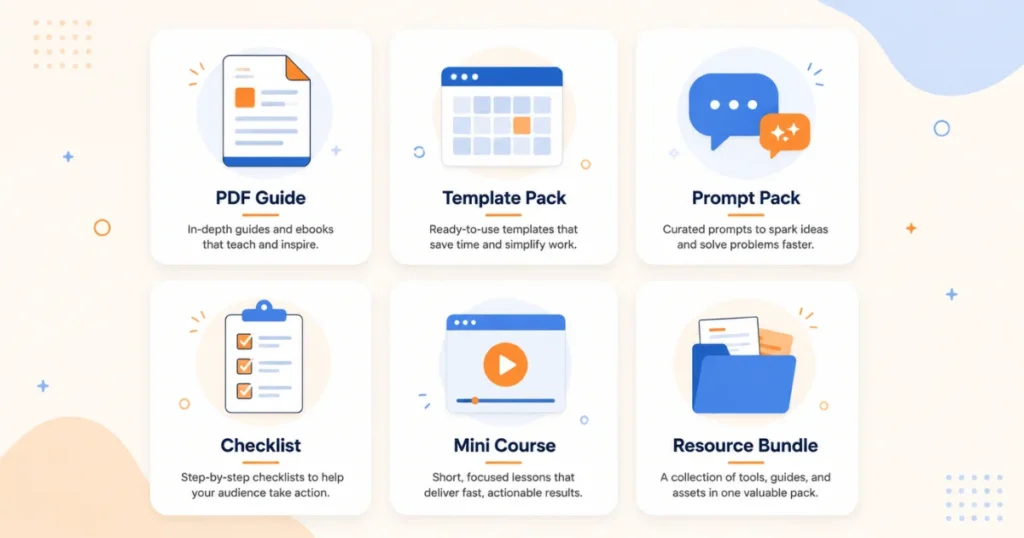
Not every idea should be an ebook. Not every concept is a course. Matching the right format to your idea is what makes the product feel natural and complete rather than padded.
Here are the formats that work well with AI-assisted creation:
PDF guides and ebooks: Best for “how to” knowledge, step-by-step processes, or reference material. Can be built in Canva or Google Docs. Priced typically $7–$27.
Templates: Spreadsheets, Notion dashboards, Canva templates, email templates, content calendars. High perceived value because the work is done for the buyer. Priced $9–$47 depending on complexity.
Prompt packs: Collections of tested, specific AI prompts for a niche audience. Low production cost, high value for buyers who use AI tools. Priced $7–$25.
Checklists and workbooks: Shorter than a full guide, higher interactivity. Often used as a lower-priced entry product or lead magnet. Priced $5–$15.
Mini courses or video tutorials: If you’re comfortable being on camera or doing screen recordings. Higher production value, higher price point. Priced $27–$97+.
Resource libraries or toolkits: Bundles of multiple related templates, guides, or checklists. High perceived value, priced higher ($37–$97).
For beginners, I always recommend starting with a PDF guide or a template pack. Both are achievable in a short timeframe, and both have clear value propositions that are easy to communicate.
Related: AI Side Hustles You Can Start With Zero Investment
Step 3: Create the Product Using AI Tools
Here’s where the process gets practical. I’ll walk through creating a PDF guide specifically, since it’s the most common starting point.
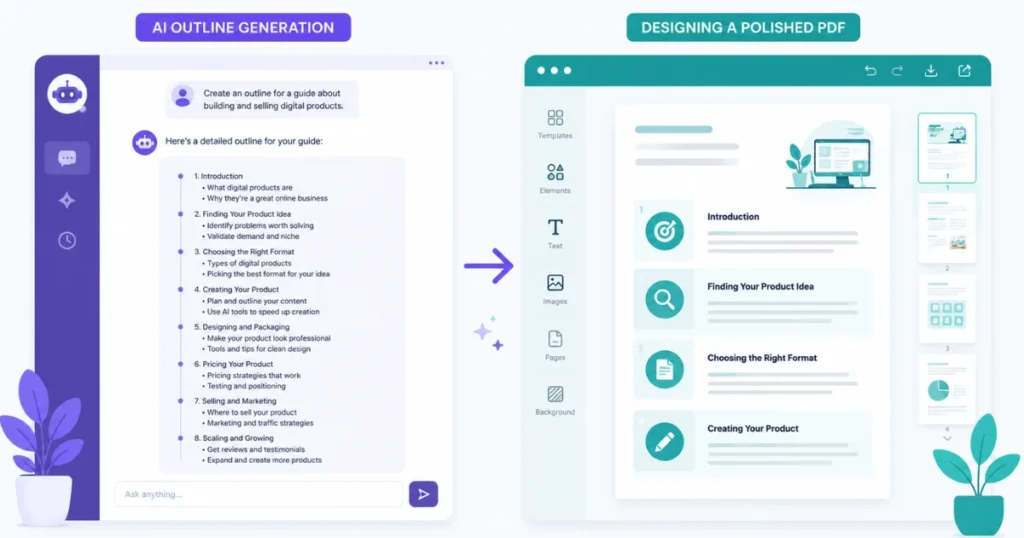
Research and Content Structure
Start with Claude or ChatGPT. Give it full context:
“I’m creating a [length]-page PDF guide called [working title] for [specific audience]. The guide will help them [specific outcome]. Give me a detailed outline with chapters, subtopics under each chapter, and a suggested word count for each section.”
Review that outline. Move things around, cut what doesn’t fit, add things AI missed that you know from experience. You’re the editor. The outline is raw material.
This process takes fifteen minutes instead of the two hours I used to spend staring at a blank document wondering how to structure something.
Writing the Content
Use AI to draft sections — but not wholesale. Here’s my actual approach:
I write the sections I’m most confident about myself first. The parts where I have direct experience, specific examples, or strong opinions. These sections feel human because they are.
For sections I’m less inspired about — background information, definitions, explanations of standard concepts — I ask AI for a draft and edit it heavily. I add specific examples, cut generic filler, and make sure it matches the voice of the sections I wrote myself.
The final product is genuinely mine — shaped by my knowledge and judgment — but produced in a fraction of the time.
Design and Layout
Canva is the tool I use for almost all PDF product design. The free tier is functional; Canva Pro at $15/month unlocks more templates, AI image generation, and better export options.
A few design principles that actually affect sales:
Keep it clean. White space is not wasted space. Cluttered pages signal low quality, even if the content is excellent.
Use a consistent visual identity. Pick two fonts (one for headings, one for body text), two to three colors, and stick to them throughout. Canva’s Brand Kit feature (Pro) makes this easy.
Add visual elements that support the content — simple icons, callout boxes for key points, numbered steps with visual separation. These make the content more scannable and the product feel more premium.
Canva’s AI features are worth using here: Magic Design can generate a layout starting point from your content description, and the AI image generator creates custom illustrations for your cover or section headers.
Step 4: Price It Right
Pricing is where a lot of first-time product creators undervalue their work — or overcorrect and price themselves out of sales before they have any social proof.
Here’s an honest pricing framework:
$7–$15: Entry-level. Checklists, short guides, single-topic prompt packs. Low commitment for buyers. Good for building your first reviews.
$17–$37: Mid-range. Comprehensive PDF guides, template packs, resource bundles. This is where most information products live. Strong value-to-price ratio for buyers.
$47–$97: Premium. Multi-module guides, toolkit bundles, in-depth templates with accompanying materials. Requires stronger sales copy and social proof to convert.
$97+: Course territory or highly specialized professional tools.
For a first product, I’d aim for $12–$27. Low enough that the price isn’t a major objection. High enough that you’re attracting buyers who intend to use what they buy (very cheap products attract window shoppers who never open them).
One thing I’ve learned: price based on the value of the outcome, not the length of the product. A two-page checklist that saves someone three hours of work is worth more than a 40-page guide nobody reads.
Step 5: Write Sales Copy That Converts
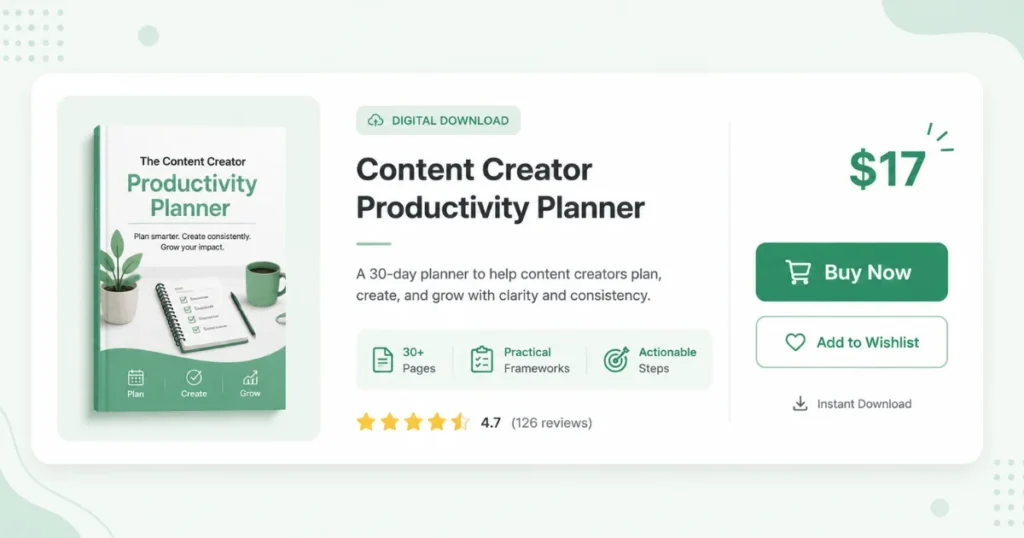
Your sales page is where most digital products quietly fail — not because the product is bad, but because the description doesn’t communicate what it actually does for the buyer.
AI is genuinely useful for first drafts of sales copy. Here’s a prompt that works:
“Write a product description for a digital product called [title]. It’s for [audience], helps them [specific outcome], and solves the problem of [specific pain point]. Price is $[X]. Write in a clear, conversational tone. Include: a one-sentence hook, the core problem it solves, what’s included, who it’s for, and a call to action.”
Edit the draft heavily. Replace any generic phrases with specific ones. Add a concrete example of what life looks like after using your product. Cut anything that sounds like marketing boilerplate.
Elements of a sales description that converts:
- Lead with the problem, not the product
- Be specific about what’s included (exact number of pages, templates, sections)
- Address the most likely objection (“Even if you’ve never…” or “You don’t need to…”)
- Include one concrete example of a result or use case
- Keep it shorter than you think — three to five focused paragraphs beats a ten-paragraph essay
Step 6: Choose Your Platform
Where you sell matters. Here’s a plain-language breakdown:
Gumroad: My first recommendation for most beginners. Free to start (they take ~10% of sales). Handles payments, delivery, and basic affiliate programs. Clean, simple interface. Easy for buyers. Supports email list integration. The only real downside is that discovery within Gumroad is limited — you bring your own traffic.
Payhip: Free to start (5% transaction fee). Very similar to Gumroad, slightly more customization options on the storefront. Good alternative if you want to compare.
Etsy: Built-in marketplace with genuine search traffic. Particularly strong for printables, planners, templates, and Canva-based products. You’re competing with many sellers, but the built-in audience is real. Listing fee of $0.20 per product plus transaction fees.
Teachable or Podia: Better for courses and more structured learning products. Monthly fee but more features for course delivery.
Your own website: Most control, but you handle everything — payment processing (Stripe or PayPal), delivery, and finding all your own traffic. Worth building toward eventually, but not necessary at the start.
For a first product, I’d list on both Gumroad and Etsy if the product format fits Etsy’s marketplace (templates, printables, planners). Two distribution channels double your chances of being discovered.
Step 7: Drive Traffic Without Spending Money
A great product on a great platform with zero visitors makes zero sales. Traffic is the part of the equation that takes the most patience — and the most consistent effort.
Pinterest: For any digital product in the lifestyle, productivity, business, education, or creative space — Pinterest is one of the highest-leverage free traffic sources available. Create vertical pins (1000x1500px) in Canva, write keyword-rich descriptions, and pin consistently. Pins compound over time; a pin from six months ago can drive traffic today.
SEO content: Write blog posts or create YouTube videos that answer questions your target buyer is searching for, with a natural link to your product. This is the slowest approach but produces the most durable traffic.
Niche communities: Facebook Groups, Reddit, Discord servers, and Slack communities in your product’s niche are full of your potential buyers. Engage genuinely — answer questions, add value — and mention your product when it’s directly relevant. This works slowly if you’re spammy and quickly if you’re actually helpful.
Your email list: If you have one, or are building one, your email subscribers are your warmest audience. A new product launch to a list of 500 engaged subscribers will outperform a Gumroad listing getting cold traffic.
Repurposed content: Use ChatGPT or Claude to turn your product’s core concepts into social content — LinkedIn posts, Twitter/X threads, Instagram carousels — that drive awareness and interest without being a direct advertisement.
Related: Automate Your Online Income Step by Step
Mistakes I Made (So You Don’t Have to)
Building without validating. My very first product concept I spent three weeks developing before testing whether anyone actually wanted it. I should have posted in a relevant Facebook Group first: “Would you buy a guide on [topic] for $12?” Fifteen people saying yes is enough signal to build.
Underpricing to compensate for insecurity. I priced my first product at $8 because I was nervous about whether it was good enough. It attracted buyers, but many of them clearly treated it as throwaway content. Raising to $15 for the second product brought fewer but more engaged buyers and better reviews.
Neglecting the product cover. On Gumroad and Etsy, the thumbnail is the first thing buyers see. I spent almost no time on my first product’s cover and it looked like a school project. The second product had a professional-looking Canva cover. The click-through rate was meaningfully higher.
Sending all traffic to one platform. For months I only promoted my Gumroad listing. When I added Etsy, I started getting organic search traffic I wasn’t generating myself. Don’t rely on one channel.
Not asking for reviews. Happy buyers don’t automatically leave reviews — they have to be asked. After a purchase, I now send a simple automated follow-up (set up through Gumroad’s email feature): “Hope you found [product name] useful! If you have a moment, a short review helps others find it and means a lot.” Most people ignore it. Enough say yes to make a real difference.
A Real Example: From Idea to First Sale
Let me walk through one specific product to make this concrete.
I had been freelancing as a content writer and repeatedly noticed that clients would hire me without knowing what they actually wanted. Every project kicked off with a messy, unclear brief that required three rounds of clarification before I could start.
I thought: other freelancers probably have this problem. What if I created a “Client Brief Template Pack” — a set of ready-to-use intake forms for different types of freelance work?
I used ChatGPT to outline the templates I should include (content writing intake, design project brief, social media onboarding, VA project brief). Then I built each template in Canva and Google Docs, with fields, instructions, and example answers. Used Claude to write short explanatory notes for each section.
Total production time: one afternoon and one morning.
Listed on Gumroad for $17. Wrote a product description using AI as a first draft, edited it myself. Created three Pinterest pins in Canva and posted them to a small Pinterest account I’d been building.
First sale came in day four. By the end of month one: fourteen sales, $238 total (after fees). Not life-changing. But real, automated, from something I built in about eight hours of total work.
What to Expect on the Timeline
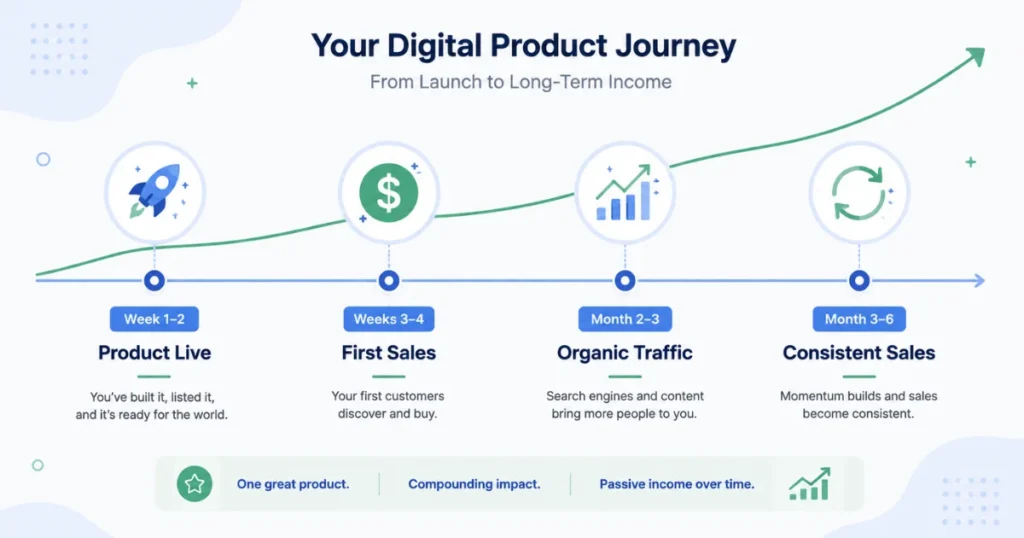
Week 1–2: Product created, listed, and live. Sales page and cover image done. First round of Pinterest pins created.
Weeks 3–4: Continued promotion. First few sales if you’ve put the product in front of relevant audiences. Zero sales is also normal at this stage if traffic hasn’t started moving yet.
Month 2–3: Pinterest traffic begins building. SEO content (if you’ve written any) starts to get indexed. First organic sales from people who found you without direct promotion.
Month 3–6: If the product is good and you’ve been consistent with traffic-building, you start seeing a real baseline of monthly sales that runs without your active involvement.
Most people who “fail” at digital products give up somewhere in months one or two, before the compounding has time to work. The product that “doesn’t sell” in week three might be doing $200/month by month five.
Patience plus a genuine product plus consistent traffic-building is the formula. AI just makes the creation phase faster and less painful.
FAQs
Do I need an audience to sell digital products?
Not at the start. Platforms like Etsy have built-in search traffic, and Pinterest can drive organic visitors without a following. An audience helps enormously once you have one, but it’s not a prerequisite to making your first sales.
Can I use AI to create the entire product?
Technically yes. But products that are purely AI-generated without human editing, real examples, or genuine expertise tend to be thin and generic — which leads to bad reviews and refund requests. Use AI to accelerate creation; bring your own knowledge and judgment to make it actually valuable.
How do I know if my product idea is good before I build it?
Validate it first. Post in a relevant online community and describe the product concept. Ask if people would buy it. Search for similar products on Etsy or Gumroad and see if they have sales and reviews. A few minutes of validation can save weeks of building the wrong thing.
What’s the best platform to sell digital products as a beginner?
Gumroad for simplicity and speed. Etsy for built-in organic traffic on template and printable products. Ideally both, for maximum distribution without extra work.
How much can I realistically make selling digital products with AI?
It varies enormously based on niche, product quality, and traffic-building effort. A single well-targeted product generating 10–20 sales per month at $15–$25 is a realistic target by month three or four for someone who’s been consistent. Multiple products and a growing email list can push that to several hundred or low thousands per month over time. Anyone promising more than that without significant effort is overpromising.