About eight months into running my blog, I hit a wall that felt embarrassingly familiar once I started talking to other bloggers: I was publishing. Consistently. And almost nobody was reading.
My traffic graph looked like a seismograph in a quiet field. A small spike when I shared something on social media. Then flat again. Then another share. Then flat. Repeat.
What I hadn’t understood yet was that most of those social shares were reaching the same small pool of people every time — friends, existing followers, the occasional curious stranger. That’s not compounding traffic. It’s borrowed attention.

Real, sustainable blog traffic — the kind that builds even when you stop actively promoting — comes from different places entirely.
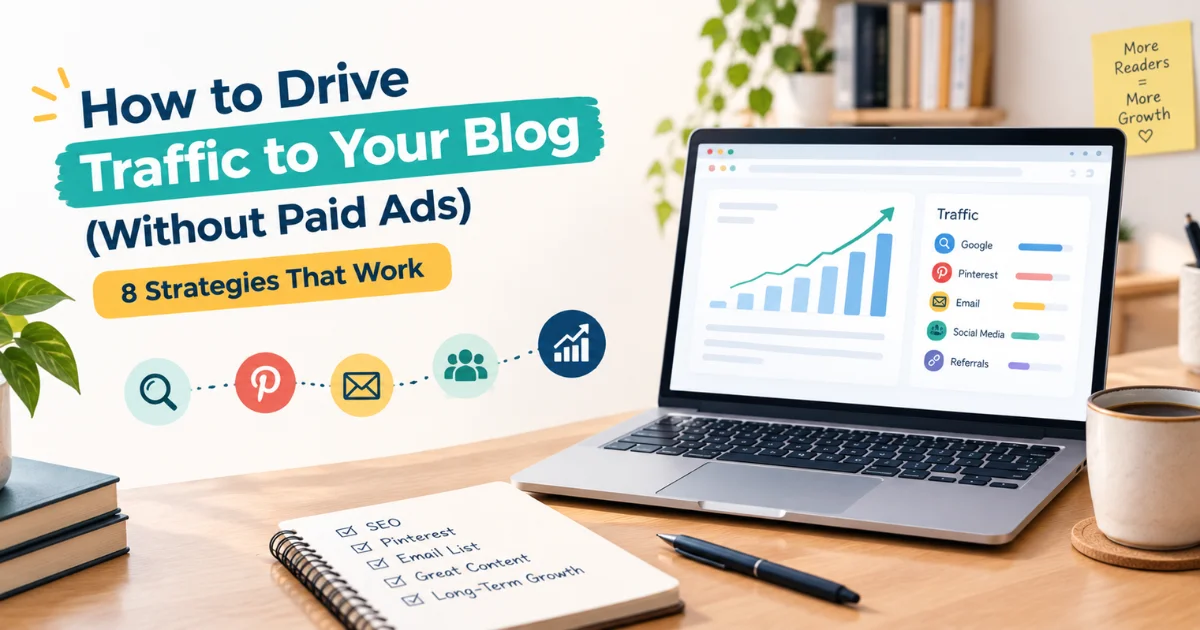
This guide covers the eight free strategies that actually work. Not all eight at once (that path leads to burnout). But knowing what they are, how each one works, and which to prioritise first will change how you think about drive traffic to your blog permanently.
Strategy 1: SEO-Optimised Content — The Only Traffic To Your Blog That Compounds
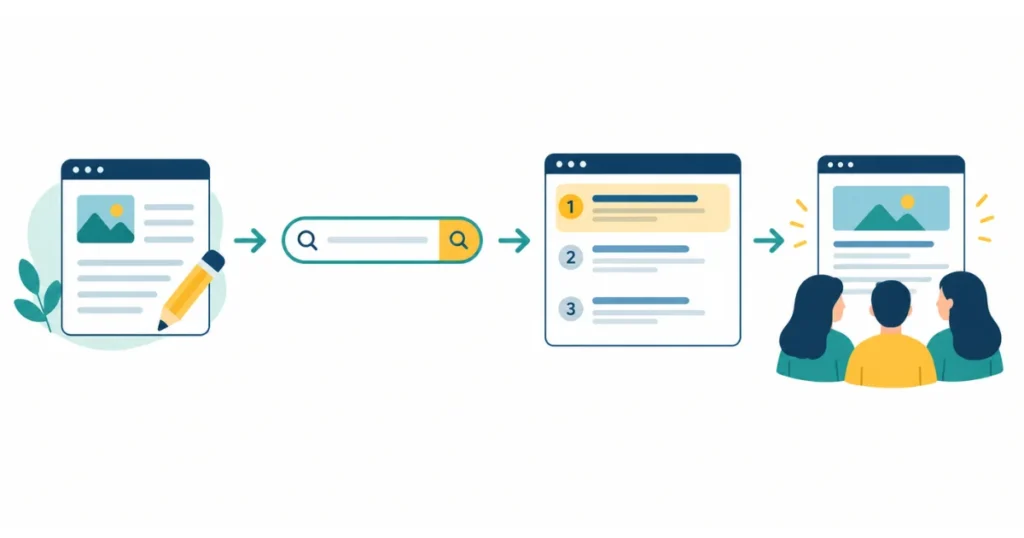
Organic search traffic is the only blog traffic source that grows while you sleep. Every other channel requires active effort to maintain — you stop posting on social media, traffic stops. You stop sending emails, traffic dips. But a well-ranked blog post keeps sending readers for months and years after you published it.
The mechanism is simple: someone searches for something on Google, your post appears in the results, they click. You wrote the post once. Google delivers the reader indefinitely.
Making this work requires two things:
First — write for what people actually search for, not just what you feel like writing. Before writing any post, spend fifteen minutes checking what specific phrases people type into Google in your niche. Google autocomplete, the “People Also Ask” box, and a free tool like Ubersuggest or Keywords Everywhere will show you exactly what’s being searched and how competitive each phrase is.
Second — structure the post to match what Google rewards for that query. Search for your target keyword and study the top-five results. What format do they use? How long are they? What questions do they answer? Your post should match that format while being more thorough, more up-to-date, or more specific than what’s already there.
The payoff is slow — most posts take three to eight months to reach their peak ranking position. But each post that ranks becomes a permanent traffic asset. Fifty well-ranked posts earning 60 visitors a month each is 3,000 monthly organic visitors, with no additional promotion effort.
For a complete walkthrough of writing posts that rank, the guide to writing SEO-optimised blog posts covers the full process step by step.
Strategy 2: Pinterest — The Most Underrated Traffic Source for Bloggers
Most bloggers treat Pinterest like Instagram — post pretty pictures, hope people follow you. That misses how Pinterest actually works.
Pinterest is a visual search engine. People come to it with specific intentions: they search “budget meal prep for beginners” or “home office setup ideas” or “email list building tips for bloggers.” The person who pins a graphic linking to your blog post about any of those topics isn’t just getting a like — they’re getting a reader who was actively looking for that content.
What makes Pinterest particularly valuable for bloggers:
Pins have a long shelf life. A post on Instagram disappears from feeds in hours. A Pinterest pin can surface in search results and recommendations for months or years after it was created.
The setup is straightforward:
- Create a business Pinterest account (free) and connect it to your blog
- Design a vertical graphic for each blog post — 1000 × 1500px works well — using Canva (free plan handles this)
- Write a keyword-rich pin title and description — think about what someone would search to need this post
- Pin to a relevant board with a clear name that matches what people search
- Re-pin your best content every few months to fresh boards
You don’t need a huge following for Pinterest to send traffic. The search and recommendation algorithm serves pins to people searching relevant terms regardless of your follower count.
Niches that consistently do well on Pinterest: personal finance, food and recipes, home organisation, blogging and online income, wellness, parenting, and crafts. If your niche touches any of these, Pinterest should be a priority.
Strategy 3: Build an Email List From Day One
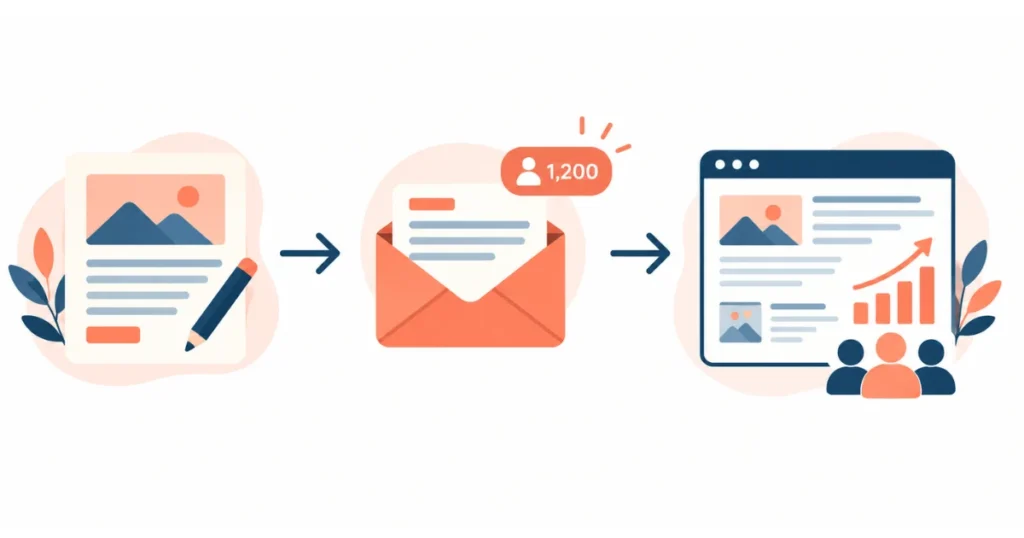
Every other traffic source on this list sends readers to your blog. Your email list brings them back.
This distinction matters more than it sounds. A first-time visitor who arrives from Google, reads your post, and leaves — there’s no guarantee they’ll ever find you again. A subscriber who gets an email linking to your new post comes back every time you publish.
An email list is also the one traffic asset you own outright. Social platforms change algorithms. Google updates its ranking systems. Your email list doesn’t change unless someone unsubscribes.
How to start one:
Set up a free account on Kit (formerly ConvertKit) — the free plan handles up to 1,000 subscribers and is specifically designed for bloggers. Add a simple opt-in form to your blog — a sidebar widget, an inline form after a post, or a popup that appears after thirty seconds.
Your incentive to subscribe doesn’t need to be elaborate. “Get my weekly post in your inbox” works for readers who genuinely like your content. A free resource — a checklist, a short guide, a template related to your niche — converts better.
Once you have subscribers, email them regularly. Weekly or fortnightly is fine. Keep it short: a personal note and a link to your latest post. Reply when people email back. That back-and-forth is what turns subscribers into loyal readers, and loyal readers into the people who share your posts without being asked.
Strategy 4: Genuine Community Engagement
This one takes longer to explain because it’s frequently misunderstood.
Dropping your blog links in Facebook groups, Reddit threads, or forums is spam. It gets you banned. It doesn’t work.
Genuine community engagement is different. It means showing up in the places your target readers already gather, contributing real value over time, and becoming someone people recognise as knowledgeable and helpful. When you occasionally share a relevant post or mention your blog, it lands completely differently because you’ve already established trust.
Where this works well:
Reddit — Subreddits in your niche often have thousands of highly engaged readers. Spend two to three weeks answering questions, sharing knowledge, and participating as a member before you ever post a link. When you do link to a post, frame it as “I wrote about this in more detail here” — not as a promotion.
Facebook groups — Niche groups for your topic have the same dynamic. Add value consistently. Answer questions fully. When your blog post directly answers something someone asked, share it — but only when it genuinely solves their specific problem.
Quora and similar Q&A platforms — Write detailed, genuinely useful answers to questions in your niche. Include a contextually relevant link to your blog post when the question matches something you’ve covered. These answers can surface in Google search results and send readers long after you wrote them.
The compound effect of community engagement builds slowly but produces a different quality of traffic — readers who arrived because they already trusted your knowledge before they clicked.
Strategy 5: Internal Linking (The Traffic Multiplier You’re Not Using)
Most bloggers focus entirely on getting new readers to the blog, while ignoring a free, immediate way to get existing readers to see more.
Internal linking — linking from one blog post to another related post on your site — does three things at once:
It keeps readers on your site longer, which reduces bounce rate and signals to Google that your content is engaging. It distributes authority from your higher-ranked posts to newer posts that need a boost. And it creates a reading path that naturally introduces readers to more of your content.
The implementation is simple. Whenever you publish a new post, go back to three or four existing posts that relate to the same topic and add a sentence linking to the new one. When you write a new post, link out to two or three existing posts that provide context or deeper information on related points.
This takes ten minutes per post and makes a measurable difference both to reader experience and to how quickly new posts get crawled and indexed.
Strategy 6: Guest Posting on Relevant Blogs
Writing a post for someone else’s blog might seem backwards when you’re trying to grow your own. The logic becomes clear when you see it work.
A well-placed guest post puts your writing in front of an established audience that’s already interested in your topic. Readers who like what you wrote follow the author bio link back to your blog. A few of them stick around, subscribe, share your content.
It also typically earns a backlink to your site — a link from another website pointing to yours — which is one of the most meaningful signals in Google’s ranking algorithm.
Finding guest post opportunities: search your niche topic plus “write for us” or “guest post guidelines.” Look at blogs in your niche with more established traffic. Pitch a specific topic idea that fits their audience, not a generic offer. Make it easy for them to say yes.
One good guest post on a relevant blog with 20,000 monthly visitors is worth more than a dozen social shares. The traffic is warmer, the readers are more targeted, and the backlink is permanent.
Strategy 7: Update and Republish Existing Posts
This one surprises people when they first hear it — but it’s one of the most consistent traffic wins available for a blog with more than a few months of content.
Posts that are ranking on page two of Google (positions 11–20 in Google Search Console) are candidates for improvement. They’ve already been indexed and assessed — they just haven’t quite cracked page one.
Adding depth to thin sections, refreshing outdated information, improving the title and meta description, adding internal links from newer posts, and re-optimising the structure can move a post from position 14 to position 5 in weeks. And position 5 sends ten times more clicks than position 14.
Check Search Console monthly. Filter for queries where your average position is between 8 and 20. Those are your highest-opportunity updates.
Republishing — updating the publish date after a substantial update — signals freshness to Google and can trigger a re-evaluation of the post’s ranking position. Don’t republish cosmetic edits. Do republish posts where you’ve genuinely added value.
Strategy 8: YouTube or Short-Form Video as a Blog Traffic Funnel
Video requires more effort than writing, which is why it’s listed last. But for the right blogger, it’s a powerful long-term traffic multiplier.
YouTube is the world’s second-largest search engine. A tutorial video, a “watch me do X” walkthrough, or a simple explainer — optimised with the same keyword research principles that apply to blog posts — can rank on YouTube and send viewers to your blog for years.
The key is to use video as a funnel rather than a destination. Cover the topic in the video, then point viewers to your blog post for the detailed written version, the template, the checklist, the tool. Link in the description and mention it on screen.
Screen recordings, voiceovers, and simple talking-head setups all work. You don’t need professional production. You need genuinely useful content and a blog link in the description.
Mistakes That Kill Blog Traffic Growth

Trying all eight strategies simultaneously. Spreading effort across too many channels produces mediocre results on all of them. Pick two or three, execute them well for 90 days, then evaluate before adding more.
Skipping the email list because “I don’t have enough readers yet.” The right time to start collecting emails is the day you launch. Two subscribers is two subscribers. The cost of not starting is all the readers who found your blog in month two and never had a way back.
Sharing new posts once and moving on. A new post shared once reaches a fraction of your potential audience. Share it across channels, pin it on Pinterest, include it in your next email, mention it in a relevant community discussion — without spamming.
Checking traffic daily in the first three months. Organic search traffic takes months to build. Checking daily during this period produces anxiety, not insight. Set a monthly review rhythm in Google Search Console and use the time between reviews to keep publishing.
Writing without a specific target keyword. Content that isn’t tied to a searchable query has no SEO traffic ceiling — it has no floor either. Every post should answer a question someone is actively typing into Google.
Ignoring posts that are almost ranking. Posts on page two are 90% of the way there. Updating them is faster and often more effective than writing new posts from scratch.
What a Realistic Traffic Growth Timeline Looks Like
| Month | Primary Focus | Realistic Traffic Range |
| 1–2 | Publishing, basic SEO, Pinterest setup | 50–300 visitors/month |
| 3–4 | Consistent publishing, email list started | 300–1,000 visitors/month |
| 5–6 | First posts ranking, community engagement | 1,000–3,000 visitors/month |
| 7–9 | Updating near-ranking posts, guest post | 3,000–8,000 visitors/month |
| 10–12 | Compounding SEO, email nurturing traffic | 8,000–20,000+ visitors/month |
These are realistic ranges, not guarantees. Niche, keyword difficulty, publishing frequency, and content quality all shape outcomes. But bloggers who follow this pattern consistently — and don’t quit in month three — typically land somewhere in this range.
Putting It Together

Traffic isn’t a puzzle with one solution. It’s a system with multiple channels reinforcing each other: SEO brings new readers, email brings them back, community builds trust, guest posts bring authority and new audiences, internal links keep readers exploring.
The bloggers who reach 20,000–50,000 monthly visitors aren’t doing one extraordinary thing. They’re doing several ordinary things well, over a long enough period for the compounding to show.
Start with SEO-optimised content and an email list. Add Pinterest if your niche fits. Engage genuinely in one or two communities in your niche. After three months, check Search Console and update the posts closest to page one.
That’s the whole system. Boring, patient, and effective.
If your blog is set up correctly from the foundation and your posts are written to rank, this traffic system works. The main variable is time.
And if you want to see what this traffic could realistically earn across different monetization models, the Blog Income Calculator will give you a grounded estimate by niche, traffic level, and strategy.
Frequently Asked Questions
Q1: How long does it take to get traffic to a new blog?
Most new blogs see meaningful organic traffic starting between months four and six, assuming at least two to three well-researched, SEO-optimised posts published per week. Social and referral traffic can arrive sooner but tends not to compound the same way. Sustainable, growing traffic from search typically takes nine to twelve months to become significant — which is a realistic timeline, not a discouraging one.
Q2: Can I get blog traffic without social media?
Yes. Organic search (SEO), an email list, and community engagement on platforms like Reddit and Quora can build consistent traffic without traditional social media. Many successful bloggers run entirely on SEO traffic and email without maintaining a social presence. Social media amplifies content faster initially but SEO compounds longer.
Q3: Does Pinterest still work for blog traffic in 2026?
Yes — particularly for niches where visual content resonates: personal finance, food, home organisation, wellness, parenting, crafts, and blogging itself. Pinterest’s algorithm serves pins in search results regardless of follower count, which gives newer accounts genuine discovery opportunity. Consistent pinning with keyword-rich descriptions and vertical graphics (1000 × 1500px) remains a reliable free traffic source.
Q4: How important is an email list for blog traffic?
Very. Email is the only traffic channel where you control the delivery — no algorithm decides whether your content reaches your audience. Returning readers who arrive via email typically have higher engagement rates than cold search traffic. Starting on day one, even before you have significant traffic, gives your list the most time to compound.
Q5: What is the fastest way to increase blog traffic for free?
Updating existing posts that are already indexed but ranking on page two (positions 11–20 in Google Search Console) typically produces faster results than publishing new content. Adding depth, refreshing outdated sections, and improving internal links can move these posts onto page one within weeks. For brand-new blogs with no indexed content, Pinterest can generate faster initial traffic than SEO while waiting for organic rankings to develop.
Q6: How many blog posts do I need before I start getting organic traffic?
There is no exact threshold, but bloggers with 25–50 properly optimised, keyword-targeted posts tend to hit a tipping point where multiple posts are indexed and ranking simultaneously. Fewer posts with better keyword targeting often outperform many posts written without a clear search demand focus. Quality and keyword research matter more than raw post count.
Q7: Does guest posting still work for blog traffic and SEO in 2026?
Yes — with the right targets. Guest posts on genuinely relevant blogs in your niche that have real audiences work well. Guest posts on low-quality link farms or unrelated sites add no meaningful value and carry some risk. A single well-placed guest post on a site with 15,000–50,000 monthly visitors in your niche can send targeted referral traffic for months and earn a lasting backlink.
Q8: How do I drive traffic to a blog in a competitive niche?
Focus on long-tail, highly specific keyword targets rather than competing head-on for high-volume terms. “Best budget laptops” is impossible for a new blog. “Best laptops under $600 for architecture students” is achievable. Community engagement and guest posting on niche-specific sites help establish authority faster in competitive spaces. Building topical depth — covering your niche comprehensively rather than broadly — also improves ranking potential over time.
Q9: Should I focus on SEO or social media to grow my blog?
For long-term sustainable growth, SEO produces better compounding returns. Social media traffic typically stops when you stop posting; SEO traffic can grow passively for years. That said, social media — particularly Pinterest for visual niches — can generate faster early traffic while SEO rankings develop. The practical answer for most bloggers: prioritise SEO, add one social platform that fits your niche, build an email list from the start.
Q10: How do I use Google Search Console to improve blog traffic?
Connect your blog to Google Search Console from day one (free). Once you have some indexed content, use the Performance report to see which queries bring impressions, which posts are getting clicks, and crucially — which posts have impressions in positions 8–20 (near-ranking content). These are your update targets. Add content depth, fix thin sections, improve titles, and strengthen internal links on near-ranking posts. Review monthly, not daily, to make strategic decisions rather than reactive ones.