A friend of mine made her first online sale three weeks after starting her Etsy shop.
She had 47 Instagram followers, no blog, no YouTube channel, and no email list. She didn’t even tell people she’d opened a shop.
She just listed a Notion budget tracker she’d built for herself, wrote a decent description, used the right keywords — and someone found it, liked it, and bought it.

That story stuck with me because I’d been telling myself for months that I couldn’t sell anything online until I “built an audience first.” Turns out, that’s not really how it works with the right type of digital product.
The products that sell without an audience aren’t the ones that rely on you being famous. They’re the ones that show up when someone types a specific problem into a search bar — and your product is the answer.
Here’s what those products actually look like, and why they work for people starting from zero.
Why Audience Size Doesn’t Matter as Much as You Think
Here’s the difference between two types of digital product businesses:
Type A — You build a following of 50,000 people on Instagram, then launch a course to that audience. Big launch. Lots of noise. Decent revenue. But if the algorithm changes or your account gets flagged, your whole business wobbles.
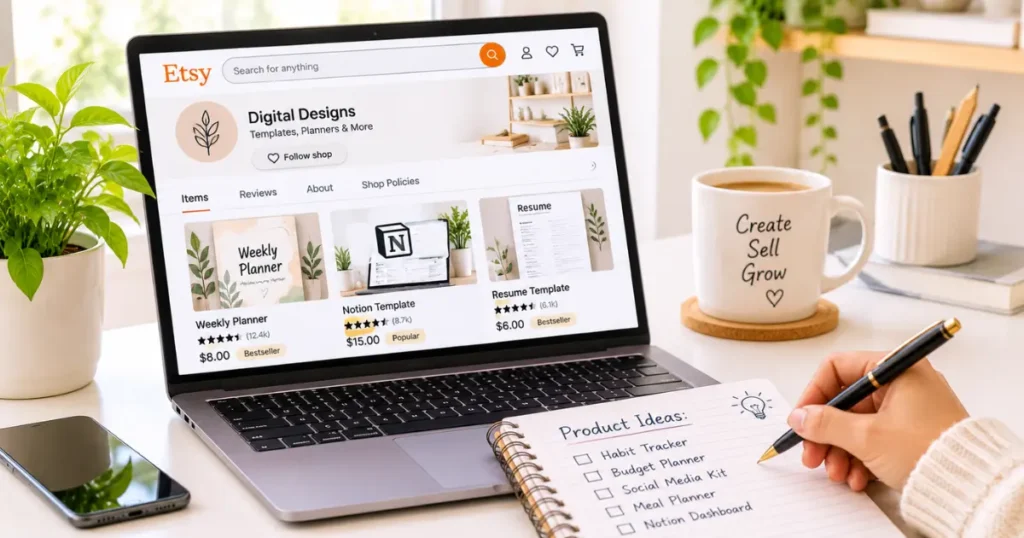
Type B — You list a specific, well-optimized digital product on Etsy or your own site. Someone searches “nurse schedule planner template” at 11pm. Your product shows up. They buy it. You were asleep.
Type B is slower to start. But it doesn’t require you to show up every day, grow a following, or be anyone’s favorite influencer. It runs on search — and search doesn’t care how many followers you have.
The key is picking products with specific, searchable demand. That’s the entire strategy.
For more on how platforms like Etsy surface your products to buyers who’ve never heard of you, check out Etsy SEO Tips for Digital Products That Rank Fast — it’s the reason my friend got that first sale so quickly.
The Types of Digital Products That Sell on Search (Not Clout)
Before we get into specific ideas, here’s the common thread you’ll notice across all of them:
They solve a specific, recurring problem for a specific person — and that person is already searching for a solution.
The more specific, the better. “Productivity template” is vague. “Weekly meal prep planner for busy moms” is specific. Same effort to create. Very different discoverability.
Now let’s get into the actual ideas.
1. Notion Templates
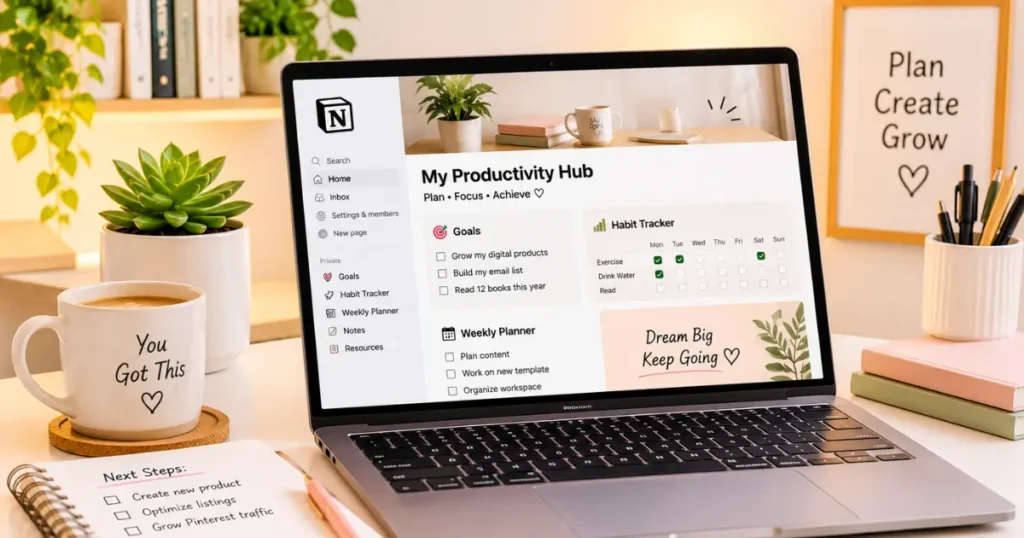
Notion exploded in popularity over the last few years, and the demand for ready-made templates is still massive — especially from people who know they want to use Notion but have no idea how to build inside it.
The beautiful thing about Notion templates is that you don’t need to be a designer. You need to be organized.
Ideas that sell well:
- Student study planner (huge market — students search for this constantly)
- Freelance client tracker
- Content calendar for creators
- Personal budget tracker
- Job application tracker
- Wedding planning dashboard
- Reading list and book notes system
- Small business operations hub
How to sell them: Gumroad is the most popular platform for Notion templates. You duplicate your template, grab the shareable link, and that’s the product. Pricing usually ranges from $7 to $29 for individual templates, more for bundles.
You don’t need any technical skills beyond knowing how to use Notion. And Notion is free to use, so your creation cost is literally zero.
2. Canva Templates
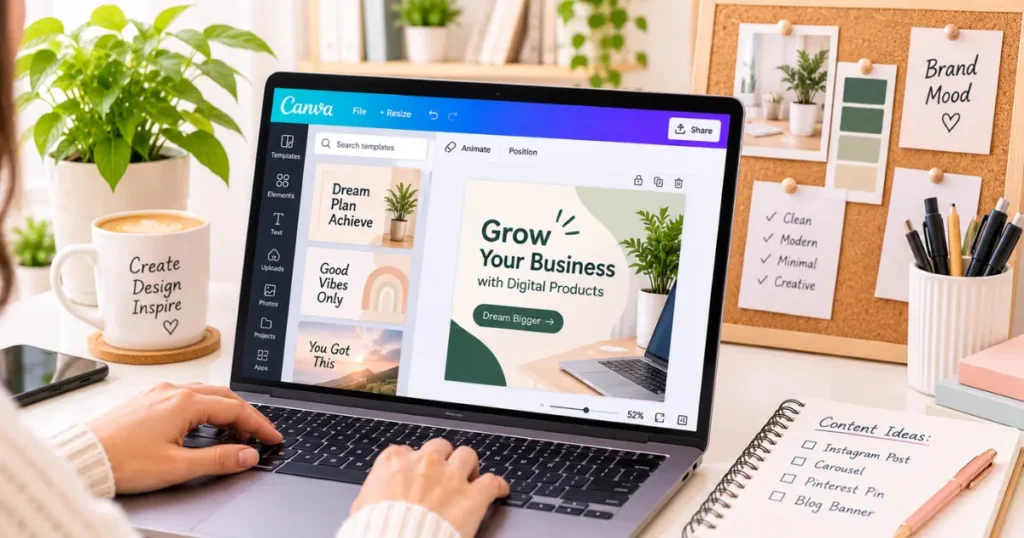
Canva templates are probably the most accessible digital product category out there right now.
Small business owners, coaches, real estate agents, teachers, social media managers — there’s a massive, permanent demand for people who want professional-looking designs without hiring a graphic designer.
Ideas that sell well:
- Instagram post and Story templates (by niche — “real estate agent templates,” “salon social media templates,” etc.)
- Resume and CV templates (consistently one of the top-selling categories on Etsy)
- Business proposal or pitch deck templates
- Wedding invitation suites
- Printable birthday cards and party packs
- Teacher classroom resources
- YouTube thumbnail templates
- Email newsletter header templates
- Invoice templates for freelancers
A note on pricing: Single templates typically sell for $3–$15. Template packs (10–25 designs) usually go for $15–$35. Bundles of multiple pack types can hit $47+.
The secret to making Canva templates sell is making them look polished and being extremely specific about who they’re for. “Instagram templates” is competitive. “Instagram templates for Etsy sellers” is a much better angle.
If you’re new to Canva, don’t overthink it — start with one template category, make 10–15 variations, list them as a pack, and see what happens.
3. Printable Planners and Trackers
This is one of the oldest digital product categories and it still prints money (pun intended) for a lot of creators.
Printables are incredibly low-effort to deliver — it’s just a PDF — and buyers often come back for seasonal versions or new themes.
Ideas that sell well:
- Budget tracker and spending log
- Weekly and monthly planner pages
- Habit tracker (100-day, 30-day, yearly)
- Meal planner with grocery list
- Workout log
- Gratitude journal pages
- Reading tracker
- Homeschool lesson planner
- Cleaning and chore schedule
- Pet care tracker (vaccination dates, vet appointments, feeding log)
Etsy is the best platform to start with for printables because buyers are already there looking to purchase and download immediately.
What makes a printable sell vs. sit there: The design matters more than you’d think. Clean, minimal, and functional beats fancy every time. And your title and tags on Etsy need to match what someone would actually search — not what you wish they’d search.
4. Digital Guides and Mini Ebooks
If you have knowledge that someone else needs — even basic, beginner-level knowledge — you can package it into a short guide and sell it.
Notice I said short. You don’t need to write a 200-page book. Some of the best-selling digital guides are 15–30 pages long, designed beautifully in Canva, and exported as a PDF.
Ideas that sell well:
- “How I got my first freelance client” (great for beginners)
- Beginner guide to [specific platform] — Etsy, Pinterest, Notion, Substack
- Recipe collection for a specific diet (keto, vegan, high protein, etc.)
- Home organization guide (room by room)
- Starter guide to side hustles for a specific audience (teachers, nurses, stay-at-home parents)
- Photography tips for iPhone users
- Guide to starting a Faceless YouTube channel
- Self-care routines for a specific life stage
The more specific your audience and topic, the less competition you face — and the easier it is for the right person to feel like this was made for them.
If you’ve been thinking about creating an ebook but keep hesitating, my post Why I Switched to Selling eBooks (What I Learned) is an honest look at what that experience is actually like.
5. Spreadsheet Templates
Google Sheets and Excel templates don’t get talked about as much as Notion or Canva, but they’re a surprisingly profitable category — especially for business-focused buyers who are willing to pay more.
Ideas that sell well:
- Personal budget and expense tracker
- Small business income and expense tracker
- Social media analytics tracker
- Content calendar and planning spreadsheet
- Invoice and client billing tracker
- Rental property income calculator
- Etsy shop profit and loss tracker
- Freelance rate calculator
Spreadsheet buyers tend to be more serious about what they’re purchasing — they’re often small business owners or freelancers solving a real operational problem. That means you can charge more. A well-built spreadsheet template can sell for $15 to $47 without much resistance.
You don’t need to know advanced Excel functions. A clean, well-organized template with some basic formulas already set up is genuinely valuable to someone who doesn’t want to build it themselves.
6. Resume and LinkedIn Templates
This is a category with permanent, evergreen demand.
People are always job hunting. The job market shifts, industries contract and expand, and there’s always someone who needs a resume that looks better than what they currently have.
What sells:
- ATS-friendly resume templates (this is a massive search term — “ATS resume template” gets searched tens of thousands of times monthly)
- Creative resume templates (for designers, marketers, content creators)
- Entry-level / fresh graduate resume templates
- Career change resume templates
- Matching cover letter templates
- LinkedIn profile optimization guides
Etsy is again the go-to here, but Creative Market is worth looking at too if you want a slightly higher-end buyer demographic.
The nice thing about resume templates is that you create it once and it sells indefinitely. I know of creators whose first resume template still generates consistent sales three years after they listed it.
7. Email Templates and Scripts
This one surprised me when I first discovered it, but there’s real demand.
Business owners, freelancers, virtual assistants, and online course creators all need to write emails — and many of them hate writing. If you can give them done-for-you email copy, they’ll gladly pay for it.
Ideas that sell well:
- Freelance client onboarding email sequence
- Cold pitch email templates for bloggers or influencers
- Email newsletter welcome sequence templates
- Real estate follow-up email scripts
- Customer service response email templates
- Wedding photographer client communication templates
You don’t need to be a professional copywriter. You need to be someone who writes good emails and can organize them into a logical, polished document.
If you’re curious about how AI tools can help you create these kinds of text-based products faster, Using AI to Create and Sell Digital Products covers exactly that — including how to use ChatGPT as a co-creator without losing your voice.
8. Swipe Files and Resource Packs
A “swipe file” is a curated collection of examples, scripts, or references someone can steal and adapt. Marketers, copywriters, and content creators pay for good swipe files constantly.
Ideas that sell:
- 30 Instagram caption templates for a specific niche
- 50 blog post title formulas
- Pinterest pin description templates
- YouTube video script outline
- 100 content ideas for [niche] creators
- Affiliate marketing email sequence swipe file
- Cold DM script templates for freelancers
These are fast to make (a few hours at most) and can sell for anywhere from $7 to $27, depending on how curated and specific the content is.
How to Pick Your First Product (Simple Framework)
If you’re staring at that list and feeling overwhelmed about where to start, use this:
Step 1: Write down a problem you’ve actually solved for yourself Not a theoretical problem. Something real. “I couldn’t track my freelance income properly, so I built a spreadsheet.” “I spent hours trying to figure out my Notion setup, so I redesigned it.”
Step 2: Ask — would someone else pay to have this already built for them? If the answer is yes, you have a product idea.
Step 3: Search for it on Etsy or Gumroad See if similar things are already selling. If they are, that’s not a bad sign — it means there’s demand. Your job is to do it slightly better or more specifically.
Step 4: Create a simple version first Not the ultimate perfect version. A working version. Get it listed. See if people buy.
Step 5: Optimize from there Better mockup images, sharper title, improved tags. Treat your first listing as a test, not a finished product.
For a full walkthrough of how to actually create and package these products, How to Create Digital Products to Sell (Step-by-Step) goes through the whole process in detail.
And once your product is live, How to Market Digital Products Without Paid Ads covers exactly how to get eyes on it without spending a single cent on advertising.
Mistakes Beginners Make with These Products
Making something too broad. “Planner template” competes with thousands of listings. “Night shift nurse weekly planner template” competes with almost none — and the person searching that exact phrase is ready to buy.
Spending months perfecting before listing. You don’t need perfection. You need data. List it, see what happens, improve from real feedback.
Ignoring the product image / mockup. Your thumbnail image is basically your ad on Etsy and Pinterest. A bad photo kills sales on a great product. Use Canva or Smartmockups to create clean, professional-looking preview images.
Giving up after the first week. Most products don’t sell in week one. Search engines take time to index. Early listings need time to gather views. Give each product at least 4–6 weeks before you decide it’s not working.
Skipping keyword research. If nobody’s searching for the words in your title, nobody will find your product. This is the most common and most fixable mistake. Spend 30 minutes on keyword research before you write a single listing.

Here’s what I want you to take away from all of this:
You do not need an audience to sell digital products. You need the right product, in the right place, described with the right words.
The best digital product you can make is the one that solves a specific problem for a specific person — the kind of problem they’re actively typing into a search bar at 11pm because they need an answer.
That person doesn’t care how many followers you have. They care whether your product will actually help them.
Start there. Everything else follows.
Frequently Asked Questions
1. What digital product is easiest to make and sell for a beginner?
Canva templates and printable planners are the easiest starting points. They require no technical skills, can be made with free tools, and there’s consistent buyer demand on Etsy. A simple resume template or weekly planner can be created in a few hours and listed the same day.
2. Can I really sell digital products with zero followers?
Yes — and many successful sellers do exactly that. Products sold through Etsy, Gumroad, or search-optimized blog posts don’t require a social following. They require good keyword research and a product that matches what people are actively searching for.
3. What tools do I need to create digital products?
For most products, you only need Canva (free), Google Docs or Sheets (free), or Notion (free). For selling, Etsy or Gumroad both offer free plans to get started. Your total startup cost can genuinely be zero.
4. How much can I realistically earn from digital products as a beginner?
It varies widely, but realistic first-month earnings are anywhere from $0 to a few hundred dollars. The bigger picture: creators who stick with it, optimize their listings, and build a small catalog of 5–10 products often hit $500–$1,500/month within 6–12 months. No guarantees — but it’s not unrealistic if you treat it seriously.
5. Do I need to know graphic design to create Canva templates?
Not really. Canva has thousands of starting templates you can use as a base, then customize with colors, fonts, and layout changes. The skills you need are taste and attention to detail, not formal design training.
6. Where is the best place to sell digital products if I have no audience?
Etsy is the top recommendation for beginners because it has built-in search traffic from buyers already looking to purchase. For non-Etsy products (like Notion templates or spreadsheets), Gumroad is widely used and easy to set up. See my full breakdown at Best Platforms to Sell Digital Products.
7. How do I know if my digital product idea will actually sell?
Search for it. Go to Etsy and type in what your product would be called. If you see listings with reviews and sales counts, that’s demand confirmed. If you see nothing, either the niche is too new (risky) or the demand doesn’t exist. Find the sweet spot where there’s competition but not saturation.
8. How do I price my first digital product?
For templates, planners, and short guides, $7–$17 is a good starting point. It’s low enough to encourage impulse buys while high enough to signal value. As you gather reviews and social proof, gradually increase. I cover the full pricing strategy in How to Price Your Digital Products.
9. Can AI help me create digital products faster?
Yes — tools like ChatGPT can help you draft ebook content, write listing descriptions, brainstorm product variations, and outline swipe files. I cover practical ways to use AI for this in Using AI to Create and Sell Digital Products.
10. How many products should I create before expecting consistent sales?
Having 5–10 products listed is a reasonable goal for your first 60–90 days. More listings mean more chances to show up in search, and you’ll also start to learn which types of products resonate. One listing is a start, but a small catalog is what creates consistency.