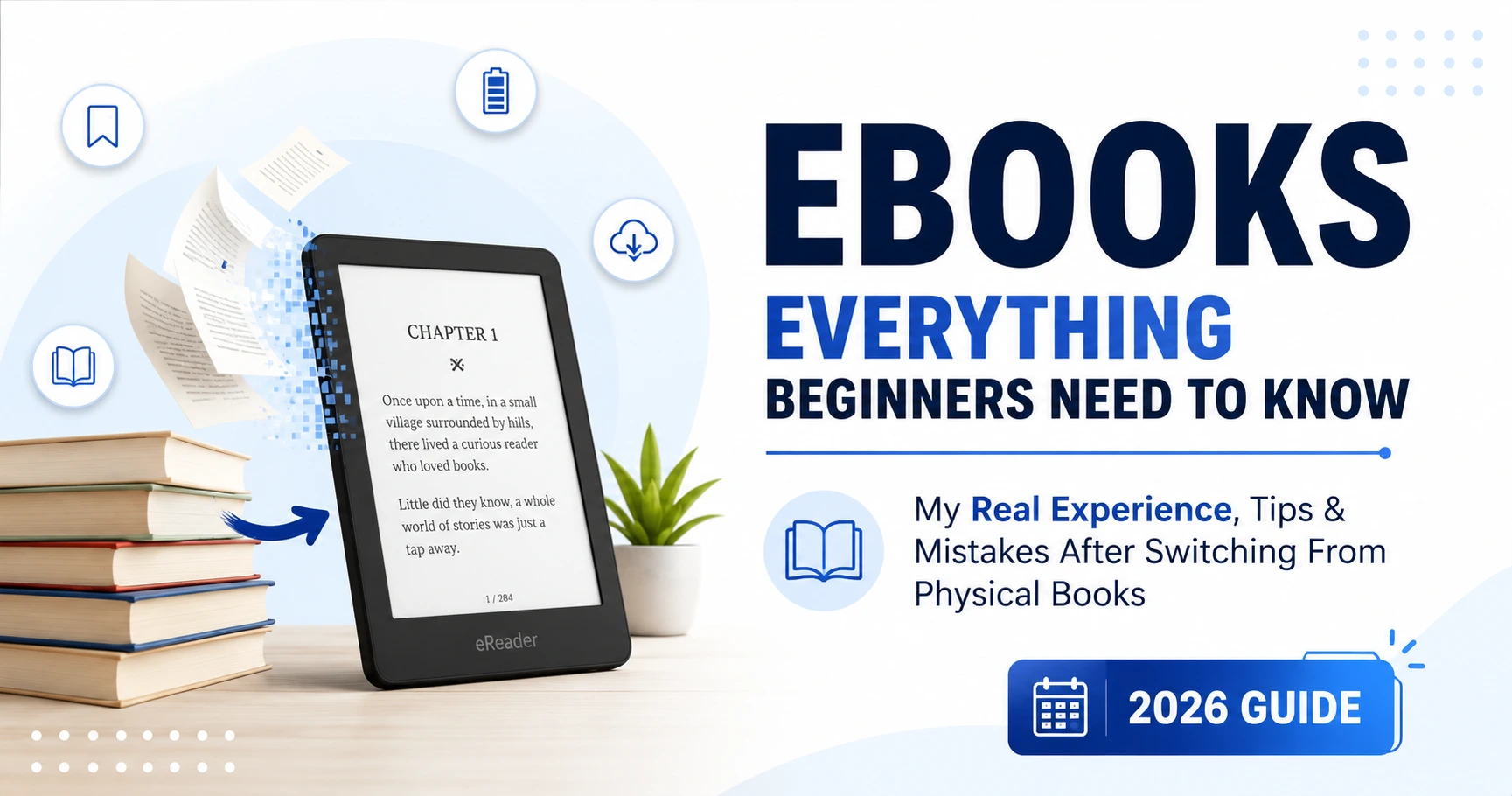
I was moving apartments for the first time in two years, and I had eleven boxes labelled “BOOKS. HEAVY”. The physical books were really getting to me. I had a lot of books, and moving them was a big problem. I think the physical books were the reason I was so frustrated with moving. My back was killing me, the movers charged extra because of the weight, and half those books I hadn’t touched in years anyway.
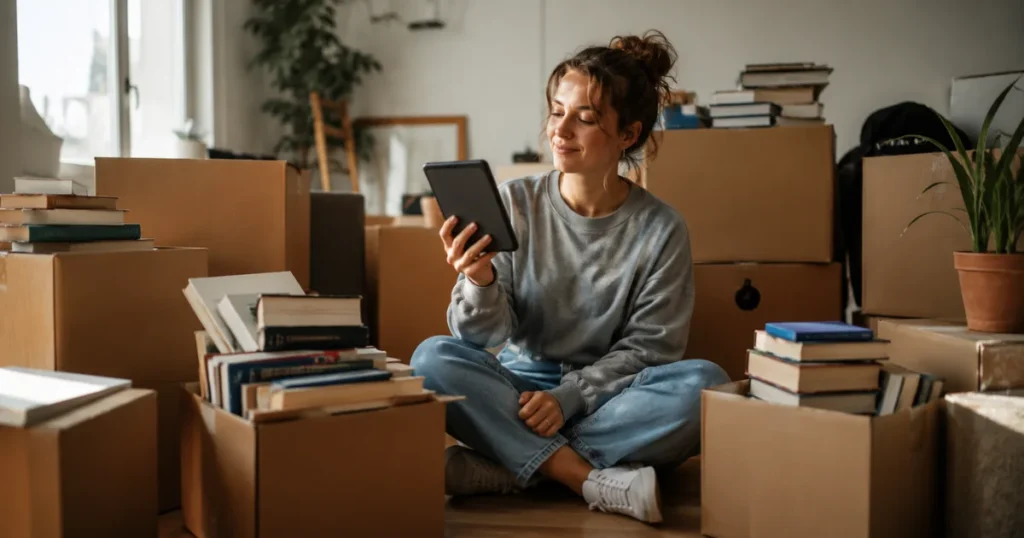
That was the week I bought my first Kindle.
I am not going to sit and tell you that ebooks are perfect because they are not.. After almost six years of reading digitally I have used a lot of different devices to read ebooks, like my Kindle Paperwhite, my phone, an iPad and even my laptop when I wake up at 2 AM and I am wide awake.
I have learned a lot of things that people do not usually tell you when you are just starting to read ebooks. So let us talk about it the way, not the way it is described in advertisements.
My First Week With an Ebook Reader (And Why I Gave Up)
The few days I had my ebook reader were really annoying. I kept trying to turn the page. There was no page to turn. The screen on my ebook reader felt weird when I touched it with my thumb. I missed the way books used to smell, which might sound silly. If you have been reading books your whole life then you know what I mean.
I almost sent my Kindle back to the company. My cousin stopped me from doing that. She told me “Do not give up on it after two days, give it two weeks..” So I did.
By day ten, something clicked.I was reading in bed without a lamp waking up my partner. I was reading on the metro without having to hold a book with one hand and grip a pole with the other hand. I finished three ebooks that month, which’s more than I had read in the previous six months.
That is when I understood that ebooks are not really about technology. Ebooks are about making it easier for people to read ebooks.
What Ebooks Actually Are
An ebook is a digital version of an ebook that you read on a screen instead of on paper. That is it. There is no need to make ebooks complicated.
Ebooks come in common formats:
EPUB – the most common format, works on almost every device except Kindle directly
MOBI/AZW – Amazon’s older Kindle formats
PDF – fine for documents, honestly not great for novels because text doesn’t reflow nicely on small screens
KFX – the newer Kindle format for enhanced formatting
You do not really need to remember this list. Just know that if you buy things from Amazon, you are stuck with them unless you change the files. If you buy things from places like Kobo, Google Play Books or Apple Books, EPUB is usually a good choice.
The Devices I Have Actually Used (And My Honest Opinion, on Each)
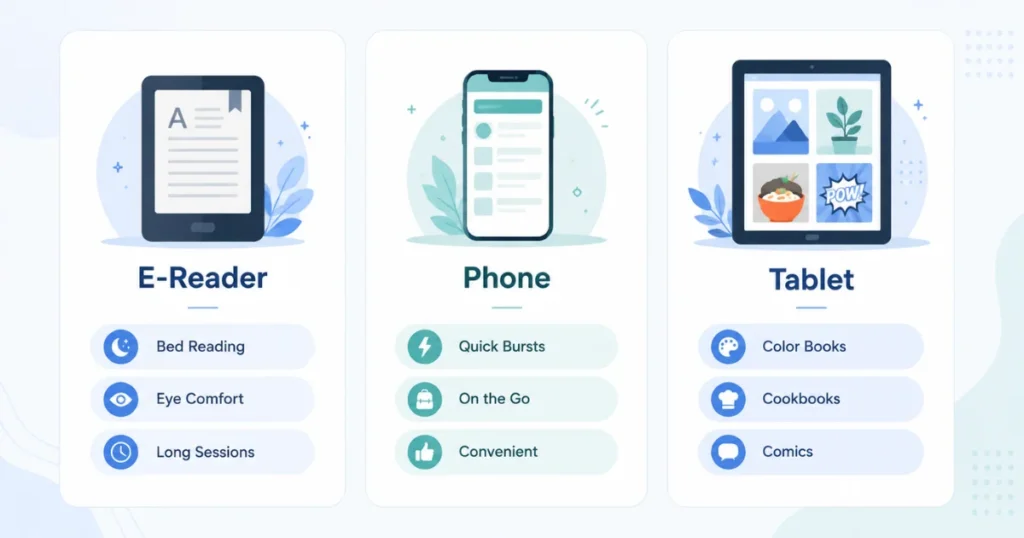
Kindle Paperwhite
This was my first ebook reader and it is still the one I tell almost everyone to get.
The screen looks like paper, not like a phone screen, so your eyes don’t get tired the way they do staring at a backlit display for hours.
Battery life is genuinely wild. I charge mine maybe once every three weeks, and that’s with the light on for evening reading.
The downside?You’re locked into Amazon’s store unless you jump through hoops. I didn’t realize this until I tried to load a library book from Libby and had to go through an annoying conversion process the first time.
Reading on My Phone
I did not want to try this for a time because I thought it would be really bad. I was wrong in a way.
Using the Kindle app on my phone is really good for when I have a minute to spare. Like when I am waiting in line at the pharmacy or sitting in a car while someone is running into a store, or the ten minutes before a meeting starts. I have read chapters on my phone like this without even thinking about it.
When I want to read for a long time it is hard on my eyes and the battery of my phone runs out of power quickly if I am also getting messages every two minutes.
iPad
Best for textbooks, comics, and anything with color images or diagrams. Terrible for long fiction reading at night because the backlight strains your eyes if you’re not careful with settings.
I use mine mainly for graphic novels and cookbooks now, which, honestly, ebooks are underrated for. Flipping through a digital cookbook and being able to search “chicken” instead of flipping through an index is genuinely useful.
Here is how I set up my ebook reading system.
I want to share with you what worked for me after I tried things.
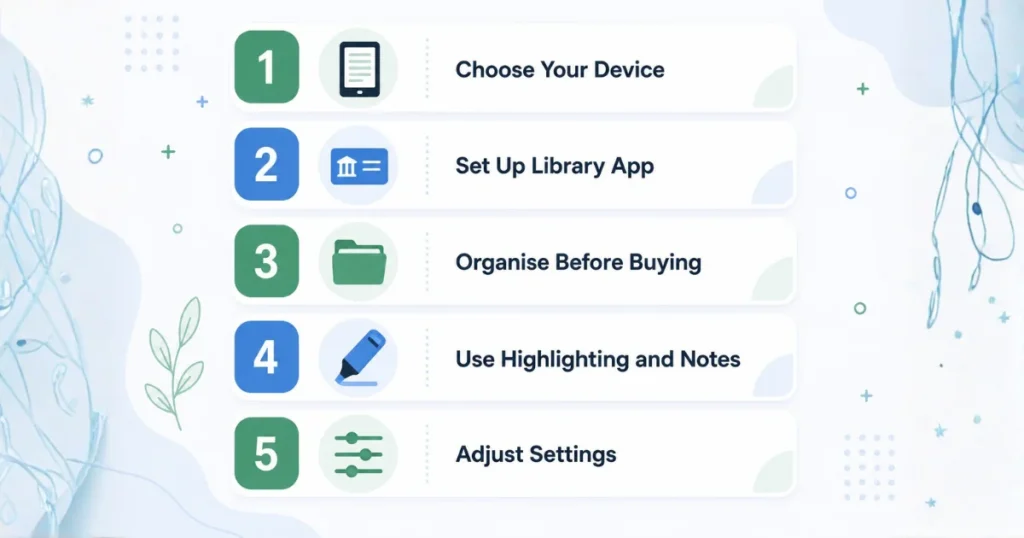
Step 1: Choose the device you will use to read ebooks.
I thought about how I read ebooks. If you read ebooks in bed at night you should get an ebook reader like a Kindle or Kobo. The screen on these ebook readers is really good because it does not shine in your face when you are reading your ebooks. I like reading my ebooks on a device that’s easy on my eyes so I chose an ebook reader, like a Kindle or Kobo to read my ebooks.
Step 2: Set up a library card app before spending money
I didn’t do this for the first two years, and I regret it. Libby (by OverDrive) connects to your local library and lets you borrow ebooks for free. I’ve saved a genuinely embarrassing amount of money since discovering this.
Steps to do it yourself:
- Download the Libby app
- Enter your library card number
- Browse or search for a book
- Borrow it, and it sends straight to your Kindle or reading app
- It auto-returns after the loan period, no late fees ever
Step 3: Organise before you buy in bulk
This one changed how I read nonfiction. On Kindle, you can highlight a passage and it saves automatically to a notes page you can access anytime at read.amazon.com. I use this constantly for business books and research.
I went through a phase where I bought fifteen ebooks in one Black Friday sale because they were $1.99 each. I still have not read eight of these books. I found out something from this experience. Just because a book is inexpensive does not mean I will actually take the time to read it. I should purchase the books that I am really looking forward to reading at this moment, not the ones that I might feel like reading
Step 4: Learn how to use the highlighting and note-taking features of my e-reader like the Kindle or Nook
To make reading fun and to remember the books I read the e-books such as ebooks from Amazon and the books like the ones I have, on my bookshelf the ebooks and the books, including the Kindle books and the Nook books and other books. This one changed how I read nonfiction. On Kindle, you can highlight a passage and it saves automatically to a notes page you can access anytime at read.amazon.com. I use this constantly for business books and research.
Step 5: Adjust your settings properly
Most people never touch the default settings and that’s a mistake. I switched my font from the default to “Bookerly” on Kindle and it made a noticeable difference in how comfortable long sessions felt. Also, turning on “warm light” in the evening genuinely helped me fall asleep easier after reading, compared to the cool blue-ish default light.
Real Mistakes I Made So You Don’t Have To
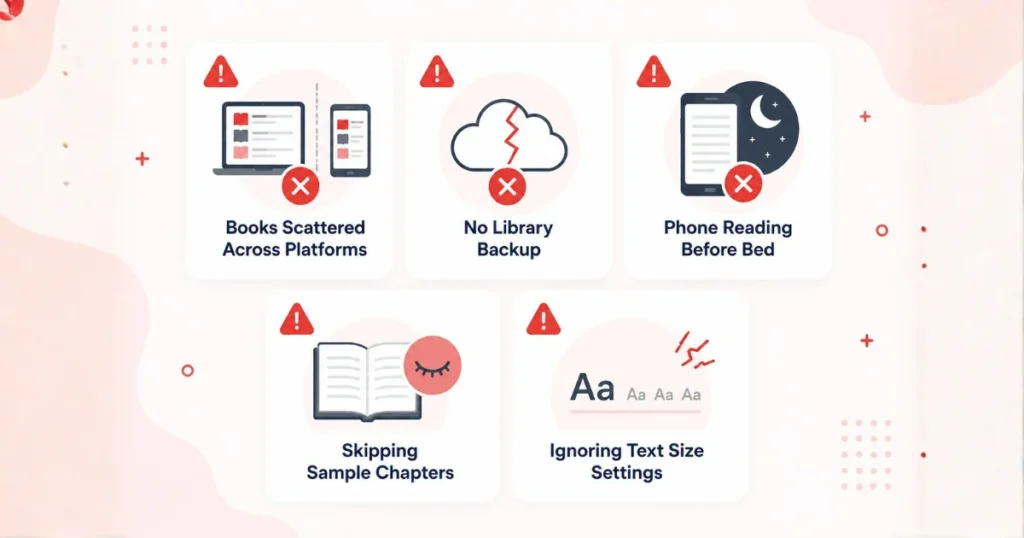
Mistake 1: Buying books on platforms without a plan
I have books all over the place on Kindle and Kobo and Apple Books because I did not think about what I was doing. If I could start over I would choose one place to buy books and stick with it unless a book is only available elsewhere. I would use this one place for all my books.
Mistake 2: Not backing up my library
Something bad happened to a friend of mine. Her account got. She was really scared. She thought she would lose all the books she paid for. It all worked out. This thing really scared her. Now she always makes sure to keep copies of her books the ones she buys from the authors website so she can always read her books.She wants to be able to read her books whenever she wants. She has her books. She keeps these books safe so she can read her books anytime.
Mistake 3: I read everything on my phone. I wonder why I feel tired all the time
I used to read books on my phone every day. I would spend hours reading my book on my phone. I did not know why I was always feeling tired.I read my books on my phone every day. I did not understand what was going on with my body . Blue light before bed is a thing. I noticed that on nights I read my books on my phone I was falling asleep slower compared to nights I used my Kindle with the light setting. For me personally the difference was noticeable enough that I changed my habit of reading my books on my phone. I started using my Kindle with the warm light setting.It made a big difference for me.
Mistake 4: Ignoring sample chapters
Most platforms let you download a free sample before buying. I used to skip this and just buy based on the cover or a friend’s recommendation. Then I’d get twenty pages in and realize the writing style wasn’t for me. Now I always grab the sample first. It takes two minutes and saves money.
Mistake 5: Not adjusting text size for the situation
If I’m reading in bright sunlight outside, small text works fine. If I’m reading tired at 11 PM, I bump the text size up two notches. Sounds obvious, but I went almost a year not realizing how much this small tweak reduces eye strain.
Setting Up Ebooks for Kids Without Losing Your Mind
My sister asked me to help set up ebooks for her ten-year-old last year, and I learned a few things worth sharing.
First, kids’ apps and adult reading apps are not the same thing. Amazon has a separate Kindle Kids experience with parental controls, screen time limits, and a curated library, which matters a lot if you don’t want your child accidentally browsing full store catalogs.
Second picture books do not look good on ereader screens.If your kid likes picture books, a tablet with a color screen is a choice. This is because it is better than an white Kindle.
Third, setting a time limit for using the screen inside the app itself is very helpful. It works better than telling your kid to stop using the tablet all the time. Your kid will like using a tablet with a color screen because it’s fun to look at pictures in color. Setting a time limit for using the screen is an idea, for your kid and the tablet.
Picture books are really meant for screens like tablets, not small ereaders, like Kindle.
My sister set hers to auto-lock after 45 minutes, and it removed the daily argument about “five more minutes” almost completely.
If you are doing this for your kids I would suggest starting with library apps like Libby’s kids section before spending money. This way you can see if your child actually likes reading before you buy a device for your kids. You want to make sure your kids will really use it before you spend the money on a device, for your kids.
It really depends on the person who is reading the ebooks and the physical books.
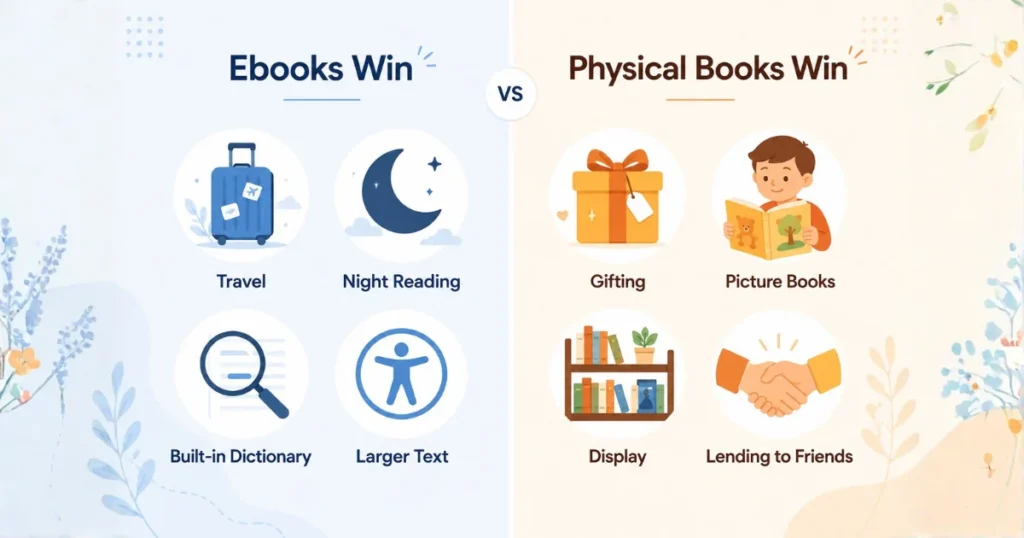
Where I think ebooks are better for me is when I am traveling to places like Portugal. I went to Portugal for two weeks. I had over 40 ebooks with me on a device that is lighter than one physical book, which is really great, for me.
I also like ebooks because I can get an ebook away when I want to read it. For example I bought an ebook at midnight because I was awake. I wanted to start reading.
Ebooks are also good because I can make the words bigger. This is really helpful for people who have trouble seeing or for my parents who are getting older and have trouble reading words.
I like the dictionary that is built into ebooks tooWhen I come across a word that I do not understand I can simply tap on the word. I will get the answer right away. I do not have to look at the back of the book.
Where physical books still win, honestly:
Gifting someone a book feels more personal, than sending a code for an ebook because a physical book is something that you can actually hold and give to someone and that is really nice.
- Kids’ books and picture books are genuinely better in physical form for young children.
- No screen fatigue at all, obviously.
- That feeling of a finished bookshelf. I won’t pretend that doesn’t matter to me even now.
I’ve landed on a hybrid approach. Fiction and most nonfiction, I read digitally. Cookbooks I actually use in the kitchen, art books, and anything I plan to lend to a friend, I still buy physical.
Free and Budget-Friendly Ways to Get Ebooks (Legally)
A lot of people don’t realize how many free legitimate options exist.
- Libby/OverDrive – borrow from your local library, completely free
- Project Gutenberg – tens of thousands of public domain classics, totally free and legal
- Amazon’s free classics section – older books with expired copyrights, no cost
- Author newsletters – a lot of indie authors give away a free book to get you into their series
- Kindle Unlimited – not free, but if you read a lot, the monthly subscription can pay for itself fast
I personally use Libby weekly. It genuinely feels like getting away with something because it’s this good and completely free.
A Quick Note on Ebook Subscriptions
I tried Kindle Unlimited for about eight months. Worth it if you read more than two books a month and don’t mind that not every book is included. I canceled it eventually because my reading slowed down during a busy work period and it stopped making financial sense. That’s the thing with subscriptions, they’re only worth it if your habits match the usage.
Scribd and Audible work similarly if you want audiobooks mixed in, which I do sometimes during long drives.
Ebook Formatting Issues Nobody Warns You About
This is something that people do not talk about enough. Some ebooks are not put together well. I found this out the way when I bought a few self-published ebooks. The table of contents in these ebooks did not work right. The chapter breaks were all over the place. had a lot of trouble with these ebooks because of this. The ebooks I am talking about were self-published titles.
A few things I now check before buying, especially from smaller or independent authors:
- Look at reviews specifically mentioning “formatting” issues, not just story quality
- Download the sample first, since formatting problems usually show up early
- If you only have a PDF of a novel it will be harder to read than an EPUB or MOBI. This is especially true on screens.
- I had a problem with a PDF file I got from someone else besides Amazon. The page numbers were all wrong. The italic words were missing.
- Turned out the file had been converted using free online tools without much quality control. Since then, I stick to buying directly from major platforms or verified author websites instead of random file-sharing sites, both for legal reasons and because the quality control is just better.
Common Questions People Ask Me About Ebooks
Do ebooks expire or disappear?
No you do not have to worry about this long as your account is active and in good standing. The library loans will expire after some time. The books you buy will stay in your library.
Can you read ebooks without being connected to the internet?
Yes you can read ebooks without an internet connection.When you download ebooks to your device most apps will let you read them even when you are not connected to the internet. I do this all the time when I’m on a flight. I read ebooks on my device without an internet connection.
Is it bad for your eyes?
E-ink screens, like the ones on a Kindle, are really easy on the eyes. This is because they are different from screens, which are what you find on tablets or phones. The thing is, E-ink screens do not give off light in the way that backlit screens do. I have noticed this myself when I am reading for a timeWhen you download ebooks to your device most apps will let you read them even when you are not connected to the internet. I do this all the time when I’m on a flight. I read ebooks on my device without an internet connection.
Storage, Backups, and Not Losing Your Whole Library
I mentioned earlier that a friend of mine had a scare with her account accessIt made me paranoid enough to actually set up backups, and I think more people should do this.
Here’s what I do now, and it takes maybe twenty minutes total:
Step 1: Once every few months, I use a tool like Calibre (free, works on Windows, Mac, and Linux) to manage my ebook library on my own computer.
Step 2: For books I’ve bought directly and that don’t have heavy DRM restrictions, I keep local backup copies on an external drive.
Step 3: I keep a simple spreadsheet of what I own and where I bought it, mainly because I once forgot whether a book was purchased on Kindle or Kobo and wasted twenty minutes searching both.
This might sound excessive for casual readers, and it probably is. But if you’ve built a library of hundreds of books over years, losing access suddenly would genuinely hurt, so a little bit of backup effort goes a long way.
Accessibility Features That Deserve Attention
I did not pay much attention to this until my grandmother started using a Kindle when she was in her seventies.
The Kindle has a cool feature that reads the book out loud which is called text-to-speech. This feature is available on some devices and apps. It was very helpful for my grandmother on days when her eyes were tired. She still wanted to read her book.
The Kindle also lets you make the words bigger, which was a help for my grandmother because she had trouble reading small words in her paperbacks for a long time.
Some apps have features that can help people too like special modes that make the words easier to see and special fonts that are easier to read. I found out about these features when my friend told me they were having trouble reading because of their dyslexia.
If you or someone you know has trouble reading you should look at the accessibility settings on your app because most people do not even know where to find this menu on their device. You can find features like high-contrast modes and dyslexia-friendly fonts. These accessibility features can make a big difference for people who use them. Accessibility features like these are very important. That is why I think accessibility features deserve more attention.
Quick Recap: Step-by-Step Guide
- Decide how you read (long sessions vs short bursts) before picking a device
- Choose a dedicated e-reader or a reading app based on that habit
- Download a library app like Libby and link your library card
- Try free/public domain books before spending money
- Grab a free sample chapter before buying any book
- Adjust font, text size, and warm light settings
- Turn on highlighting and check your synced notes page
- Stick to one main platform/ecosystem for purchases
- Set up parental controls if setting this up for a kid
- Check reviews for formatting issues before buying, especially indie titles
- Back up your library using a tool like Calibre
- Keep a simple record of what you own and where you bought it
- Explore accessibility settings (text-to-speech, dyslexia fonts, contrast)
- Try a subscription only if your reading volume justifies the cost
- Reassess your setup every few months as habits change
Final Thoughts
I didn’t expect switching to ebooks to change my reading habits as much as it did, but looking back, it’s the single thing that got me reading consistently again after years of buying books and letting them sit on a shelf.
It’s not about which format is “correct.” It’s about removing whatever’s stopping you from actually opening a book. For me, that was weight, storage space, and lighting at night. For someone else, it might be something completely different.
If you’re on the fence, my honest suggestion is to try a free trial through your library app before spending a cent on a device. See how the habit actually feels before committing to hardware. That’s the approach that worked for me, and six years later, I still haven’t looked back.
Read More: What Is a Digital Product? A Beginner’s Honest Guide to Understanding and Selling Them
FAQs
What is an eBook?
An eBook is a version of a book that you read on a screen not on paper. You can read an eBook on a device like a Kindle or on your phone, tablet or computer using an app. An eBook does not have printed pages. The content of an eBook is stored as a file. The common formats for an eBook are:
* EPUB. This is the format that works on almost everything except on a Kindle
* MOBI/AZW/KFX. These are the formats that Amazon uses for its Kindle
* PDF. This is a common format for documents, but it is not very good for novels because the text does not get bigger or smaller well on small screens.
What are examples of ebooks?
Fiction novels that are thrillers or romance, nonfiction books that’re self-help or memoirs, textbooks, free classics such as “Pride and Prejudice “, comics or manga and children’s picture books. Basically, any genre that can be found in printed form can also be found as an ebook. The same content is there. Instead of reading it on paper, you read it on a screen or an app.
Where can I find e-books?
Depends on whether you want to buy, borrow for free, or download public domain stuff. Here’s where I actually get mine: Free (Legal), Libby (by OverDrive), Project Gutenberg, Open Library (archive.org), Buy Amazon Kindle Store Kobo, Apple Books, Google Play Books, Kindle Unlimited, Scribd. A lot of indie authors sell EPUB/PDF files straight from their own website or through Payhip/Gumroad, sometimes cheaper than Amazon and DRM-free. One tip: always grab the free sample before buying on any platform. Takes two minutes and saves you from wasting money on a book whose writing style does not click for you