
The first digital product I ever sold was a Notion template I’d built entirely for myself.
It was a freelance income tracker — nothing fancy, just a database I’d set up to manage irregular client payments. I mentioned it once in a blog post. Someone messaged me asking if they could buy it. I threw it up on Gumroad in about forty-five minutes, priced it at $12, and made my first sale two days later.
What I didn’t realise then was that where you sell matters almost as much as what you sell.
I later listed the same template on Etsy and discovered something genuinely surprising: the Etsy version consistently outsold the Gumroad version three to one — not because Etsy is better, but because Etsy brought its own buyers. Gumroad sent nobody unless I did the sending.

That distinction — platform that brings traffic versus platform that hosts your product — changes everything about how you think about choosing where to sell digital products.
Here’s an honest comparison of the main platforms, including what the fee breakdowns actually look like and who each one suits.
The Short Answer: Which Platform for Which Situation
If you have no audience yet: Start on Etsy. It has built-in search traffic and buyers actively looking for digital products.
If you have an existing audience (email list, blog, social): Gumroad or Payhip. You control the customer relationship and keep more revenue.
If you’re selling SaaS, subscriptions, or need global tax compliance handled: Lemon Squeezy.
If you want the simplest possible setup and don’t mind the fees: Gumroad. It’s genuinely as fast as it claims.
If you want no fees on sales at all: Payhip (free plan, 5% transaction fee — but drops to 0% on paid plans).
Now for the full breakdown.
Master Comparison Table (Fees & Key Features)
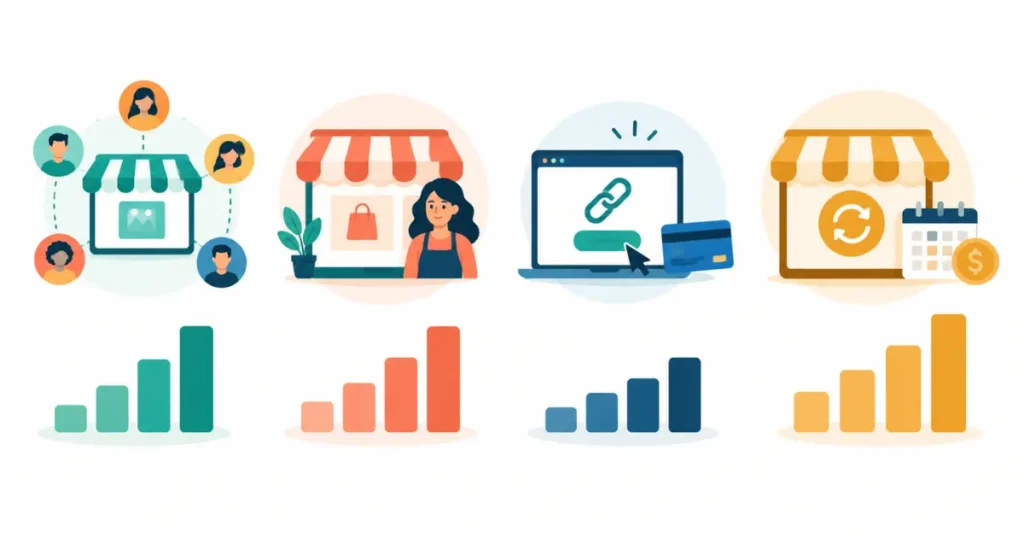
| Platform | Free Plan | Transaction Fee | Monthly Fee Option | Built-in Audience | Best For |
| Etsy | No listing fee to start | 6.5% + $0.20/listing + payment processing (~3%) | None — per-listing model | ✅ Yes — large search audience | Beginners without an audience |
| Gumroad | ✅ Free | 10% (free plan) / lower on paid plans | From $10/month (Gumroad Pro) | ❌ No | Creators with existing traffic |
| Payhip | ✅ Free | 5% (free) / 2% (Plus) / 0% (Pro) | Plus: $29/mo, Pro: $99/mo | ❌ No | Budget-conscious creators |
| Lemon Squeezy | ✅ Free | 5% + $0.50/transaction | None | ❌ No | Software, subscriptions, SaaS |
| Teachable | ✅ Free (limited) | 10% on free plan | From $39/month | ❌ No | Online courses specifically |
| Podia | ❌ No free plan | 0% (paid plans) | From $39/month | ❌ No | Courses + community + email |
| Ko-fi | ✅ Free | 0% on paid Gold plan | Gold: $6/month | Partial (Ko-fi feed) | Creators with loyal community |
Pricing note: Fee structures change. Verify current rates on each platform’s pricing page before committing. Data accurate as of September 2026.
Platform Breakdowns: What They Don’t Tell You in the Marketing
Etsy — The Built-in Audience Play
Etsy has 95+ million active buyers (2024 figure). A meaningful percentage of those buyers are actively searching for digital downloads — planners, templates, printables, worksheets, SVG files, spreadsheets, and more.
That’s the core appeal for a beginner: you don’t need to drive the traffic yourself. Someone searches “wedding budget planner template” on Etsy and finds your listing.
The fee reality is more complex than it first looks. You pay:
- $0.20 per listing (renewed every four months or when it sells)
- 6.5% transaction fee on each sale
- Payment processing fee (roughly 3% + a small fixed amount depending on country)
- Etsy Offsite Ads fee of 12–15% if a sale arrives through Etsy’s external advertising — this is opt-out only if you exceed $10,000 in annual sales
Combined, you’re typically losing 9–15% of revenue on each transaction. On a $10 template, you might net $8.50–$9.00. On a $49 product, closer to $42–$44.
That’s genuinely fine for the traffic Etsy delivers — but it’s not the 6.5% many beginners expect when they first read the rate card.
Who Etsy is right for: Beginners with no existing audience, creators selling visual and printable products (planners, templates, designs, printables), and anyone whose product category already has proven Etsy demand. Before listing, search your product type on Etsy to confirm buyers are already there.
Who Etsy is wrong for: Software, SaaS tools, courses, premium high-ticket offers, or any product where you need email addresses of your buyers (Etsy restricts direct customer communication).
If you sell on Etsy, the Etsy Tag Generator helps you create optimised Etsy tags from a product description — the most underrated Etsy SEO step most sellers skip.
Gumroad — The Creator Favourite (With One Important Catch)
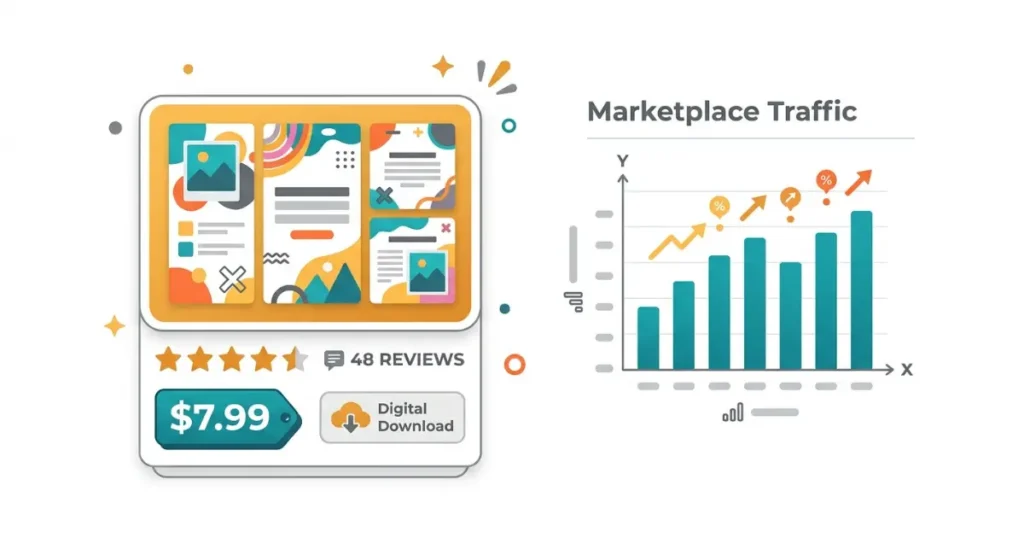
Gumroad has been the go-to platform for independent creators since 2011 and has paid out over $1 billion to creators. Its appeal is speed: you can set up a product page and start accepting payments in under an hour, with no technical knowledge required.
The product types it handles well: ebooks, PDF guides, templates, digital art, audio files, software licences, preset packs, video downloads, and courses.
The important catch is traffic. Gumroad sends you essentially none. It hosts your product page and processes payments — everything else (traffic, discovery, email building) is your job.
The fee structure on the free plan is a flat 10% of every sale. On the $10/month Gumroad Pro plan, that drops to around 5%. The 10% free-plan rate is one of the highest on this list — on a $29 product, you’re handing $2.90 to Gumroad per sale. Factor that into your pricing.
The upside: Gumroad gives you buyers’ email addresses. Every person who purchases your product becomes someone you can market to directly. That email list is genuinely valuable — arguably more valuable over time than the difference in platform fees.
Who Gumroad is right for: Bloggers and creators with existing email lists, social audiences, or blog traffic. Anyone who’s already driving their own readers somewhere and needs a clean, simple checkout.
Who Gumroad is wrong for: Beginners with zero audience who hope the platform will bring buyers.
Payhip — The Most Flexible Fee Structure
Payhip has earned a quiet reputation as one of the most creator-friendly platforms in terms of fee structure. The free plan charges 5% per transaction — lower than Gumroad’s free plan. The Plus plan ($29/month) drops that to 2%. The Pro plan ($99/month) drops it to 0%.
Like Gumroad, Payhip brings no built-in audience. But it handles a wide range of product types: digital downloads, online courses, memberships, coaching, and physical products.
One genuinely useful feature is Payhip’s built-in affiliate programme — you can set up affiliates to promote your products and pay them a percentage of each sale, which is a traffic solution for creators who don’t want to do all the promotion themselves.
The VAT handling is also worth noting. Payhip automatically handles VAT collection for EU and UK customers, which is a genuine headache if you’re selling internationally and trying to manage it manually.
Who Payhip is right for: Budget-conscious creators who already have some audience and want lower ongoing fees than Gumroad, especially at higher sales volumes where the Pro plan’s 0% fee pays for itself quickly.
Lemon Squeezy — Built for Software and Subscriptions
Most digital product platforms are built around one-time downloads. Lemon Squeezy is built around software businesses — SaaS products, subscriptions, licence keys, and memberships.
The platform acts as a “merchant of record,” which means it handles global tax compliance (VAT, GST, sales tax) on your behalf. For a solo creator selling a SaaS tool to customers in 50+ countries, this is not a small thing. Getting tax compliance wrong in the EU or the US as an individual seller is genuinely risky. Lemon Squeezy removes that risk entirely.
Transaction fees are 5% + $0.50 per transaction, with no monthly fee. On low-ticket products (under $10), that $0.50 flat fee bites more. On higher-ticket products or subscriptions, it’s competitive.
Who Lemon Squeezy is right for: Developers and indie software creators selling tools, SaaS products, plugins, or any subscription-based digital product where recurring billing and global tax handling are needed.
Who Lemon Squeezy is wrong for: Non-technical creators selling templates, guides, or printables where the software-specific features add complexity with no benefit.
Ko-fi — Best for Creator Communities and “Pay What You Want”
Ko-fi started as a “buy me a coffee” tipping platform and has evolved into a legitimate digital product storefront with a free 0% fee option.
The Gold plan ($6/month) removes all transaction fees and unlocks full storefront features, memberships, and commissions. For a creator with a tight community following — a newsletter audience, a YouTube subscriber base, a Discord server — Ko-fi can be the lowest-friction way to sell because your audience is already predisposed to support you directly.
Ko-fi also allows “pay what you want” pricing, which works well for community-driven products or low-cost digital goods where you want to lower the barrier to entry while still capturing value from buyers willing to pay more.
Who Ko-fi is right for: Content creators, artists, illustrators, writers, and anyone with a community that already supports them financially in other ways. Not a good fit for marketplaces or discovery.
Should You Use Multiple Platforms at Once?
This comes up constantly — and the honest answer is: not at first.
Splitting your products across Etsy, Gumroad, and Payhip simultaneously before you’ve established traction on any of them means splitting your energy, your analytics, and your ability to understand what’s working.
The exception: selling the same product on both Etsy (for marketplace discovery) and your own site via Gumroad or Payhip (for your existing audience) makes sense once you’re generating consistent sales on one of them. That combination — marketplace for new buyers, direct store for returning ones — is how many mid-stage creators structure their product business.
For a complete walkthrough of getting your digital product business structured from the ground up, the complete guide to selling digital products online covers strategy, pricing, and setup end to end.
Mistakes Creators Make When Choosing a Platform To Sell Digital Products

Choosing based on lowest fees without accounting for traffic. A 5% fee on zero sales is still zero. A 15% blended fee on Etsy with their traffic sending you consistent buyers is profitable. Fee rate and revenue are different calculations.
Expecting the platform to do all the marketing. With the exception of Etsy (and to a lesser extent Ko-fi), none of these platforms bring you buyers. They process payments and host files. Traffic is your job.
Not reading the fee structure fully. Etsy’s Offsite Ads fee catches many sellers off-guard. Gumroad’s 10% free-plan fee is often misremembered as lower. Teachable’s free plan restrictions mean you hit walls quickly. Read the full fee page of any platform before you list.
Undervaluing email address ownership. Etsy doesn’t share buyer email addresses with you. Gumroad, Payhip, and Lemon Squeezy do. If building a long-term customer relationship matters to you — and it should — this distinction affects your platform choice in ways that aren’t visible in the fee comparison alone.
Launching with a product that isn’t priced correctly. The platform rarely causes poor sales — pricing often does. Before you blame the platform, review whether your price reflects the value your product delivers. The Digital Product Price Strategy helps you model pricing against product type, time invested, and income target.
Which Platform Should You Start With?

Here’s the decision framework that actually works:
You have no audience → Start on Etsy. The built-in search traffic is real and worth the higher fees. Focus on templates, planners, printables, or digital designs in categories where Etsy has proven demand. Optimise your listings with keyword-rich titles and all 13 tags.
You have 500+ email subscribers or consistent blog traffic → Start on Gumroad or Payhip. Drive your own traffic, capture buyer emails, and keep the customer relationship. Evaluate whether the Pro plan fee reduction is worth it at your expected monthly sales volume.
You’re building software or a subscription product → Lemon Squeezy. The tax compliance handling alone is worth it.
You have a loyal content community → Ko-fi. Zero-friction support from people who already like your work.
Once you have traction on one platform — consistently selling, understanding your buyer, and knowing what resonates — then consider whether adding a second makes sense.
For pricing once you’ve chosen your platform, the post on how to price your digital products covers the full strategy — including what to charge for low-ticket versus high-ticket products and how to test prices without burning your audience.
Frequently Asked Questions
Q1: What is the best platform to sell digital products for beginners?
Etsy is the best starting platform for beginners with no existing audience, because it has built-in search traffic and millions of active buyers. Beginners who already have a blog, email list, or social following should consider Gumroad or Payhip instead, as these platforms let creators own their customer relationships and typically have simpler setup requirements.
Q2: Does Etsy charge fees for digital products?
Yes. Etsy charges a $0.20 listing fee per item (renewed every four months), a 6.5% transaction fee on each sale, and payment processing fees of approximately 3% plus a fixed amount. If your product is purchased through Etsy’s Offsite Ads, an additional 12–15% fee applies. Combined fees typically total 9–15% of the sale price, depending on product price and delivery method.
Q3: Is Gumroad free to use?
Gumroad has a free plan with no monthly cost, but it charges a 10% transaction fee on every sale. A paid plan starting at $10/month reduces that fee to approximately 5%. Gumroad does not charge listing fees and has no product or revenue limit on the free plan — the only cost is the percentage taken per sale.
Q4: Which digital product platform has the lowest fees?
Payhip’s Pro plan ($99/month) has a 0% transaction fee — the lowest of any mainstream platform after the monthly plan cost is factored in. Ko-fi’s Gold plan ($6/month) also has 0% transaction fees. For free plans, Payhip (5%) and Lemon Squeezy (5% + $0.50) are lower than Gumroad’s free plan (10%).
Q5: Can I sell digital products on both Etsy and Gumroad at the same time?
Yes — selling the same digital product on both platforms is a common strategy. Etsy handles marketplace discovery for buyers who have never heard of you. Gumroad or Payhip handles direct sales to your existing audience with better economics and full email capture. Start with one until you have consistent sales, then add the second as a complementary channel.
Q6: Does Gumroad handle VAT for international buyers?
Yes. Gumroad acts as a merchant of record and handles VAT collection and remittance for EU, UK, and Australian buyers automatically. This is one of its significant practical advantages over DIY payment setups for creators selling internationally.
Q7: What types of digital products sell best on Etsy?
Templates (Canva, PowerPoint, Excel, Notion), printable planners and worksheets, SVG cut files, digital wall art, resume templates, social media templates, and ebook/workbook templates consistently sell well on Etsy. Products with a visual element and clear niche use cases tend to outperform general or abstract digital goods on the platform.
Q8: What is Lemon Squeezy best used for?
Lemon Squeezy is specifically well-suited for software products, SaaS tools, plugin licences, and subscription-based digital products. Its merchant-of-record model handles global tax compliance (VAT, GST, sales tax) automatically, which is the main reason developers and indie software creators choose it over simpler platforms like Gumroad.
Q9: Is Payhip good for selling digital products?
Yes — Payhip is a solid option, particularly for creators who want lower transaction fees than Gumroad without moving to a more complex platform. The free plan’s 5% fee is competitive, and the Pro plan’s 0% fee structure makes sense at consistent monthly sales volumes. Payhip’s built-in affiliate programme is also a genuine differentiator for creators who want partners promoting their products.
Q10: How do I get traffic to my digital product listings on Gumroad or Payhip?
Neither Gumroad nor Payhip provides discovery traffic — you are responsible for driving buyers to your listings. Effective sources include your blog (SEO-optimised posts linking to your product), your email list, Pinterest (particularly effective for template and design products), relevant community discussions on Reddit and Facebook groups, and YouTube tutorials related to your product type. The guide to driving traffic to your blog covers the full traffic strategy applicable to product listings as well.