
When I first heard someone say they made $600 in a month using free AI tools, I rolled my eyes so hard I nearly lost a contact lens.
I’d heard enough “make money online with no money” pitches to know how they usually ended — either it required money they hadn’t mentioned, skills that took years to build, or an audience of 50,000 people you were just supposed to conjure from thin air.
But I was between freelance contracts and had more time than income, so I decided to actually test it.
Thirty days. Free tools only — nothing paid. Real work, real results, documented honestly.

What I found surprised me. Some of the “zero investment AI side hustles” that get hyped online are basically fantasy. But a handful are genuinely real — meaning you can start them with no money, see traction within weeks, and scale them into consistent part-time income with patience and consistency.
This guide covers exactly those. Not hype. Not theory. The ones that actually worked for me or for people I watched do it in real time.
What “Zero Investment” Actually Means Here
Before we go further, let me be precise about what zero investment means in this context — because there are two things you’re always investing, even when you spend no money.
Time. These side hustles require real effort, especially at the start. If you’re expecting to prompt an AI once and collect a check, this isn’t for you.
Learning curve. Every tool and approach here has a learning curve. Some are short (a few hours). Some take weeks to get genuinely good at. That investment is real, even if it’s free.
What zero investment means here: no subscription fees, no paid tools, no upfront product costs. Everything I’m going to walk you through can be started using tools that have free tiers, free trials, or are completely free by design.
With that said — let’s get into it.
Related: Best AI Tools to Make Money Online
1. AI-Assisted Content Writing for Businesses

What it is: You write blog posts, website copy, social captions, or email newsletters for small businesses, using free AI tools to help you work faster.
Why it works with zero investment: ChatGPT’s free tier, Claude’s free tier, and Google’s Gemini are all usable for drafting and research without paying anything. You don’t need a website, a business license, or expensive software. You need a Google Doc and a client.
Where to find clients for free: Upwork (free to create a profile and submit proposals), Fiverr (free to create gigs), Facebook Groups for small business owners, and your existing network.
The honest reality of this one: AI assistance dramatically speeds up writing but doesn’t replace the skill. The freelancers making good money here are the ones who can edit AI output into something that actually sounds human and serves the client’s specific audience. Raw AI output handed to a client is usually obvious and usually disappoints.
When I tested this, I found that using the free tier of Claude for initial drafts, then rewriting and editing them myself, I could produce a 1,000-word blog post in about 50 minutes. At $65–$80 per post (beginner rate), that’s a decent hourly yield — and I spent nothing to produce it.
How to start:
- Pick one writing service to offer (blog posts, product descriptions, social captions)
- Create two or three sample pieces using free AI tools plus your own editing
- Set up a free Fiverr gig or Upwork profile with those samples
- Apply to 5–10 jobs per week consistently
Related: Top AI Tools for Content Creation and Blogging
2. AI-Generated Digital Products on Etsy or Gumroad
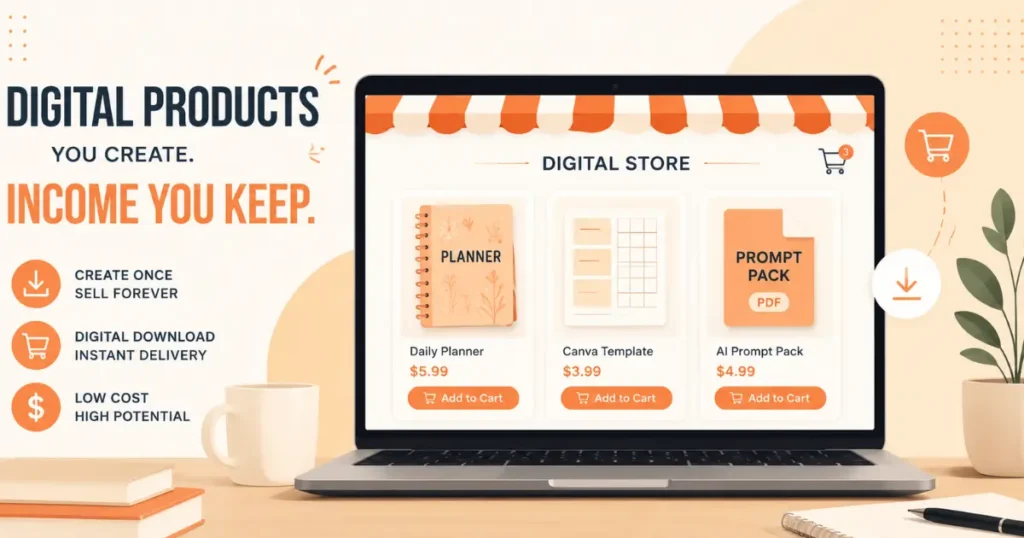
What it is: You create digital products — printable planners, journal templates, resume templates, social media caption packs, prompt libraries — using free tools like Canva (free tier) and AI writing assistants. Then you sell them on platforms that handle payment and delivery for you.
Why it works with zero investment: Canva’s free tier is genuinely functional for creating clean, downloadable PDFs and templates. Etsy charges a small listing fee ($0.20 per item) and takes a cut of sales — so you only spend money after you make money. Gumroad is free to start with no monthly fee (they take a percentage of sales).
What sells: Done-for-you content packs are particularly strong right now. Think “30 Instagram captions for fitness coaches” or “50 ChatGPT prompts for small business owners” or “monthly budget planner printable.” These products solve a specific, recognizable problem for a specific person.
I watched a friend build an Etsy shop with about fifteen digital products — all created using Canva free and AI-assisted content — and hit $400 in her third month. Not overnight, but real.
The catch: Passive income isn’t quite as passive as people make it sound. Getting organic traffic on Etsy takes time, SEO work, and some luck with the algorithm. Having a simple Pinterest account or Instagram page that drives traffic to your shop dramatically speeds things up — and both are free.
How to start:
- Pick a niche (what type of person would buy your product? what problem does it solve?)
- Use ChatGPT or Claude (free tier) to brainstorm product ideas in that niche
- Create 3–5 products using Canva free
- List them on Etsy or Gumroad with clear, keyword-friendly titles and descriptions
- Pin them on Pinterest regularly to drive free traffic
Related: Using AI to Create and Sell Digital Products
3. AI-Powered Social Media Management for Local Businesses

What it is: You manage the social media presence of local small businesses — restaurants, salons, fitness studios, real estate agents, dentists — using free AI tools to create content faster.
Why this niche specifically: Local businesses are often run by people with zero time and even less interest in figuring out Instagram. They know they need social media. They don’t want to do it themselves. And they’re often reachable in ways that cold outreach to big companies isn’t.
What you actually do: Create a content calendar, write captions (with AI assistance), source or create images (Canva free), schedule posts (Buffer’s free plan allows scheduling for up to three social channels), and report basic results monthly.
Zero investment tools:
- Caption drafts → ChatGPT or Claude free tier
- Graphics → Canva free
- Scheduling → Buffer free plan or Meta Business Suite (completely free for Facebook and Instagram)
- Reporting → native analytics inside each platform
What this pays: Beginner rate for managing one brand’s social media is typically $200–$400/month. Two clients and you’re at $400–$800/month — from free tools.
How to find your first local client: Walk into a business you actually like. Look at their Instagram or Facebook. If it’s weak or inactive, you already have your opening. I have literally walked into a coffee shop, complimented their space, mentioned I do social media, and left my number. One of those casual conversations turned into a paid client.
How to start:
- Pick a local business type you like or understand (food, fitness, beauty, home services)
- Find two or three local examples with weak social media
- Create a sample content calendar for one of them — unprompted, as a demo
- Reach out with that demo: “I made this to show you what your Instagram could look like. Would you want to chat?”
That approach works because it replaces talk with proof.
Related: Use AI for Freelancing and Client Work
4. Faceless YouTube Channel With AI-Assisted Scripts and Voiceover
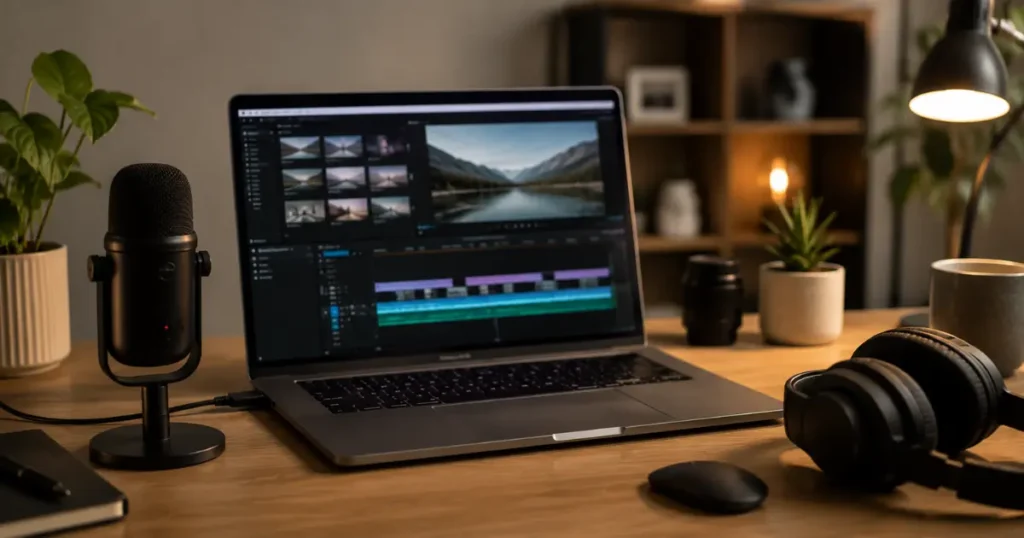
What it is: A YouTube channel where you don’t appear on camera. Content is narrated voiceover — either your own voice or AI-generated — over stock footage, screen recordings, or simple visuals. AI assists with the script writing.
Why it has a zero-investment path: YouTube is free. Stock footage is free from Pexels and Pixabay. Video editing is free via CapCut or DaVinci Resolve. AI scripting is free via ChatGPT or Claude. If you’re comfortable using your own voice, ElevenLabs’ free tier gives you a limited number of AI voice characters per month.
What topics work for faceless channels: Finance basics, productivity tips, history and true crime narratives, tech explainers, motivational content, study with me videos, niche tutorials (how to use specific software, how to do specific things in Excel, etc.).
The honest timeline: YouTube is a long game. Most channels don’t start earning until they hit 1,000 subscribers and 4,000 watch hours — the threshold for monetization. That typically takes 6–18 months of consistent posting. The upside is that once you’re monetized, the income from older videos keeps coming in while you sleep.
This is a real zero-investment option, but it requires the most patience of anything on this list.
How to start:
- Pick a niche topic you can produce 50+ videos about (yes, 50)
- Use ChatGPT or Claude to help outline and draft scripts
- Record your voiceover with your phone or laptop mic, or use ElevenLabs free tier
- Edit in CapCut (free, mobile or desktop) using stock footage from Pexels
- Post consistently — ideally 1–2 times per week — and don’t quit before month six
5. AI Prompt Pack Creation and Selling
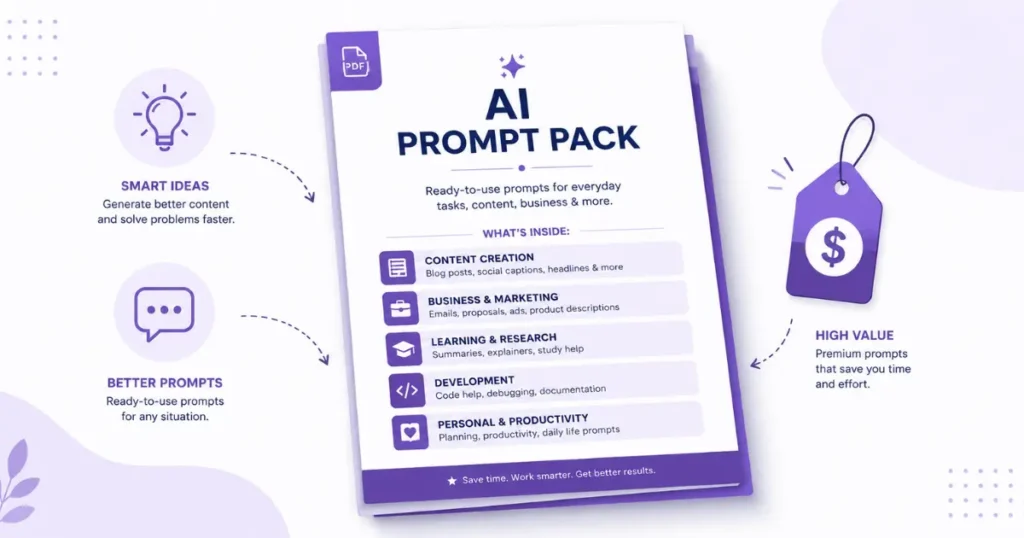
What it is: You create curated packs of useful, specific AI prompts for particular audiences — marketers, teachers, real estate agents, coaches, parents — and sell them as simple PDF or Notion documents.
Why it works: Most people know AI tools exist but don’t know how to get good outputs from them. A well-organized pack of 50 tested, specific prompts for their exact use case is genuinely valuable to them — and has near-zero production cost for you.
What I mean by “specific”: Not “50 ChatGPT prompts for business” — that’s too vague. Try “50 ChatGPT prompts for real estate agents to generate listing descriptions, follow-up emails, and neighborhood guides.” Or “30 prompts for elementary school teachers to create lesson plans, quiz questions, and parent newsletters.”
The more specific the audience, the more it resonates — and the less competition you have from generic prompt packs.
Zero investment tools: ChatGPT or Claude to test and refine the prompts. Canva free to make the PDF look clean and professional. Gumroad free account to sell and deliver it.
Realistic income from this: A prompt pack priced at $7–$15 and marketed to a specific audience on Pinterest, Reddit, or a relevant Facebook group can generate passive sales over time. This isn’t a get-rich mechanism, but five to ten sales per week of a $10 product is $200–$400/month from something you built once.
How to start:
- Pick a specific profession or type of person who uses AI tools (or who should)
- Write and test 30–50 prompts for their specific use cases
- Organize them in a clean Canva PDF with categories and usage tips
- Create a free Gumroad listing with a clear, specific title and description
- Post about it in relevant online communities (with value-first approach, not spam)
6. AI-Assisted Proofreading and Editing Service

What it is: You offer proofreading, copyediting, or “AI output cleanup” services — helping clients polish content that’s been AI-generated but needs a human eye before it goes out.
This one emerged organically from the fact that a lot of businesses are now generating content with AI tools but are aware it needs human editing before publishing. That gap is a service opportunity.
Why it has zero investment: You need a good eye for writing, Grammarly’s free tier, and a profile on Upwork or Fiverr. That’s it.
What this actually involves: Reading AI-generated drafts and fixing grammatical errors, awkward phrasing, factual gaps, tone inconsistencies, and the repetitive sentence structures that AI tends toward. Adding transitions, varying sentence length, and ensuring the piece sounds like it was written by a human.
Who needs this: Bloggers, small businesses, Etsy sellers writing product descriptions, self-published authors, students (where permitted), content agencies scaling with AI.
Rate range for beginners: $0.01–$0.03 per word for proofreading, or $25–$50 per article for editing. Seems small until you realize a fast editor can process 3,000–4,000 words per hour.
How to start:
- Practice by downloading free AI-generated content samples and editing them
- Build 2–3 editing samples that show before and after versions
- Create a profile on Fiverr or Upwork specifically mentioning “AI content editing” or “AI output proofreading” — this specific language helps you show up in current searches
- Apply to editing jobs consistently
The Mistakes I Saw People Make (Including Me)
Trying all of these at once. I made this mistake in month one. I had a half-set-up Fiverr gig, a half-built Etsy shop, two YouTube videos with no plan, and a prompt pack I never finished. None of it went anywhere because none of it got my full attention. Pick one and go deep for sixty days before adding another.
Expecting results in two weeks. Every side hustle on this list has a delay between starting and earning. The content writing one is fastest — you could land a client in week three with consistent effort. The YouTube channel is slowest — expect six months before monetization. Know which timeline you’re signing up for.
Using AI output without testing it. For the prompt packs especially — every prompt you include should be one you’ve actually tested and gotten good results from. Selling a pack full of prompts that produce mediocre outputs will earn you poor reviews and refund requests.
Skipping the marketing step. Creating something and hoping people find it is not a plan. Every option on this list requires you to put it in front of people, whether that’s proposals on Upwork, pins on Pinterest, posts in Facebook groups, or consistent YouTube uploads. Distribution is half the work.
Picking the wrong niche for their personality. If you hate video, the YouTube channel will be abandoned in month two regardless of its income potential. If you have zero interest in small business social media, you’ll resent the client management. Pick the option you can see yourself doing consistently — because consistency is what separates the people who succeed at this from the people who don’t.
Which One Should You Actually Start?
Here’s how I’d match people to options:
If you’re a decent writer and want the fastest first dollar: AI-assisted content writing service (Fiverr or Upwork).
If you want something more passive and don’t mind waiting: AI digital products on Etsy or Gumroad.
If you’re comfortable talking to people and have a local area to work with: Social media management for local businesses.
If you want to build something long-term with compounding income: Faceless YouTube channel.
If you enjoy writing but want lower-stakes projects: AI proofreading and editing service.
If you love systems and want a quick-build sellable product: AI prompt packs on Gumroad.
None of these are wrong. The “best” one is the one you’ll actually work on consistently for three to six months without quitting.
Related: Automate Your Online Income Step by Step
A Realistic Income Picture
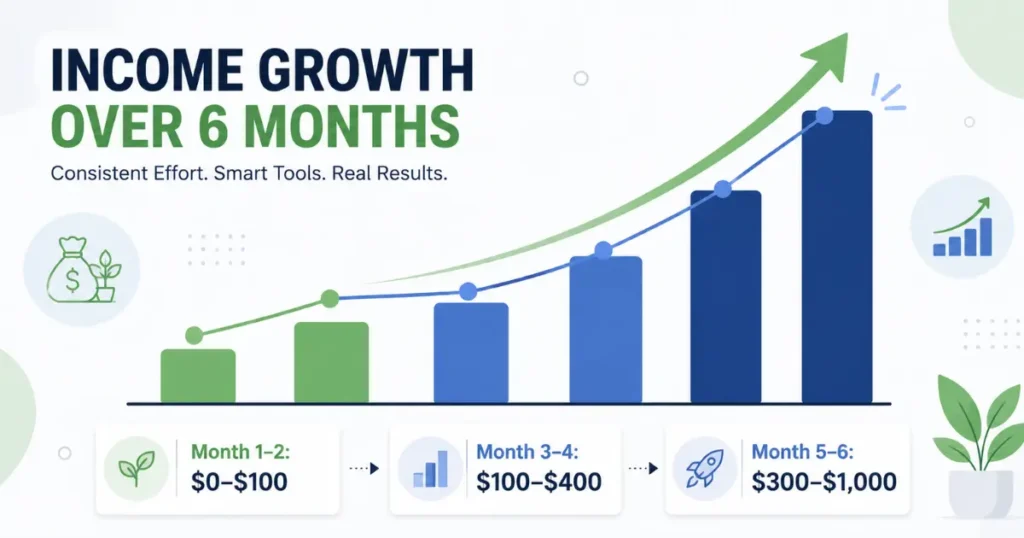
I want to be specific here because vague income claims frustrate me as much as they probably frustrate you.
Month 1–2 for most of these: $0–$100. You’re building, learning, getting your first project or listing up. This phase is uncomfortable but unavoidable.
Month 3–4: $100–$400 if you’ve been consistent and have iterated based on what’s working.
Month 5–6+: $300–$1,000/month becomes realistic for someone who’s been consistent, has refined their approach, and has a couple of repeat clients or a growing product/content catalog.
These numbers assume part-time effort — maybe 10–15 hours per week. More effort and faster learning curve can push these higher. Less consistency will push them lower or to zero.
None of this happens automatically, and none of it requires money to start. What it requires is patience, consistency, and a willingness to learn from what doesn’t work on the first try.
That’s the actual investment. And it’s one anyone can make.
FAQs
Can you really start an AI side hustle with absolutely no money?
Yes — all six options in this guide use tools with genuinely free tiers or free platforms. Etsy’s $0.20 listing fee is the only near-zero cost, and that’s only charged after you create a listing. No subscriptions required to get started.
Which AI side hustle makes money the fastest?
AI-assisted content writing on Fiverr or Upwork typically generates the fastest first income — because you’re actively applying to clients who need work now, not waiting for organic traffic or algorithm visibility. Most consistent beginners land their first paid project within 3–6 weeks.
Do I need to be a tech expert to use AI tools for side hustles?
No. ChatGPT, Claude, and Canva are all designed for non-technical users. The learning curve is short — most people are comfortable with the basics within a few hours of actual use.
Is it legal to sell AI-generated content or products?
Generally yes, though specifics depend on the platform and tool. Always check the terms of service for commercial use on any AI tool you’re using. Most major tools (ChatGPT, Claude, Canva) permit commercial use under their free and paid tiers.
What if I try one of these and it doesn’t work?
First question: did you give it enough time? Most people quit these within 2–4 weeks, before any realistic momentum could build. If you’ve genuinely been consistent for 6–8 weeks and nothing is moving, analyze specifically what isn’t working — is it no traffic? No conversions? Wrong niche? That diagnosis is more useful than just switching to something new.