
The first time I tried using AI for a client project, I panicked halfway through and deleted everything I’d generated.
The client had hired me to write a series of blog posts. I’d used Claude to draft the first one, read it back, and immediately thought: this sounds nothing like me, the client will know, this is somehow cheating, I should just start over.

I rewrote the whole thing from scratch. Took me three hours. The client gave neutral feedback.
A few months later — after watching other freelancers talk openly about using AI as part of their workflow — I gave it another proper attempt. This time with a clearer head and a better understanding of what I was actually trying to do with it.
The result was a 1,400-word article that took me 55 minutes from brief to final draft. The client said it was one of the best pieces I’d delivered.
Nothing had changed except how I was using the tool.
That experience is basically what this entire guide is about. Not whether to use AI for freelancing — that ship has sailed, and most working freelancers are using it in some form — but how to use it in a way that actually improves your work and your income, without turning you into someone who just edits chatbot output for a living.
The Right Mindset Before You Start

Let me address the two most common mental blocks upfront, because they trip up almost every beginner.
“Isn’t using AI cheating?”
This comes up constantly, and I get it. But think about it this way: a graphic designer who uses Canva templates isn’t “cheating.” A writer who uses Grammarly to catch typos isn’t cheating. A developer who copies a Stack Overflow solution and adapts it isn’t cheating.
Tools exist to help skilled people work better. AI is a tool. The skill, judgment, and quality control are still yours.
That said — passing off raw, unedited AI output as your own original work without disclosure, especially when a client has paid for your human expertise, is a different conversation. We’ll get to that.
“Will AI replace my freelancing career?”
The honest answer: AI will replace the parts of your job that are purely mechanical and low-judgment. It will not replace the parts that require taste, real-world context, client communication, strategic thinking, and the ability to understand what a specific human actually wants.
The freelancers at risk are the ones doing low-effort, low-skill commodity work. The freelancers who learn to use AI as a force multiplier for skilled work are the ones who are quietly pulling ahead.
You want to be in the second group.
Related: Best AI Tools to Make Money Online
What AI Is Actually Good At in a Freelancing Context
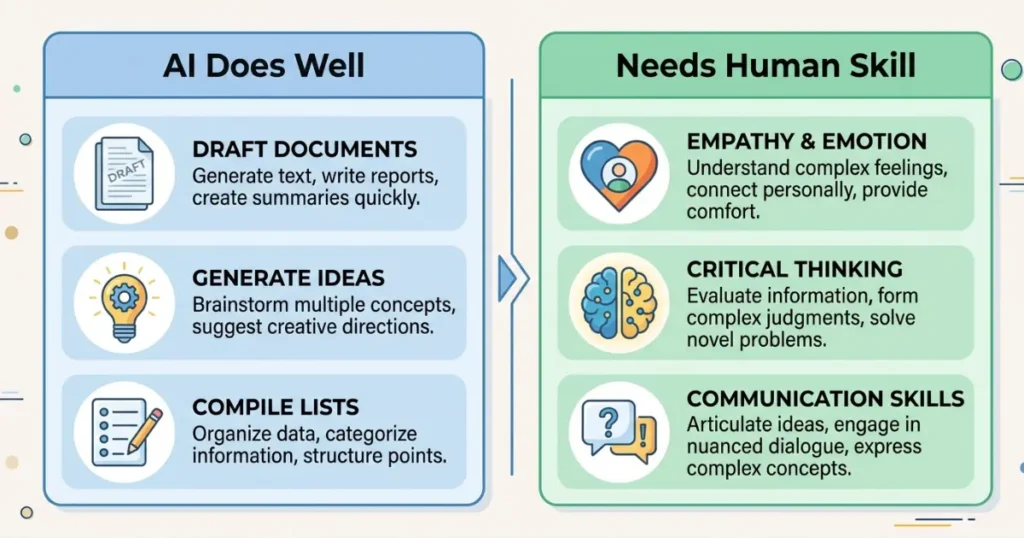
Before we get into specific use cases, it’s worth being honest about what AI does well and what it does poorly — because knowing the difference saves you a lot of frustration.
AI is genuinely good at:
- Generating first drafts that give you a starting structure
- Brainstorming options quickly (headline ideas, angles, subject lines)
- Summarizing long documents or research into usable points
- Rewriting or improving existing text for clarity, tone, or length
- Creating templates and frameworks you can reuse across projects
- Handling repetitive, pattern-based writing (product descriptions, meta descriptions, bio variations)
- Explaining unfamiliar topics so you can work in niches you don’t know deeply
AI is not great at:
- Knowing your client’s specific audience, brand voice, or context (without being told explicitly)
- Producing work that doesn’t need editing — it almost always does
- Getting facts right reliably — always verify anything factual it produces
- Writing with genuine personal experience, real anecdotes, or emotional depth
- Understanding nuance in sensitive topics or highly specialized fields
Once you know where the edges are, you stop expecting AI to do things it can’t and start using it precisely where it helps most.
How to Use AI for Writing-Based Freelance Work
This is where I have the most hands-on experience, so I’ll go into detail.

Step 1: Use AI for Research and Structuring, Not Just Writing
Before you write anything, ask the AI to help you understand the topic and structure your approach.
For a blog post, my typical starting prompt looks something like:
“I’m writing a 1,200-word blog post for a [type of company] targeting [type of reader]. The topic is [topic]. Give me five different angle options for how to approach this post, then outline the three you think are strongest.”
This gives me options I might not have considered and a structure I can respond to — either use it, adjust it, or reject it and go my own direction. The key is that I’m making the creative decisions. The AI is giving me raw material to react to.
Step 2: Generate a First Draft You’ll Rewrite
Once you have a structure, ask the AI to write a first draft.
Then — and this is the part most beginners skip — rewrite it.
Not lightly edit. Actually rewrite. Change the opening. Swap out the generic examples for specific, real ones. Cut the sentences that sound like AI wrote them (you’ll start to recognize the patterns quickly). Add your own voice, observations, or experience.
By the time I’m done with a piece, usually 30–40% of the original AI draft is still in there, but the opening, the specific examples, the transitions, and the closing are mostly mine. That’s the version a client can’t get from just prompting an AI themselves — and that’s why they’re paying you.
Step 3: Use AI for the Parts That Drain Your Time Most
For me, the things that took the most time and brain energy before AI were: coming up with headline options, writing meta descriptions, repurposing long content into shorter formats, and drafting client update emails.
All of these are now things I spend almost no time on, because AI handles the first pass in under a minute.
Specific prompts that actually work:
For headlines: “Give me 10 headline options for this article. Mix emotional, practical, and curiosity-driven approaches.”
For meta descriptions: “Write 3 meta description options for this post. Keep each under 155 characters. Focus on the benefit to the reader.”
For repurposing: “Take this 1,200-word blog post and give me: 5 Twitter/X post ideas, 3 LinkedIn post drafts, and 2 email newsletter intros based on the content.”
For client emails: “I need to send a client a project update. Here’s the situation: [brief]. Write a short, professional but friendly email giving the update.”
Each of these takes less than two minutes with AI. Without AI, each could eat twenty to thirty minutes of mental bandwidth.
Related: Top AI Tools for Content Creation and Blogging
How to Use AI for Non-Writing Freelance Services
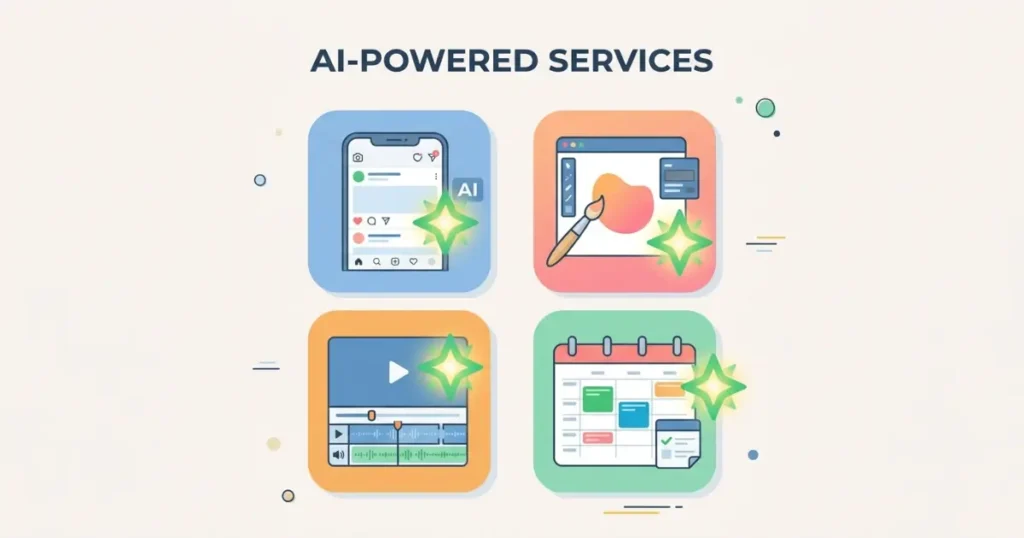
Social Media Management
If you manage social media for clients, AI completely changes the speed of content creation.
Use ChatGPT or Claude to generate a month’s worth of caption drafts in a single session. Feed it the client’s brand guidelines, target audience, and content pillars, and ask for 20 caption drafts across different formats (educational, promotional, conversational, behind-the-scenes).
You’ll edit, cut, and rewrite a lot of them. But going from zero to a full month’s content calendar in an afternoon — instead of a week — is a real shift in how much you can take on.
Tool that pairs well here: Metricool or Buffer for scheduling. Generate content with AI, edit it yourself, schedule it with a tool. The whole pipeline gets faster.
Graphic Design and Visual Content
If you use Canva for client work, Canva’s built-in AI features (Magic Design, Magic Write, AI image generation) save time on the most repetitive parts — generating layout options, writing caption text, creating background variations.
Midjourney or Adobe Firefly are worth learning if you need unique, custom imagery rather than stock photos. The time saved on finding and licensing images alone justifies learning a basic prompting workflow.
Video Editing
If you edit videos for clients, AI tools touch multiple parts of the process now.
Descript removes filler words (“um,” “uh,” “like,” long pauses) with a single click by editing the transcript. For talking-head interviews or podcast video, this alone cuts editing time by 30–40%.
Captions and subtitles — tools like Kapwing or Descript auto-generate captions from audio. Editing them takes a few minutes instead of typing them manually.
ElevenLabs is useful if you’re adding voiceover narration to videos — generates professional-sounding audio from text in minutes.
Virtual Assistance
AI is genuinely transformative for VA work, especially the written parts.
Email drafting, response templates, meeting summaries, research compilation, social media scheduling — all of these benefit from AI as a first-pass tool that you then review and refine.
If a client asks you to research five competitors and summarize their positioning, AI can pull together a rough framework in minutes. Your job is to verify, add context, and present it cleanly. The hours-long research task becomes a 45-minute task.
Related: Automate Your Online Income Step by Step Guide
The Disclosure Question: When and How to Be Transparent
This is the part of the AI-in-freelancing conversation that most guides skip, and I think that’s a mistake.
Some clients explicitly don’t want AI used in their work. Some don’t care as long as quality is there. Some want you to disclose it. The problem is that most clients never ask and most freelancers never tell.

My approach:
For any new client, if AI is going to be a meaningful part of how I produce the work, I mention it upfront — not as a confession, but as part of explaining my process. Something like: “I use AI tools as part of my research and drafting workflow, which lets me turn projects around faster while keeping quality high. The final editing, voice, and quality control are all mine.”
Most clients respond positively to this because it sounds professional and efficient, not lazy.
If a client says they don’t want any AI involvement, I either respect that (it means more time and a higher rate) or I decline the project if I can’t serve them well under that constraint.
What I don’t do: present entirely AI-generated, unedited output as my original human work. That’s the version of AI use that erodes trust, damages your reputation, and frankly just produces worse work than a proper human-AI collaboration.
Building a Workflow That Actually Sticks
The freelancers who get the most from AI tools are the ones who build consistent workflows around them — not the ones who experiment randomly and forget what worked.
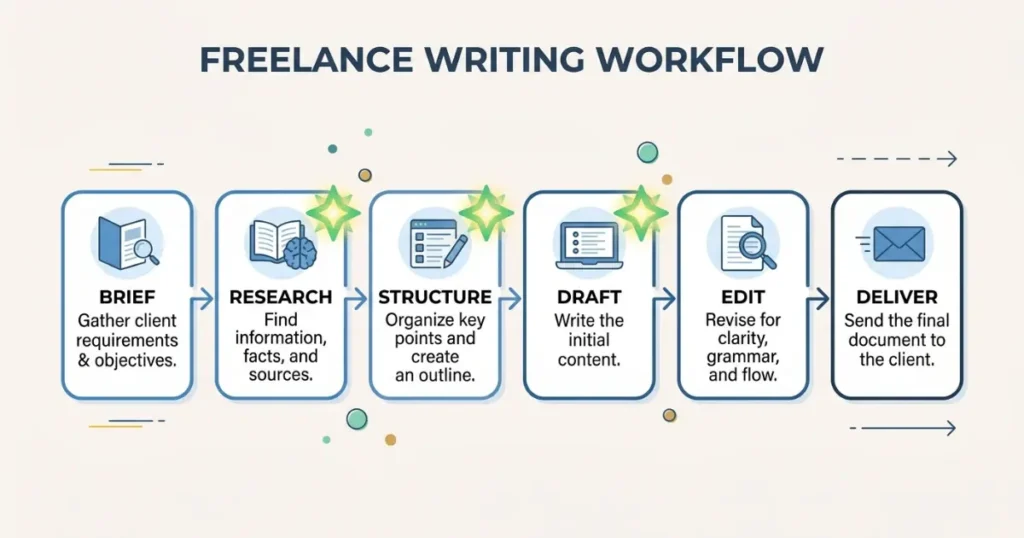
Here’s a simple workflow template you can adapt:
For a writing project:
- Receive brief → read it twice, note any questions
- Use AI to research the topic and get 3 structural options
- Choose a structure, adapt it, make it yours
- Use AI for first draft on the sections you’re most blank on
- Write or rewrite the sections that need your voice most (usually the opening, examples, and closing)
- Use AI to generate headline options and meta description
- Proofread yourself, then run through Grammarly
- Deliver
For a social media project:
- Get client brief and brand guidelines
- Feed guidelines and content pillars to AI, request 20–25 caption drafts
- Edit down to the best 12–16, rewriting where needed
- Add client-specific details, references, or voice elements AI couldn’t know
- Build the content calendar in a Google Sheet or Notion template
- Present to client for approval before scheduling
The specific steps matter less than having steps at all. A repeatable workflow means you’re not reinventing your process every project — which is where a lot of time gets lost.
Related: AI Side Hustles You Can Start With Zero Investment
Common Mistakes Beginners Make With AI in Freelancing
Using AI output without editing it. This is the most common and most damaging. Raw AI output is a starting point, not a deliverable.
Not giving the AI enough context. “Write a blog post about marketing” produces generic garbage. “Write a 1,000-word blog post for a B2B SaaS company targeting HR managers, focused on how to reduce employee onboarding time using their software” produces something actually useful. The quality of your output is directly tied to the quality of your input.
Relying on AI for facts. AI language models hallucinate — they confidently produce incorrect information. Always verify statistics, quotes, dates, and specific claims before including them in client work.
Using the same AI for everything. Different tools have different strengths. Claude tends to be better at nuanced long-form writing. ChatGPT is flexible and good for structured tasks and brainstorming. Midjourney is for images. Descript is for audio and video. Learn which tool fits which job.
Forgetting that clients are getting smarter too. Clients in 2026 have often used AI themselves. They can tell when work hasn’t been touched by a human. The freelancers who keep clients long-term are the ones whose AI-assisted work still sounds and feels human — because it is, at the editing and judgment layer.
What This Actually Changes for Beginners
If you’re just starting out in freelancing, the timing is genuinely good.
AI tools lower the barrier to entry for a lot of services. You can produce higher-quality first drafts faster than someone starting cold five years ago. You can research unfamiliar niches quickly. You can handle a higher volume of work once you have a workflow established.
The catch is that everyone else has access to the same tools. The differentiator isn’t the AI — it’s how well you use it, how good your judgment is, and how clearly your human voice and skill come through in the final product.
The beginner who learns to use AI as a partner rather than a replacement — and keeps developing their underlying skill at the same time — is in a better position than either the person who refuses to use AI or the person who relies on it entirely.
That middle path is where the real leverage is.
FAQs
Is it ethical to use AI for freelance client work?
Generally yes, when you’re using it as a tool within a skilled workflow and the final output reflects your judgment and editing. It becomes ethically murky when you’re passing off entirely AI-generated work as human-crafted, especially if a client is paying specifically for human expertise. When in doubt, be transparent.
Which AI tool is best for beginner freelancers?
Claude and ChatGPT are the most versatile starting points for writing-based work. Canva’s AI features are excellent if you’re doing design or social media work. Start with one tool, learn it well, then add others as needed.
Will clients know if I use AI?
Unedited AI output has recognizable patterns that experienced clients and editors notice. Well-edited, AI-assisted work is much harder to distinguish from fully human work. The key is genuine editing and adding your own voice — not just light surface changes.
How much time can AI realistically save in freelancing?
For writing work, most freelancers report 30–50% faster production time once they have a consistent workflow. For social media content batching and repetitive tasks, the savings can be even higher. Results vary based on how well you learn to prompt and edit.
Should I tell clients I use AI tools?
For new client relationships, mentioning it proactively as part of your process is generally a good idea. It sets expectations, builds trust, and prevents awkward conversations later. Frame it as part of how you deliver quality work efficiently — not as something you’re confessing to.